
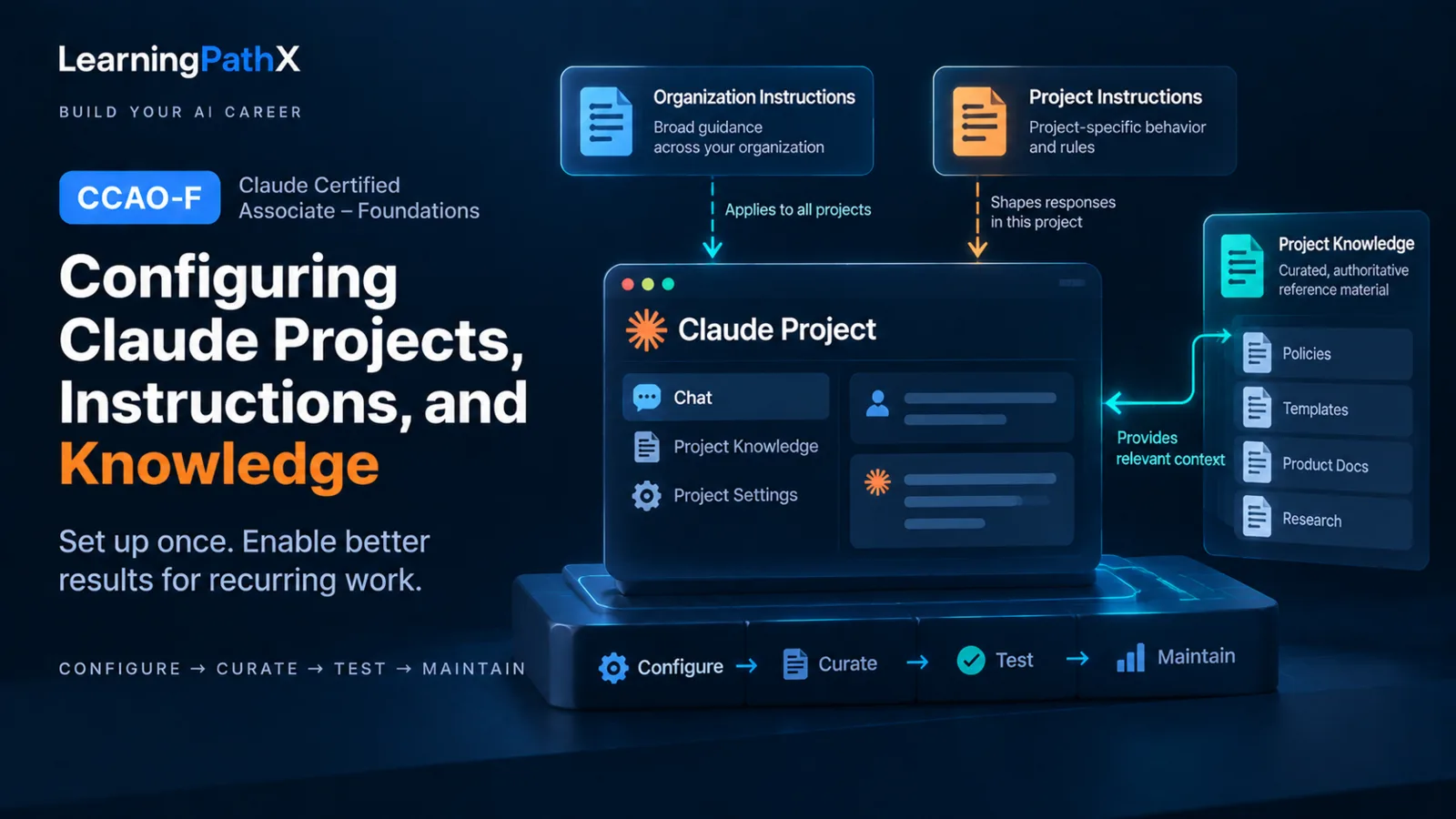
Configure a Claude Project in six steps: define the recurring-work boundary and owners, separate durable instructions from reference material, write compatible organization and Project instructions, curate authoritative project knowledge, test both instruction behavior and knowledge retrieval, and maintain the configuration on a schedule and after material changes. This procedure gives recurring chats a consistent operating context without treating stored content as automatically current or authoritative.
The architecture has distinct responsibilities. A Project is the workspace; instructions describe stable behavior; project knowledge supplies the reference corpus; and retrieval-augmented generation (RAG) may select relevant portions of that corpus when its size approaches context limits. The team still owns source authority, freshness, conflict resolution, and testing. Retrieval can find relevant text, but it does not prove that the text is controlling, complete, or current.
Step 1: Define the Project Boundary and Owners
Start with one recurring body of work that benefits from shared context across multiple conversations. Anthropic describes Projects as self-contained workspaces with their own chat histories and knowledge bases, where users can upload material and define project instructions.
Record a small operating brief before adding content:
- The recurring work and intended users
- The decisions or deliverables the Project should support
- The subjects and material that do not belong in the Project
- The owner of the Project instructions
- The owner of each knowledge source or source collection
- The person responsible for approving changes and resolving conflicts
This boundary prevents a Project from becoming a general-purpose document store. It also gives maintainers a basis for removing content that no longer serves the recurring work.
Step 2: Separate Instructions from Project Knowledge
Put behavioral rules in instructions and factual reference material in project knowledge. Mixing the two makes both harder to maintain.
| Layer | Put here | Keep out |
|---|---|---|
| Organization instructions | Concise behavior or context that should apply across the organization where the feature is available | Project-specific exceptions, temporary requests, or long reference documents |
| Project instructions | Stable Project purpose, audience, terminology, source-selection rules, output conventions, uncertainty handling, and escalation expectations | One-off request details and large bodies of factual content |
| Project knowledge | Approved policies, templates, definitions, research, product information, and other source material used across Project chats | Unlabeled drafts, unexplained duplicates, and rules that should be expressed as instructions |
This separation is operational guidance, not a guarantee that every response will use every instruction or document. Keep each layer concise enough to inspect, and make the source-selection rules explicit when several documents could answer the same question.
Step 3: Configure Compatible Instruction Layers
Write the broadest stable requirements at the broadest applicable level, then add only Project-specific behavior in the Project. For example, an organization instruction might define an organization-wide communication standard, while the Project instructions define the audience, approved terminology, controlling sources, and response structure for one recurring workflow.
Anthropic's organization-instructions guidance documents that, on Team and Enterprise plans, authorized administrators can set instructions that apply across the organization. It also documents one specific precedence relationship: organization instructions take precedence over conflicting individual user instructions, while individual instructions still apply to matters the organization instructions do not address. Anthropic cautions that instruction prioritization relies on prompt-level instructions and may vary in rare contradictory cases.
Do not extend that documented rule into an assumed universal ordering for every instruction layer. Instead:
- Make organization and Project instructions compatible by design.
- State which source controls when Project documents disagree.
- Remove duplicated rules that can drift apart.
- Test a normal case, an ambiguous case, and a deliberate conflict case.
- Record the expected result and revise the instructions if behavior is inconsistent.
Instructions can express the behavior a team expects, but maintainers must still test the current product surface and settings. Availability, administrator roles, and instruction behavior can change.
Step 4: Curate Authoritative Project Knowledge
Upload only material that supports the Project's declared work. Before accepting a source into project knowledge, record maintenance metadata outside or within the document as the team's process allows:
- Descriptive title and source of record
- Responsible owner
- Effective, publication, or version date
- Applicable product, region, audience, or business unit
- Current, draft, historical, or superseded status
- Next review date or change trigger
- The document it replaces, when applicable
Prefer one clearly identified current source over several unexplained copies. If historical material must remain, label it and state when it is valid. If two current sources conflict, resolve the conflict with the source owners or write an explicit selection rule; do not expect Claude to infer which authority should win.
Use filenames that identify the subject and version rather than generic labels such as final or latest. Anthropic's RAG guidance for Projects recommends clear, descriptive filenames, grouping related content, and referring to specific documents when focusing retrieval.
Step 5: Test Instructions and Knowledge Retrieval
Test the saved configuration as a system, not as a list of files. Build a small regression set from real recurring work, without copying confidential or live exam material. Include cases that should:
- Apply the normal audience, terminology, and output conventions
- Use a named authoritative document
- Distinguish a current source from a superseded source
- Admit that the available Project knowledge does not answer the question
- Expose an instruction conflict or ambiguous source-selection rule
- Route an exception to the named human owner
For each case, record the expected behavior, the source that should support the answer, the observed behavior, and the corrective change. Check whether the result identifies the expected source and accurately reflects the controlling passage rather than merely producing a plausible response.
Retrieval-augmented generation needs a qualified interpretation. Anthropic documents that RAG can activate automatically as project knowledge approaches the context limit and can use a project-knowledge search tool to retrieve relevant portions instead of placing all content into immediate context. Activation and retrieval are product behavior, not a team-authored authority ranking. A missing passage can reflect source gaps, naming and organization problems, or retrieval behavior; a retrieved passage can still be obsolete or noncontrolling. Test representative queries after the knowledge set changes, and recheck current plan and setting availability instead of treating one observed mode as permanent.
Step 6: Maintain the Configuration and Knowledge
Assign a regular review interval and event-driven triggers. A maintenance pass should:
- Reconfirm the Project purpose, user group, and owners.
- Compare organization and Project instructions for conflict, duplication, and obsolete language.
- Verify the authority, status, version, and review date of each knowledge source.
- Remove or clearly label superseded and duplicate material.
- Run the instruction-and-retrieval regression set.
- Record material changes, the reason for each change, and the person who approved it.
Run an additional review when a policy, source of record, product behavior, organization setting, user group, or recurring deliverable changes. After changing organization instructions, allow for the documented propagation behavior and then retest affected cases; Anthropic notes that changes can take time to apply across Claude products.
A useful change record is small: date, owner, changed layer, old and new intent, affected sources, test results, and any follow-up. The record makes stale behavior diagnosable without turning the Project itself into a policy-management system.
Keep Projects and Skills Separate
Use a Project for the persistent background context of a defined body of work. Use a Skill when a specialized, repeatable procedure should load dynamically for relevant tasks. Anthropic defines Skills as folders of instructions, scripts, and resources and distinguishes their task-specific activation from the background knowledge associated with Projects.
The boundary is about responsibility: Project instructions and knowledge describe this workspace and its authoritative context; a Skill describes how to perform a specialized kind of work. Do not duplicate the same procedure and reference corpus across both without a named owner and synchronization method.
Common Configuration Mistakes
- Using instructions as a storage location for reference documents
- Uploading every available file without deciding which source is authoritative
- Leaving current and superseded material unlabeled in the same knowledge set
- Assuming a retrieved passage is current because it is relevant
- Treating an undocumented instruction ordering as guaranteed
- Testing only one successful case and ignoring ambiguity, conflict, and missing-source cases
- Updating source material without retesting representative retrieval
- Creating a Skill and a Project copy with no owner for keeping them aligned
Certification Relevance
For Claude Certified Associate – Foundations (CCAO-F), this procedure covers D5.1 Project instructions and knowledge sources, the uploaded-knowledge portion of D5.2, D5.3 system-level instructions, and D5.4 maintenance of configuration, knowledge, and instructions. A useful practice exercise is to create a bounded Project for a recurring work product, define compatible persistent instructions, curate a small set of versioned sources, test normal and conflict cases, replace one source, and demonstrate that the maintenance record and regression results changed with it.
Keep adjacent skills separate. Choosing whether the work belongs in a Project comes earlier; external-service access has its own permission and operating decisions; and troubleshooting begins when a configured Project produces a weak result. This article owns the setup and maintenance of persistent Project context, not those neighboring decisions.
Conclusion
A reliable Claude Project is a maintained context architecture, not a one-time upload. Define its boundary, keep instructions distinct from knowledge, align instruction layers, curate sources with explicit authority and freshness, test retrieval as a fallible relevance mechanism, and repeat the checks whenever the work or configuration changes. That discipline gives recurring chats current, reviewable context without assuming that storage, retrieval, or instruction precedence guarantees correctness.
Authoritative Sources
- What are projects?
- Retrieval augmented generation (RAG) for projects
- Set organization instructions
- What are skills?