
Introduction
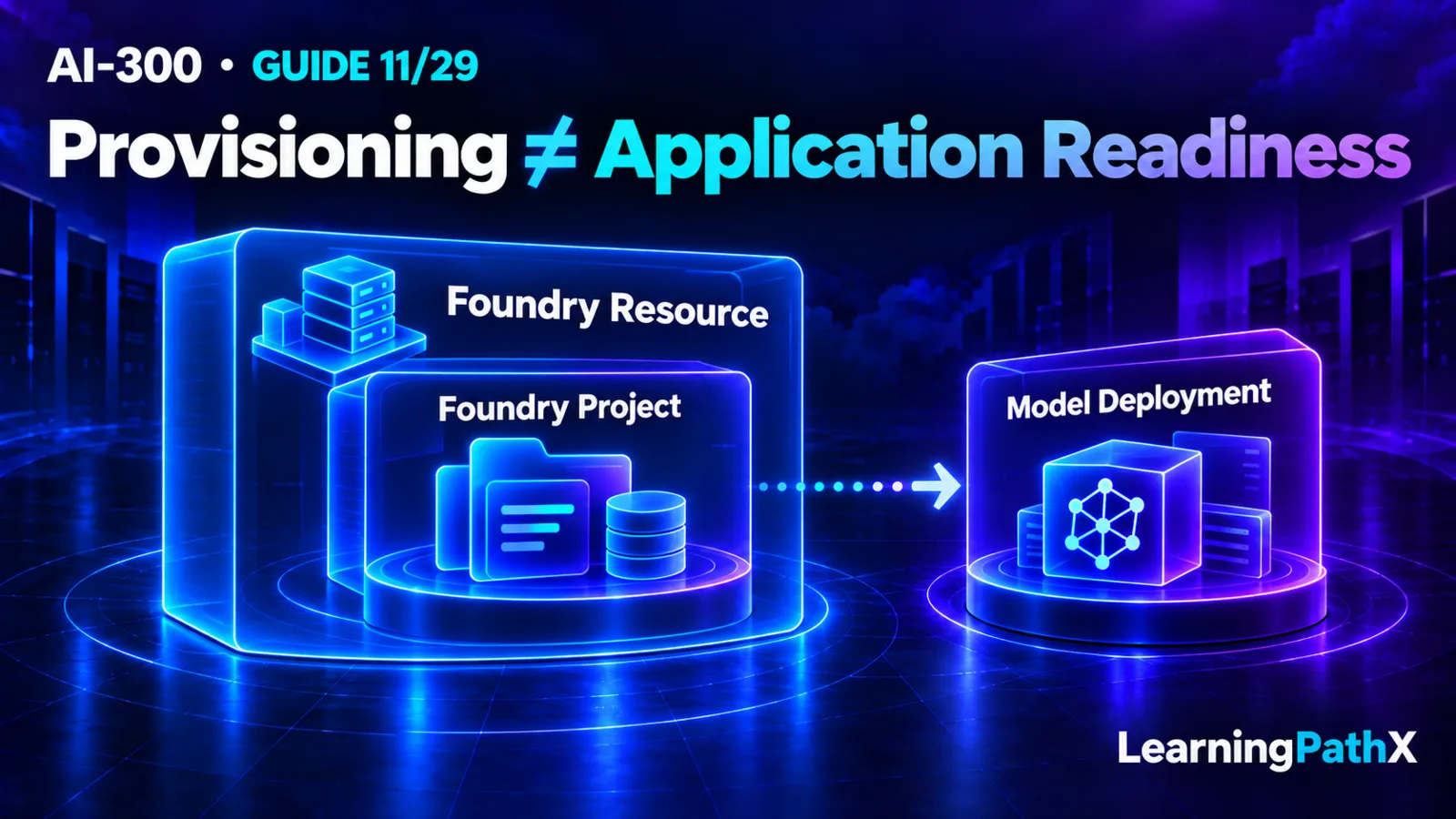
Provisioning Foundry resources and projects establishes an application environment: a Foundry resource supplies the administrative boundary, a child project organizes development, and separately configured model deployments supply inference. Before handing the environment to an application team, verify the resource and project, resolve the project endpoint, record the intended deployment name, and test access using the identities that will actually work there.
Treat this as an architecture handoff with several acceptance conditions. A successful infrastructure deployment is evidence that resources were created; application readiness also needs usable permissions, reachable dependencies, and a supported model configuration. This guide covers the platform foundation. Detailed access and network design belongs in AI-300: Securing Foundry Identities and Private Connectivity.
Architecture Overview
Microsoft's current Bicep quickstart creates Microsoft.CognitiveServices/accounts and Microsoft.CognitiveServices/accounts/projects. These are the resource and its child project. Do not transplant a classic hub-based project template into this resource model.
Think of the provisioning boundary as three connected concerns:
| Concern | What to establish | Recommended handoff evidence |
|---|---|---|
| Resource foundation | Correct account and project in the intended environment | Resource identifiers, location, deployment record |
| Application configuration | Project endpoint and intended model deployment | Separate named configuration values |
| Effective access | Authorized callers and dependent services | Tests performed with each relevant identity |
This division helps assign failures to an owner. For example, a missing project is an infrastructure problem; an application selecting the wrong deployment is a configuration problem. Keep that distinction even when one pipeline performs both operations.
Core Components
Resource and project
The current Azure CLI quickstart creates an account with kind AIServices, SKU S0, a custom domain, --assign-identity, and --allow-project-management true. The managed identity is required for project management, and project-management enablement cannot be changed after resource creation. Check this foundation before diagnosing a failed child-project operation.
A project is also an access-control scope within the resource. The resource is the broader administrative, security, and monitoring boundary. A useful planning question is therefore whether the proposed separation needs another project or another resource. Record the reason for the boundary rather than choosing it solely from a naming convention.
Endpoint and model deployment
The project endpoint connects code to a project; the model deployment name selects a deployed model. Keep them as distinct application settings. An endpoint copied successfully from the portal does not establish that the intended deployment exists or is usable.
For an illustrative support assistant, record the project endpoint under a project configuration field and a deliberately chosen deployment name such as support-chat under a model configuration field. That name is an example, not a published model identifier. A release reviewer should be able to identify which setting changes when replacing the serving deployment without moving the project.
Deployment and runtime identities
Azure role-based access control (RBAC) separates control-plane permissions from data actions. Contributor can create the resource and project but does not grant the Foundry data actions needed to build inside the project. Creating role assignments requires additional permission. The project's managed identity and a developer's identity also need their own appropriate assignments.
Recommend an identity inventory with one row each for the deployment operator, developer, and project managed identity. For every row, identify the intended action and scope. Inspect actual assignments instead of assuming portal-created permissions will be reproduced by an infrastructure pipeline. Microsoft Entra ID authentication lets these RBAC restrictions apply; key-based authentication grants access without those role restrictions.
How Components Work Together
Start with the intended subscription, resource group, region, account name, and project name. Then choose the documented provisioning route and review what it will create. This is also the point to assign ownership for cleanup and any resources retained after a test.
For Bicep, use the sample referenced by Microsoft's current Foundry Bicep quickstart as a reviewed starting point. Its documented deployment accepts aiFoundryName and aiProjectName; pass location explicitly because the sample's default can differ from the resource group's location. The following Bash command illustrates those inputs after obtaining and reviewing that sample. It is not a standalone template or evidence of execution:
az deployment group create --resource-group exampleRG --template-file main.bicep --parameters aiFoundryName=myai aiProjectName=myai-proj location=eastus
Before running an adapted deployment, inspect its resource declarations, API versions, identity settings, role assignments, and any included model deployment. Check model availability rather than retaining a sample's model version unquestioningly. Exported Bicep also needs review: Microsoft warns that exports can omit unsupported properties and retain environment-specific values.
After provisioning, check the account and child project separately. These read-only Bash examples follow the current setup quickstart; its project commands require Azure CLI 2.80.0 or later. Replace the illustrative names with your environment's values:
az cognitiveservices account show --name myai --resource-group exampleRG --query properties.provisioningState --output tsv az cognitiveservices account project show --name myai --resource-group exampleRG --project-name myai-proj --query properties.provisioningState --output tsv az cognitiveservices account project show --name myai --resource-group exampleRG --project-name myai-proj --query 'properties.endpoints."AI Foundry API"' --output tsv
The documented successful state is Succeeded. These are expected checks, not outputs observed for this article. Retrieve the endpoint from the service rather than constructing it from guessed naming rules.
Design Considerations
Define a useful acceptance record
Recommend a small environment record that connects deployment evidence to application evidence. Record the reviewed infrastructure revision, resolved resource identifiers, endpoint configuration, deployment reference, and the identity used for each access test. Do not put credentials in that record.
For the support-assistant example, the infrastructure owner first confirms the two provisioning states. The application owner then checks the configured deployment and performs an authorized, harmless request using the intended runtime authentication path. If the infrastructure owner can access the project but the application cannot, preserve both observations; the administrator's successful session does not answer the application's access question.
Keep network reachability as a separate acceptance condition. A permission check cannot diagnose every connectivity failure, and an open network path cannot grant permission. Define who will validate the required caller-to-service and service-to-dependency paths before declaring the environment ready.
Keep preview and cost choices explicit
The setup quickstart labels instant model access as preview. Treat that optional shortcut as a separate feature decision, not a universal substitute for provisioning a model deployment. Record feature status alongside the chosen architecture and recheck support before production use.
Provision in a disposable resource group when rehearsing, inspect included deployments before creating them, and identify the owner of ongoing costs. Microsoft's Bicep quickstart describes deleting the resource group for cleanup. Because that removes resources in the group, first confirm the group contains only resources intended for deletion.
Common Mistakes
- Accepting only the infrastructure deployment result. Require an application-owner check as well, so the handoff has evidence for its intended use.
- Copying endpoint and deployment settings into one ambiguous field. Give each value a clear purpose and owner.
- Testing solely with an administrator. Repeat the relevant operation with the actual developer or runtime identity.
- Reusing sample names, locations, or model versions without review. Make environment choices explicit and inspect their resolved values.
- Treating a preview convenience as an architectural guarantee. Document why the selected feature status is acceptable.
Certification Relevance
For AI-300 learning, be able to explain what each provisioning check proves. Distinguish the parent resource from the project, an endpoint from a deployment reference, and creation permission from effective application access. The useful skill is diagnosing which missing condition blocks a handoff and choosing evidence that verifies it.
Conclusion
A sound Foundry provisioning handoff connects the resource hierarchy, application configuration, and effective access. Use reviewed Bicep or documented CLI operations, inspect resolved settings, and verify the intended callers. Preserve the resulting evidence so later application failures can be investigated against a known environment baseline.
Authoritative Sources
- Set up Microsoft Foundry resources
- Role-based access control for Microsoft Foundry
- Deploy a Microsoft Foundry resource by using a Bicep file