
Introduction
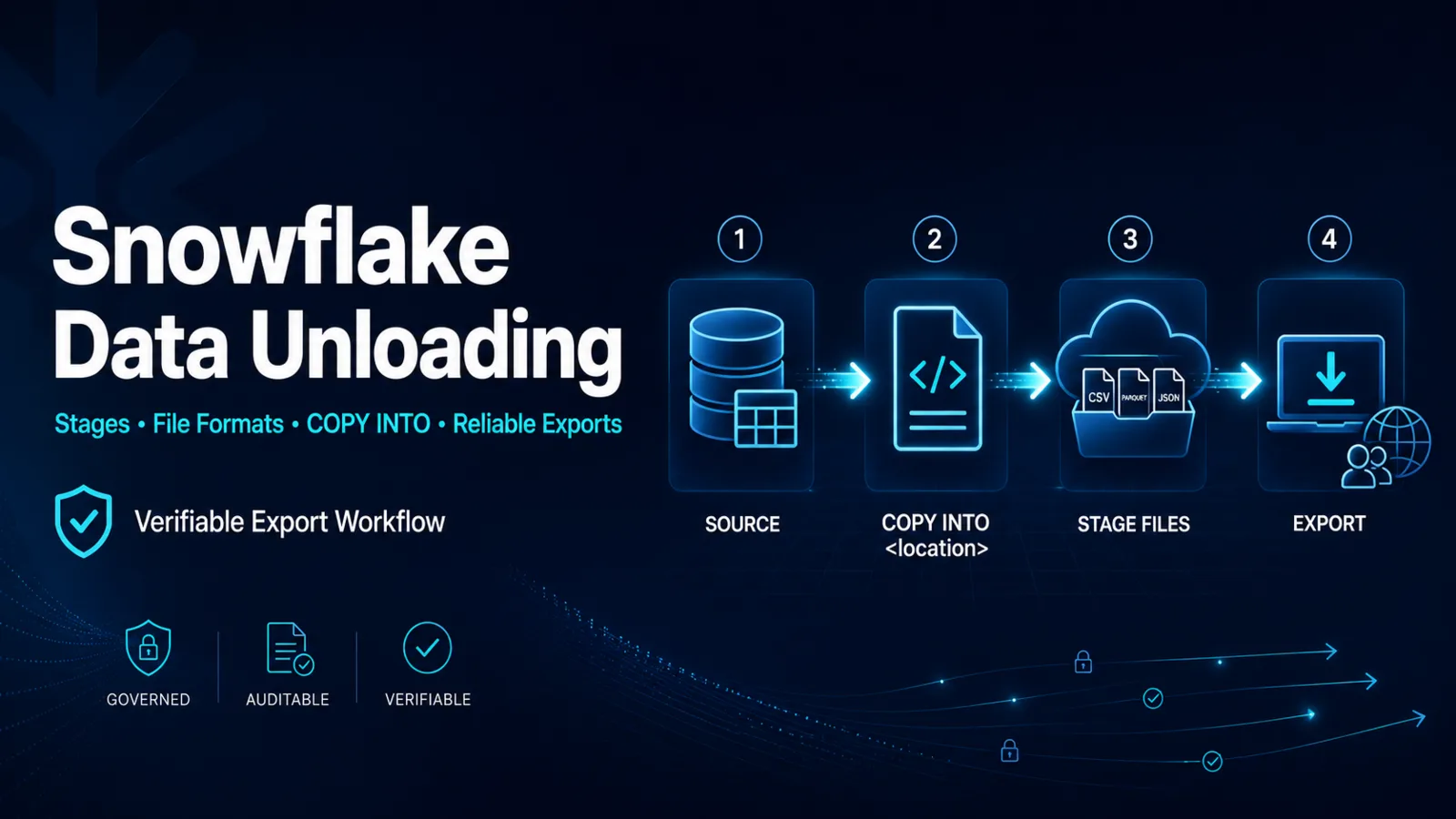
Snowflake unloading exports table data or query results to files in an internal or external stage. The controlling command is COPY INTO <location>, which reverses the direction of a table load. A production export must define the result set, file representation, destination, security boundary, and evidence that downstream consumers received the intended data.
The Bulk Unloading Process
Snowflake documents a two-step bulk workflow:
- Use COPY INTO <location> to write a table or query result to one or more files in a stage.
- Retrieve the files with GET for an internal stage or with the cloud provider's supported tools for an external stage.
The source can be a table or a query. A query-based unload can filter, join, order, or transform data before export, subject to current command rules. This is useful when the external consumer needs a governed subset rather than direct access to the source table.
A Verifiable Export Pattern
The following lab example exports a selected result to a named internal stage:
COPY INTO @analytics.exports.daily_orders/
FROM (
SELECT order_id, customer_id, order_total, order_ts
FROM analytics.curated.orders
WHERE order_ts >= DATEADD(day, -1, CURRENT_TIMESTAMP())
)
FILE_FORMAT = (FORMAT_NAME = 'analytics.exports.parquet_export')
OVERWRITE = FALSE;
Before using this pattern, verify the exact supported file-format and copy options for the target format. The role needs read access to source objects and the relevant privilege on the stage. An external stage also requires a secure, correctly scoped cloud-storage integration.
After the command completes, use LIST on a Snowflake stage or the cloud storage inventory to record generated names, sizes, and timestamps. Reconcile the exported row set against a stable source query or manifest.
File Count, Size, and Parallelism
By default, Snowflake can produce multiple files to use parallel execution. SINGLE = TRUE requests one output file but can reduce parallelism and throughput. MAX_FILE_SIZE influences the target maximum for multiple files, subject to current command behavior and cloud-provider limits.
Choose output layout from the consumer contract:
- Distributed processing engines often prefer multiple appropriately sized files.
- A legacy transfer process might require one file and accept lower throughput.
- Partitioned directories can help downstream systems prune data, but partition expressions can expose values in paths.
Snowflake warns that partition values are included in internal support logs. Do not use sensitive data directly in a PARTITION BY expression without reviewing the security implications.
File Formats and Data Fidelity
Named file formats make recurring exports consistent. CSV requires explicit decisions about delimiters, enclosure, null representation, empty strings, headers, character encoding, and compression. Parquet preserves typed columnar output but downstream compatibility still needs testing.
Empty string and NULL are different values. If the export format makes them indistinguishable, a downstream reload can change semantics. Test edge cases such as embedded delimiters, newlines, Unicode, timestamps, large numbers, and null values before establishing the contract.
Idempotency and Lifecycle
An export path should make reruns predictable. Use a run identifier or date partition that does not overwrite a verified prior delivery unless overwrite is explicitly required. Record the source snapshot or cutoff, query identifier, output objects, checksums where available, and downstream acknowledgement.
Do not remove staged files until retention and consumer requirements are satisfied. REMOVE is destructive for staged files, so list and verify the exact path before cleanup.
Common Export Failures
- Using COPY INTO <table> when the intended direction is outbound.
- Granting source-table access but not the stage privilege.
- Expecting one file without setting and validating the appropriate option.
- Assuming output filename prefixes are complete fixed filenames.
- Losing null-versus-empty-string meaning in CSV.
- Overwriting prior output before downstream reconciliation.
- Exposing sensitive partition values in object paths.
Certification Relevance
COF-C03 explicitly includes data unloading. Practical understanding means choosing COPY INTO <location>, selecting a governed stage and file format, and proving the result through stage inventory and data reconciliation.
Authoritative Sources
- Unload data from Snowflake
- Overview of data unloading
- Data unloading considerations
- File formats to unload data
Conclusion
A dependable Snowflake export is more than a successful copy command. Define the source snapshot, output contract, stage security, file layout, and validation evidence, then manage reruns and cleanup as explicit lifecycle operations.