
Introduction
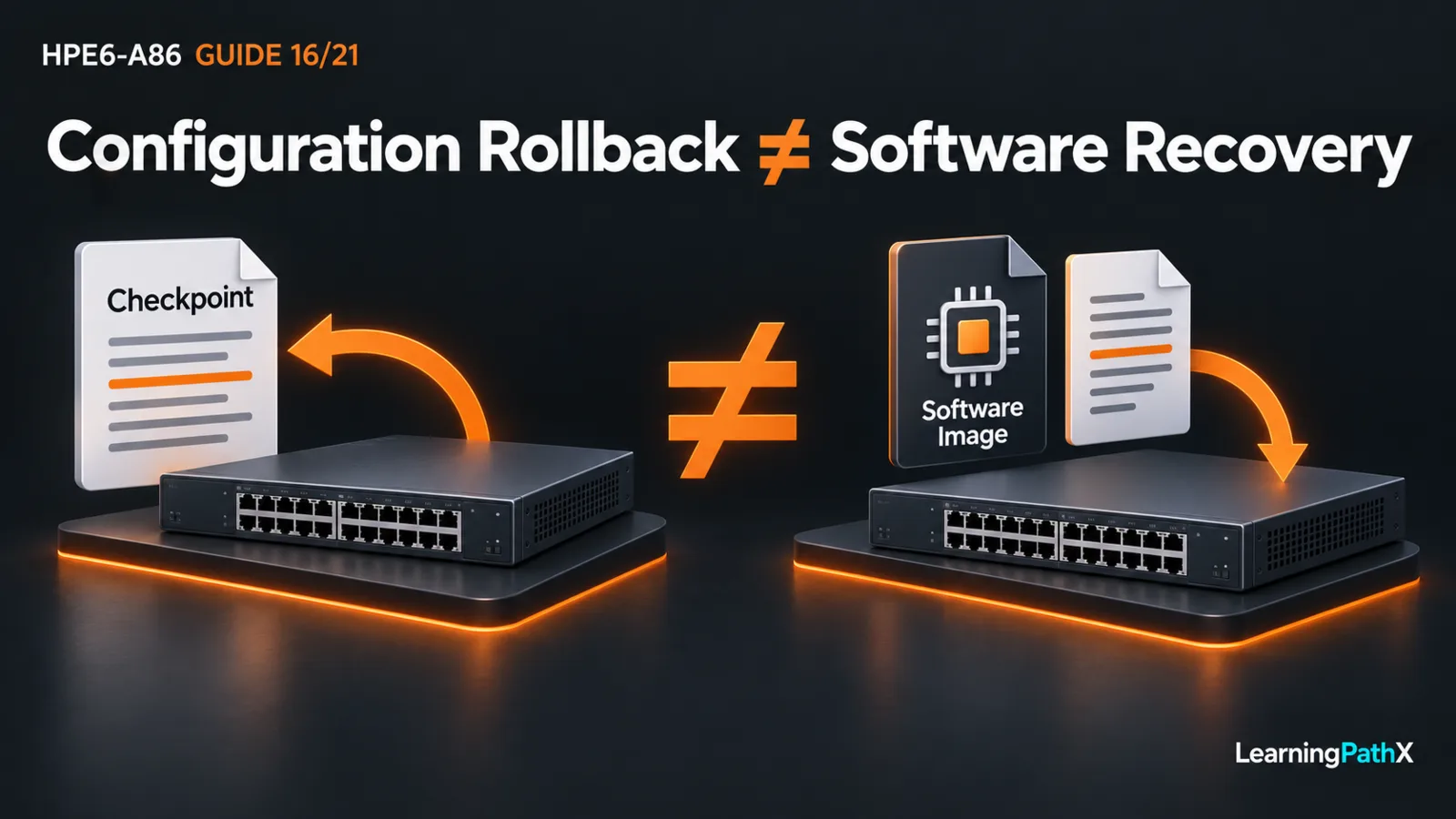
Plan an AOS-CX change by identifying configuration authority, preserving recoverable configuration outside the switch, verifying the exact software and hardware combination, and defining acceptance and rollback before the change window. Keep configuration recovery separate from software recovery: a checkpoint can restore configuration state, but it does not replace a firmware image or establish a supported downgrade path. Save the accepted state deliberately after validation.
This procedure uses a standalone CX 6300 running AOS-CX 10.13 as its baseline. It develops an original change plan, with documented observation and configuration-state commands rather than a universal software installation sequence. No hardware execution or successful upgrade is claimed. An actual target build requires its own release notes and supported transition procedure.
Architecture Overview: Separate the States You Must Recover
The running configuration governs current operation. The startup configuration supplies saved configuration across a restart. A named checkpoint captures configuration and relevant metadata at a particular point; it is not an independent off-device backup merely because it has a name.
| State or artifact | Planning purpose | Limit to remember |
|---|---|---|
| Running configuration | Establish what currently operates | Unsaved changes may differ from startup |
| Startup configuration | Establish the intended saved state | Saving overwrites that previous state |
| Named checkpoint | Recover a known configuration baseline | It does not recover the operating-system image |
| Protected off-device backup | Retain recovery material outside the device | Format, secrets and restore compatibility still matter |
| Software image and release documentation | Establish the approved software transition and recovery | Configuration rollback is a different operation |
First establish who owns configuration. In the documented AOS-CX 10.13 Aruba Central integration model, Central is the source of truth and the local web user interface becomes read-only. A centrally managed device therefore needs an approved controller-side change and recovery plan. Do not apply this standalone procedure as a competing authority or generalize that historical model to every newer Central mode.
Record the Baseline and Preserve Recovery Access
Assign one change owner and exclude unrelated concurrent changes. Retain authorized console access and a verified recovery login before touching management settings. A saved password is not proof that its authentication method will remain reachable after a change.
From manager context in the command-line interface (CLI), inspect:
switch# show version
switch# show system
switch# show images
switch# show running-config
switch# show startup-config
Record the exact product identifier, current build, active and available images, management path and relevant operational evidence. Review configuration differences before deciding which state is the baseline. Do not save automatically to make the files match: that could preserve an unintended running change over a correct startup configuration.
Configuration displays can contain sensitive material. Keep full captures in access-controlled storage; use redacted copies for change discussions. Record expected forwarding, management login, interface state, time synchronization and monitoring observations appropriate to the affected services.
Create and Verify Configuration Recovery Material
After approving the current running baseline, create and inspect a uniquely named checkpoint:
switch# copy running-config checkpoint pre-maint
switch# show checkpoint pre-maint
switch# show checkpoint
Confirm that the intended checkpoint actually exists and represents the baseline. Stop if creation fails; do not mistake an older artifact for the current capture. Keep its identity with the change record.
Export the approved running and startup states through the guide's supported remote-copy operation to a controlled backup server. Prefer Secure Shell (SSH) File Transfer Protocol (SFTP), verify the server identity, use an approved account and select the intended virtual routing and forwarding (VRF) context. Use distinct filenames and record device, build, state and capture time. Confirm receipt, readability and restricted access at the destination rather than trusting a local filename alone.
Choose the export format for the planned restore destination. The matching guide permits CLI or JavaScript Object Notation (JSON) exports; restoring startup requires the documented JSON or checkpoint format, whereas running configuration accepts additional documented formats. A readable CLI export alone is not proof that a direct startup restore will work. Rehearse the intended restore on an eligible isolated system before relying on it.
Treat all backups as sensitive, including encrypted credential representations. Protect transport, storage, retention and deletion under policy; do not paste credentials into tickets or commands. A checkpoint on the same device cannot cover loss of that device.
Qualify the Software Change Before Scheduling It
Identify the exact stock keeping unit (SKU), current full build, proposed full build and management dependencies. Read the target release notes for supported hardware, required intermediate transitions, known issues, configuration changes and recovery restrictions. Confirm the documented image source and integrity checks before staging anything.
If NetEdit participates, check the current AOS-CX and NetEdit compatibility table for the exact build pair. Sharing the label 10.13 does not establish that two maintenance builds have the same tool compatibility. Record the evidence consulted and resolve uncertainty before approval.
Budget the window for preparation, the documented transition, restart or service interruption where applicable, acceptance and recovery. Identify a latest rollback decision point that leaves enough recovery time. Availability requirements need an architecture-specific assessment; neither a second stored image nor a checkpoint guarantees uninterrupted service or a safe downgrade.
Apply an Original Bounded Change Plan
Consider an isolated spare switch used to qualify a proposed maintenance build. Its test host, management login and collector currently provide a recorded baseline. The owner proposes one software change with no simultaneous address or authentication redesign, making a failure easier to attribute.
Before the window, require verified backup retrieval, console access, approved image/build compatibility and an eligible software recovery procedure. Specify observable acceptance: the expected build boots, the intended saved configuration is present, a new authorized management session succeeds, the test host reaches its designated service, and fresh monitoring records arrive. These are proposed tests, not reported results.
During the window, follow the exact approved transition instructions and record milestones. Stop for an unexpected prompt, unsupported path or missing recovery artifact rather than improvising a boot command. Preserve relevant events and failure evidence before resetting or clearing anything. If an acceptance test fails, use the decision deadline and designated recovery owner instead of repeatedly retrying until the window expires.
Validate Recovery and Persist Only the Accepted State
For an authorized configuration-only rollback on the unchanged eligible software baseline, manager-context checkpoint rollback pre-maint applies the captured configuration to running state. It can replace intervening changes and disrupt access, so use the retained console and exclusive ownership. Verify the baseline services afterward. This is not the software rollback procedure.
After a software change, recover through the approved image-and-configuration procedure for that transition; first confirm that the selected configuration is supported by the recovered build. A successful boot alone is insufficient. Repeat the same management, host-traffic and monitoring acceptance checks used for the forward change.
When the running state is accepted and persistence is authorized, use copy running-config startup-config, inspect the saved configuration, and refresh the protected backup. Record the actual build, outcomes and remaining limitations. Close the change only when operation, persistence and recoverability have evidence, rather than merely a completed command.
Authoritative Sources
- AOS-CX 10.13 Fundamentals Guide
- AOS-CX 10.13 Security Guide
- AOS-CX 10.13 Diagnostics and Supportability Guide
- Aruba Central integration for AOS-CX 10.13
- AOS-CX and NetEdit Compatibility
- HPE Network Switching Associate Exam