
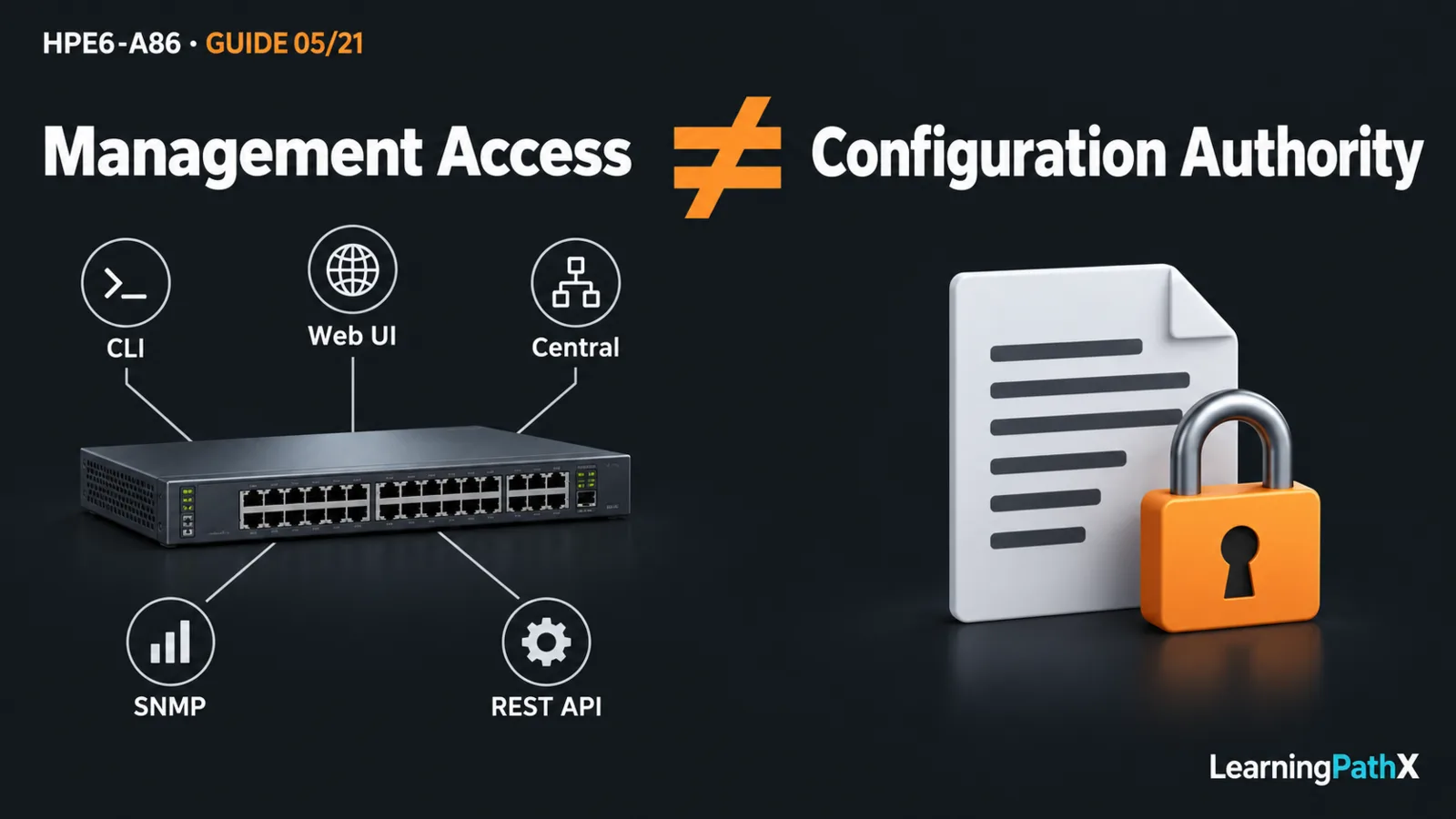
Use the AOS-CX command-line interface (CLI) for direct investigation and precise device work, the local web user interface (Web UI) for visual inspection and supported configuration tasks, Aruba Central for centrally owned management, Simple Network Management Protocol (SNMP) for monitoring integration, and the Representational State Transfer (REST) application programming interface (API) for structured programmatic access. Choosing CLI, Web, Central and API management depends on the task, configuration authority, required reachability, and the number of devices affected.
These methods can complement one another, but access through a tool does not make it the approved place to change configuration. This comparison uses AOS-CX 10.13 on CX 6300. In the Central management model documented for this release, Central is the configuration source of truth and the switch Web UI is read-only. Check the applicable service mode and release before applying that behavior elsewhere.
Architecture Overview: Access, Authority and Evidence
Separate three questions before selecting a tool. Can the operator or application reach the management endpoint? Does its account have the required permission? Which system owns the intended configuration? A successful login answers only part of this chain.
For example, a network team may authorize local inspection while requiring changes through its central workflow. Treating every available interface as an independent configuration owner makes later troubleshooting harder: an operator can see a setting without knowing whether it represents the intended state. As an operational recommendation, record the owner and change path alongside the device inventory.
Compare the Management Tools by Task
| Method | Strong fit | Selection question |
|---|---|---|
| CLI | Detailed inspection or a bounded device task | Can the operator interpret the command context and verify the result? |
| Local Web UI | Visual status inspection and supported local tasks | Does this view expose the needed feature, and is configuration permitted here? |
| Aruba Central | Management across centrally administered devices and sites | Is the device enrolled in the intended management model with the required service access? |
| SNMP | Feeding switch information into monitoring systems | Does the collected evidence answer the operational question? |
| REST API | Repeatable integration using structured resources | Can the application authenticate, handle errors, and constrain its target set? |
Direct CLI and Visual Web Access
The CLI provides the full switch command set. The Web UI supplies dashboards, diagnostics, and some configuration functions. AOS-CX also provides a REST API for programmatic access to its configuration and state database. The visual interface and the programmatic interface therefore serve different users even when both concern the same switch.
For a single unfamiliar fault, a human-led investigation can be easier to constrain than a new automation job. For an existing repeatable inspection task, structured collection may be more consistent than copying screen values. These are selection recommendations, not claims that one method always produces better evidence. The operator still needs to identify the actual device, observation time, and configuration context.
Central Management and Configuration Ownership
Aruba Central is a cloud subscription service for multiple devices. The documented AOS-CX 10.13 integration includes provisioning, remote monitoring, events, template configuration, and firmware management. Its source-of-truth relationship is the decisive distinction from a standalone local interface.
Choose a central workflow when the operational requirement is coordinated management rather than an isolated device edit. Before using it, confirm the device's management state, the intended administrative scope, and the dependencies needed to reach the service. A cloud dashboard should not become the sole recovery assumption for a site whose management connectivity is the subject of the incident.
The 10.13 integration's read-only local Web UI is a concrete example of why feature availability and write authority are separate. Do not infer that every newer Central interface or deployment mode has identical behavior. Similarly, do not infer a particular entitlement or onboarding procedure from the fact that the switch supports Central integration.
Monitoring and Programmatic Work
SNMP polling and notifications provide different evidence from packet capture or an active probe. Choose the monitoring method by the question: a counter trend, an event, and a test of reachability are related observations, not interchangeable proof. Detailed protocol security and monitoring configuration belong to the operational monitoring lesson.
An API client addresses structured resources rather than navigating a human interface. Use this approach when an integration needs consistent collection or a controlled repeatable operation. Design the workflow to distinguish a successful request from a verified operational outcome; a request accepted by a management interface does not prove that users can communicate.
Reachability Changes the Practical Choice
The AOS-CX guide distinguishes in-band management through the user network from out-of-band management through dedicated management or console access. A remote CLI session is still dependent on its network path; the word CLI does not imply a console connection.
Consider an illustrative branch incident. Monitoring reports a change, and a central view also loses contact with the switch. That combination does not by itself identify a failed switch. The shared management path may be affected. A suitable response is to compare evidence from an independent authorized access path before concluding that local forwarding has stopped.
For planned work, identify that recovery path before changing management settings. Also define who can use it, what observation would justify stopping, and how the approved configuration will be restored. A familiar tool becomes a poor choice if the proposed change removes the only way to verify or recover it.
Distinguish Mobile Setup, NetEdit and Analytics
The Aruba CX mobile app supports initial setup and access to supported switches. It is an operator application, not a synonym for the REST API or a general fleet-management promise. Select it for a supported local task rather than assuming that a mobile screen exposes every automation capability.
NetEdit supports coordinated configuration workflows, validation, and change tracking. Evaluate it when those workflow capabilities are the requirement. Check the AOS-CX and NetEdit Compatibility table for the exact maintenance-build pairing; “AOS-CX 10.13” alone does not establish compatibility.
The Network Analytics Engine adds another distinction: installing a script and creating a running agent are different actions. Verify firmware and platform suitability before using a script. Neither an installed script nor an available dashboard alone proves that the intended monitoring agent is running.
Make the Choice Reviewable
For an original selection example, suppose the task is to inspect interface status on one standalone switch. A supported local visual view or CLI inspection may suffice. If the task becomes recurring collection across a defined device set, consider an established monitoring or API integration. If it becomes a coordinated configuration change, first resolve ownership, target scope, validation, and recovery, then choose the authorized workflow.
HPE6-A86 includes management tools in its public scope. Comparing their roles connects that scope to practical operation. A useful choice states the task, owner, access dependency, and evidence of success. Tool familiarity helps, but those four statements make the management decision defensible.
Authoritative Sources
- AOS-CX 10.13 Fundamentals Guide
- Aruba Central integration for AOS-CX 10.13
- AOS-CX 10.13 Monitoring Guide
- AOS-CX and NetEdit Compatibility
- Using the Network Analytics Engine
- HPE Network Switching Associate Exam