
Introduction
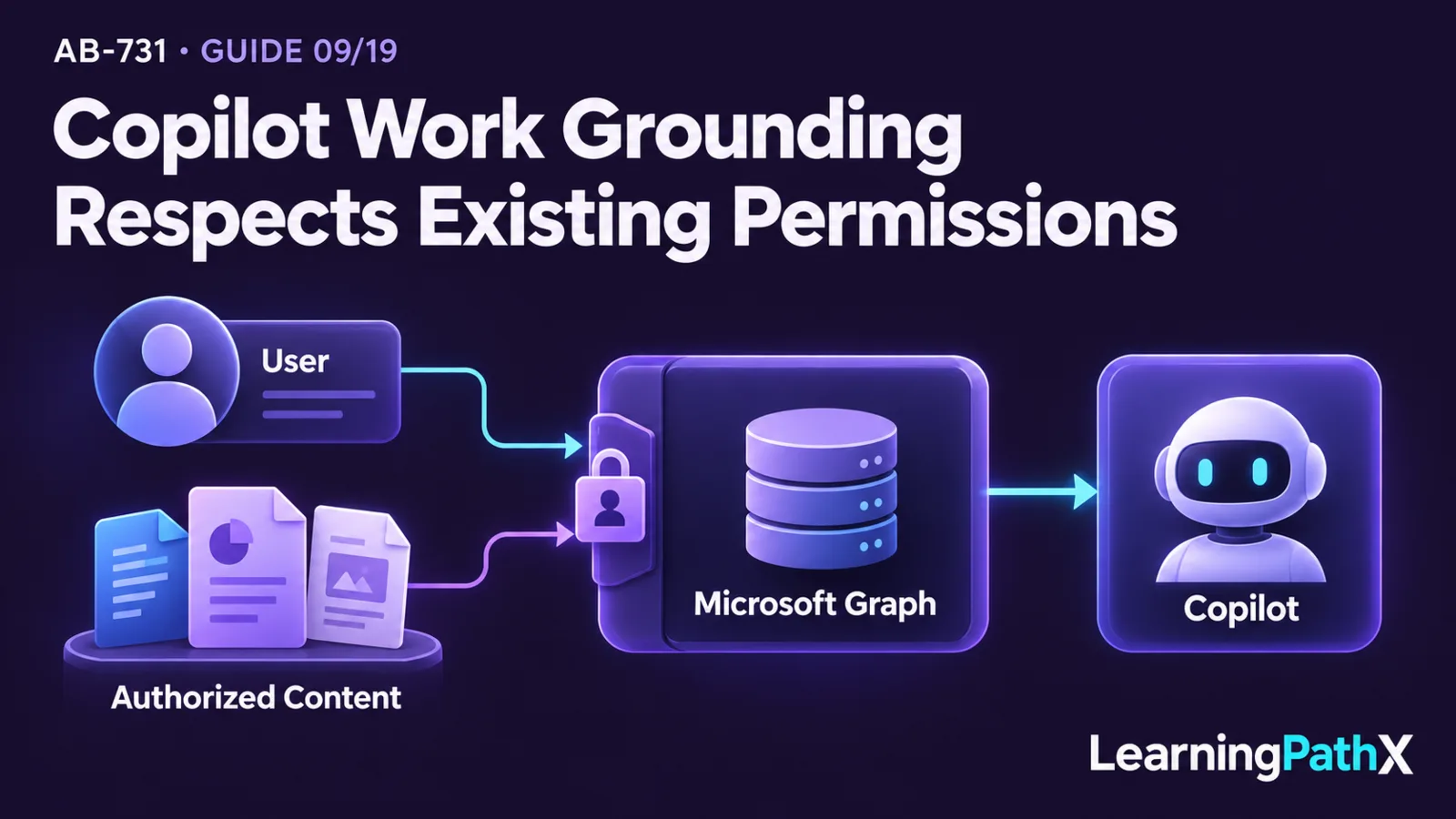
Microsoft Copilot, formerly named Microsoft 365 Copilot, combines a user experience, grounding context, large language models, and Microsoft 365 services into one permission-aware flow. The July 22, 2026 AB-731 scope retains the former name used in this article's title; product documentation verified on October 16, 2026 uses Microsoft Copilot. Microsoft Copilot Chat and experiences in Microsoft 365 apps collect the user's request and immediate work context; web grounding can supply public web information, while work grounding uses Microsoft Graph to retrieve relevant organizational content that the signed-in user is already authorized to access. Copilot orchestration sends the resulting context to a model and returns the response to the chat or app where the work began.
Permissions and enterprise data protection govern different parts of this architecture. Microsoft Graph grounding does not grant new access: it operates within the user's existing identity and permissions. Enterprise data protection governs how prompts, responses, and accessed organizational data are handled, but it does not repair overshared files or make a generated answer automatically correct. Leaders therefore need to evaluate the chat or app experience, grounding source, permission model, data protections, and human verification as one system.
Architecture Overview
The Microsoft Copilot architecture describes an orchestration pattern that combines large language models, Microsoft Graph, and Microsoft 365 apps. The visible interface is only the entry and exit point. Behind it, the service interprets the request, obtains allowed context, constructs a model prompt, and processes the generated response before presenting it to the user.
A useful leadership model has five layers:
| Layer | Primary responsibility | Key question |
|---|---|---|
| Copilot Chat or Microsoft 365 app | Captures the request and presents the result in the user's work context | Where is the user working, and what outcome is expected? |
| Identity and permissions | Determines what organizational resources the user can access | Could the user open the source content without Copilot? |
| Grounding sources | Supplies permitted work context through Microsoft Graph or public information through web grounding, as supported by the experience | Is the context authoritative, current, relevant, and allowed? |
| Copilot orchestration and model | Combines instructions and context, then generates a response | Does the output follow the task and use the evidence correctly? |
| Enterprise data protection and organizational controls | Protects data handling and supports compliance obligations | Are data use, sharing, retention, and review appropriate for the process? |
The layers are connected, but none replaces another. Strong data protection does not correct weak permissions, and permission-aware retrieval does not guarantee a factually correct response.
Core Components
Microsoft Copilot Chat and grounding context
Microsoft Copilot Chat is the conversational work surface. A web-grounded experience is appropriate when a task depends on public web information, while a work-grounded experience can incorporate organizational content available through Microsoft 365 services. The Microsoft Copilot service description documents current Copilot plans, chat experiences, apps, agents, availability, and protection boundaries.
The distinction is about the context available to the request, not simply the appearance of the chat interface. A web-grounded answer may help with public research or drafting. A work-grounded answer can be more specific to organizational documents, messages, meetings, and other permitted work data. Current entitlements and feature availability can change, so organizations should confirm the service and licensing documentation for their tenant before deployment.
The current Copilot Chat overview describes baseline web and app chat as primarily web-grounded, with user-provided content and supported app context. Eligible users can also receive limited organizational grounding in supported Outlook experiences without a Copilot add-on license. The licensed Microsoft Copilot experience provides broader reasoning across permitted Microsoft 365 content. An add-on license and a user's permission to a source answer different questions; neither guarantees that every experience can retrieve that source.
Web and mobile experiences
The Microsoft Copilot app supports browser, desktop, and mobile access, including iOS and Android mobile apps. Web chat can support public research, drafting, rewriting, and uploaded-file analysis. Microsoft's mobile guidance describes catching up through summaries, drafting and brainstorming, and asking questions about available files, messages, or general information. These are examples of supported tasks, not a promise that every client exposes identical features.
In an organization, use the intended Microsoft Entra ID work or school account and confirm the assigned capabilities. The app also supports personal Microsoft accounts, with separate personal and work or school experiences; users should check which account is active. A mobile app does not itself grant work-data access. The available context depends on the account, entitlement, supported experience, tenant configuration, and underlying permissions. A work or school user with the appropriate Copilot license can receive responses grounded in accessible work content, while baseline chat can use its documented web, supplied-content, and limited app-context paths.
Microsoft 365 app experiences
Microsoft Copilot can bring assistance into work surfaces such as Word, Excel, PowerPoint, Outlook, and Teams. The app provides immediate task context: a document being drafted, data being analyzed, a presentation being prepared, a conversation being summarized, or a message being composed.
The app context narrows what the user is trying to accomplish, while Microsoft Graph can supply other relevant work information when the experience and permissions allow it. Leaders should avoid assuming that every app exposes identical capabilities or context. They should evaluate the current documented experience for the specific app, user population, and task.
Microsoft Graph grounding
Microsoft Graph is the Microsoft 365 API and data layer used to ground Copilot experiences in organizational context. Grounding supplies relevant information at request time so the response can reflect the user's work rather than rely only on general model knowledge.
Microsoft Graph does not function as unrestricted tenant-wide access for Copilot. Retrieval is constrained by the signed-in user's permissions. If a person is not authorized to access a document or message through the underlying Microsoft 365 service, Copilot should not use that content merely because it might be relevant. Conversely, if content is overshared, Copilot can make the consequences of that existing access easier to discover. Permission hygiene is therefore a deployment prerequisite, not an optional cleanup task.
Large language models and Copilot orchestration
The large language model generates language from the assembled request and context. Copilot orchestration coordinates the request, grounding, model interaction, and response processing. The model does not independently decide which employee should be authorized to see a file, and it does not turn retrieved content into verified truth.
This division of responsibility matters when troubleshooting. A poor answer can originate from an unclear request, missing or stale source content, unsuitable permissions, weak retrieval relevance, model interpretation, or inadequate review. Treating every problem as a model problem hides the corrective action.
Enterprise data protection
Enterprise data protection applies contractual, privacy, security, and compliance commitments to eligible Microsoft Copilot experiences. Microsoft's data, privacy, and security documentation explains current boundaries for data access, storage, model training use, permissions, and compliance. Microsoft states that prompts, responses, and Microsoft Graph data accessed by Microsoft Copilot are not used to train foundation large language models.
This protection should not be confused with information governance or least-privilege access. Organizations remain responsible for classifying and sharing content appropriately, managing identity and permissions, configuring applicable controls, training users, and verifying consequential outputs. Enterprise data protection governs service handling; organizational governance governs whether the right people and processes use the service appropriately.
How the Components Work Together
Consider an illustrative scenario in which an employee asks Copilot in Outlook to prepare a response about a project update:
- The employee enters the request in the app experience.
- The service uses the employee's authenticated identity and the immediate Outlook context.
- Copilot orchestration determines which permitted organizational context may help answer the request.
- Microsoft Graph grounding retrieves relevant content within that employee's existing access, while web grounding may be used when the experience and task call for public information.
- The orchestration layer assembles instructions, the request, and selected context for the large language model.
- The model generates a draft, and the service processes the response before displaying it in Outlook.
- The employee reviews the draft, checks important claims and recipients, and decides whether to revise or send it.
The example is a conceptual flow, not a guarantee that every prompt invokes every grounding source. The actual path depends on the experience, task, configuration, entitlement, available content, and user permissions.
Design Considerations
Choose web or work context deliberately
Classify the task before choosing the experience. Public research may need web grounding. Internal status, policy, customer, meeting, or document work may need work grounding. Some tasks need both, but leaders should specify which sources are authoritative and how users will distinguish public information from organizational evidence.
Review permissions before measuring quality
Copilot can only be as appropriately scoped as the underlying access model. Review broad sharing links, group membership, site access, stale permissions, and sensitive-content locations before expanding work-grounded use. Test with representative user roles rather than only administrators or project-team members.
Do not “fix” missing Copilot results by granting broader access without confirming the business need and data-owner approval. That response can create security and privacy exposure beyond the AI use case.
Evaluate source and answer quality separately
When an answer is weak, first ask whether relevant and current content was available and retrieved. Then ask whether the model used that content correctly and followed the request. Evaluate unsupported claims, missing evidence, outdated information, and inappropriate disclosure as separate failure types.
Match human review to consequence
Generated drafts, summaries, and analyses require verification when they influence customers, employees, financial commitments, legal obligations, security, or compliance. Give reviewers access to the underlying evidence and the authority to reject or correct the output.
Treat availability and licensing as living facts
Chat grounding, app capabilities, platforms, and entitlements can change. Verify current service descriptions, privacy documentation, and license guidance before rollout. This architecture model explains component relationships; it does not replace a tenant-specific licensing or readiness assessment.
Common Mistakes
- Treating baseline Copilot Chat, broader licensed Copilot capabilities, and every app experience as interchangeable.
- Treating web, desktop, or mobile access as proof of a particular entitlement or permission.
- Assuming work grounding searches all organizational information regardless of the user's permissions.
- Believing enterprise data protection corrects oversharing or poor information governance.
- Treating Microsoft Graph as the model rather than as the Microsoft 365 data and API layer used for grounding.
- Assuming a fluent, grounded response is automatically complete or correct.
- Testing only with highly privileged users and overlooking how results differ by role.
- Broadening permissions to improve retrieval without data-owner and security review.
- Ignoring content quality, freshness, ownership, and lifecycle when evaluating Copilot output.
Certification Relevance
The current AB-731 scope expects leaders to distinguish Copilot chat contexts, web and mobile experiences, Microsoft 365 app capabilities, Microsoft Graph grounding, permissions, and data protection. The practical skill is architectural judgment: explain where a response originated, which context could have been used, why two users may receive different work-grounded results, and which control owns a given risk.
A useful learning exercise is to trace one business request from chat or app to its expected sources and back to the response. Identify the user identity, grounding type, relevant Microsoft Graph content, permission boundary, protection commitments, human review point, and owner for each failure mode. This stays within the certification's no-code leadership boundary while building a testable evaluation model.
Conclusion
Microsoft Copilot works as a permission-aware architecture. Copilot Chat and Microsoft 365 apps provide the work surface across supported clients, Microsoft Graph supplies permitted organizational grounding, web grounding supplies public context where appropriate, Copilot orchestration and large language models generate the response, and enterprise data protection governs service-side data handling.
Leaders should evaluate these components together while preserving their boundaries. Account, entitlement, experience, and permissions determine the available context; data protection does not repair oversharing; and grounding improves relevance without guaranteeing correctness. Apply that model to web and mobile use as well as in-app work when evaluating deployment decisions and troubleshooting.
Authoritative Sources
- Microsoft Copilot service description
- How does Microsoft Copilot work?
- Data, privacy, and security for Microsoft Copilot
- License options for Microsoft Copilot
- Microsoft Copilot app overview
- Get started with the Microsoft Copilot mobile app
- Microsoft Copilot Chat overview