
Introduction
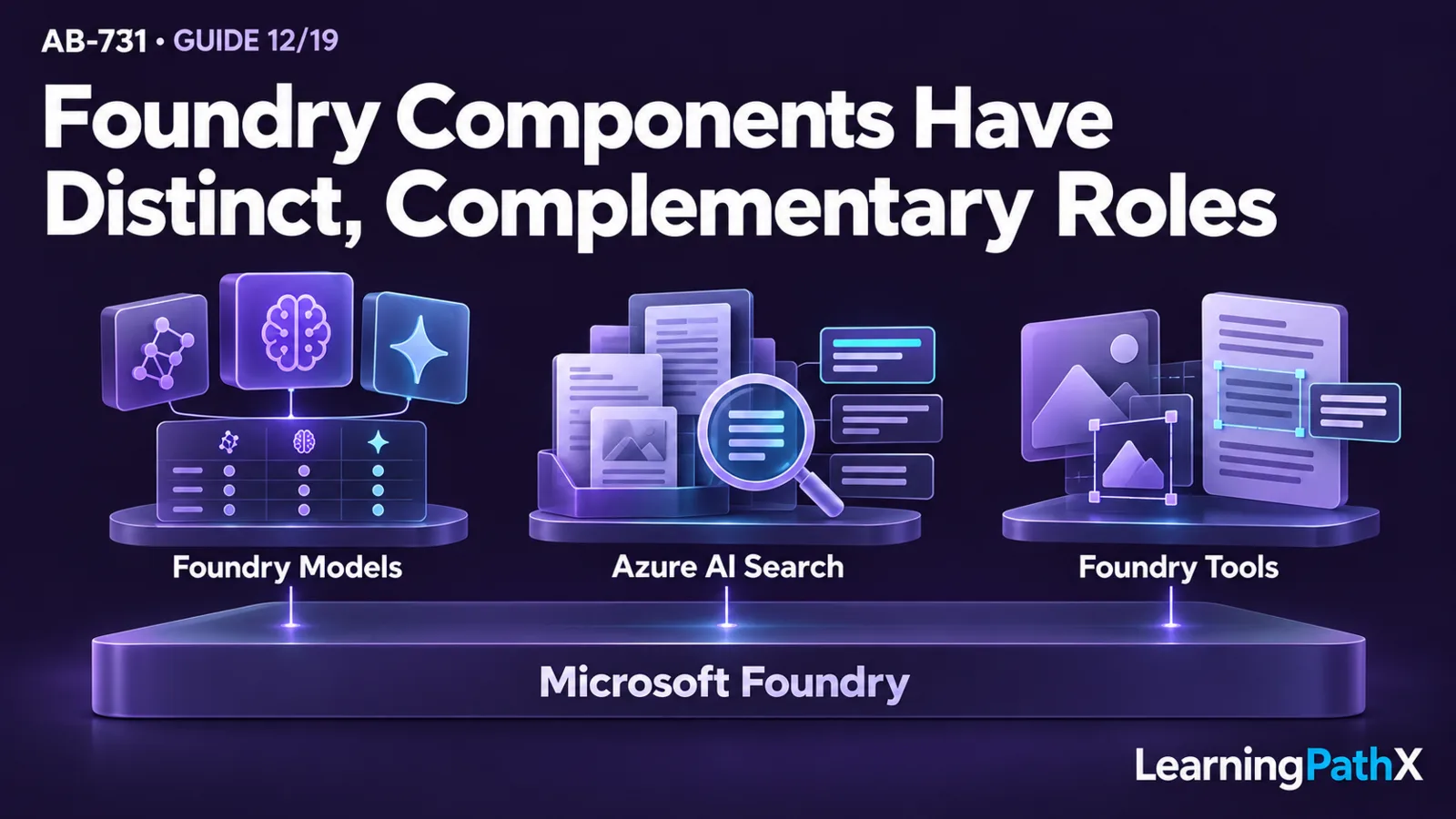
Leaders should match the business requirement to the responsibility of each service. Use Microsoft Foundry when the organization needs a platform for building, evaluating, deploying, and operating a custom AI solution; use Microsoft Foundry Models when the central decision is which model meets quality, safety, performance, and cost requirements; use Azure AI Search when the solution must retrieve authorized enterprise knowledge; and use Azure Vision in Foundry Tools when images or visual text must be processed as part of the workflow.
These choices are often complementary rather than mutually exclusive. A solution can use Microsoft Foundry as its development and operational context, a selected model for reasoning or generation, Azure AI Search for retrieval-augmented generation (RAG), and Azure Vision in Foundry Tools for image analysis or optical character recognition (OCR). The selection test is whether every component has a necessary, measurable responsibility and whether the complete design satisfies data, identity, network, scale, lifecycle, and support requirements.
Architecture Overview
Microsoft Foundry is the platform layer. Microsoft's current platform overview describes a unified management plane for agents, models, and tools with role-based access control, networking, policies, tracing, monitoring, and evaluation capabilities. Microsoft Foundry is the current product name; Azure AI Studio and Azure AI Foundry are former names. Leaders should use the current name in new architecture and governance records while recognizing former names in older documentation or existing assets.
Microsoft Foundry Models is the model layer. It gives teams a catalog and a lifecycle context for comparing candidate models, evaluating them against a use case, and deploying an approved choice. A model is not the whole business solution: it still needs application logic, data access, evaluation, security, monitoring, and ownership.
Foundry Tools is Microsoft's current collective name for ready-to-use AI capabilities formerly called Azure AI services. A tool supplies a specialized capability within a solution. It does not replace the platform, model, application, or operating model. Azure Vision in Foundry Tools is one example of a perception service.
Azure AI Search is the retrieval layer when a custom solution needs searchable, governed content. It is a managed information-retrieval service that supports text, vector, hybrid, and multimodal retrieval scenarios. Agentic retrieval is generally available as of the 2026-10-16 verification date, while some related capabilities, pricing modes, and reasoning options remain in preview. Teams must verify the lifecycle state, regional availability, and production support of the exact feature set they plan to use.
Core Components and Their Responsibilities
Microsoft Foundry: the custom-solution platform
Choose Microsoft Foundry when the business outcome requires a custom solution lifecycle rather than one isolated AI function. Typical requirements include comparing and deploying models, building agents, evaluating behavior, connecting solution components, and operating them under shared controls. Foundry supports declarative prompt agents configured in the portal as well as hosted agents that run the team's code; selecting the platform does not mean every solution requires custom application code.
The business case should justify the ownership that accompanies a custom platform. Leaders should identify the product owner, configuration or engineering skills appropriate to the chosen path, operations capacity, security architecture, evaluation plan, data responsibilities, support model, and retirement path. If those responsibilities are unnecessary for the outcome, a simpler packaged experience may be more appropriate; that broader portfolio choice is outside this article's service-level boundary.
Microsoft Foundry Models: model selection and evaluation
Use Microsoft Foundry Models when the solution requires an explicit model decision. The Microsoft Foundry Models overview presents the catalog as a place to discover, compare, evaluate, and deploy models from Microsoft and other providers.
Start with workload evidence rather than a preferred model name. Define the task, languages, input and output modes, quality threshold, safety needs, latency target, expected volume, data constraints, deployment requirements, and cost boundary. Then evaluate candidate models on representative business inputs. Public benchmarks can narrow a shortlist, but application-specific evaluation determines whether a model fits the actual process.
Model availability, versions, regions, deployment options, and lifecycle status can change. Preview models or preview deployment capabilities should be labeled as preview in architecture decisions and evaluated against the organization's policy for production use. Recheck current documentation before approving a design; do not treat a catalog listing or successful demonstration as evidence of long-term support.
Azure AI Search: retrieval and grounding
Choose Azure AI Search when the solution needs managed retrieval from indexed content or supported remote knowledge sources. It is especially useful when a generative solution needs current organizational content supplied as grounding context instead of relying only on what a model learned during training.
In a classic indexed RAG architecture, content is prepared and indexed before a request arrives. At query time, retrieval selects useful, authorized passages; the application supplies those passages to a model; and the model produces a response. Agentic retrieval instead queries a knowledge base that can combine indexed and supported remote sources. Remote sources bypass indexing and are queried live, so not every grounding path requires copying content into a search index.
The selection decision must cover more than search relevance. Compare indexed and remote access against freshness, latency, compliance, source support, and authorization requirements. For indexed content, require evidence for ingestion and update frequency, chunking, and metadata; for remote content, verify live-source availability and the supported access model. Both paths need content authority, access enforcement, retrieval-quality evaluation, scale, network design, monitoring, and failure behavior. Grounding can improve relevance, but it does not guarantee correctness.
Azure Vision in Foundry Tools: image and visual-text processing
Choose Azure Vision in Foundry Tools when images are a material input and the solution needs to extract or describe visual information. Examples can include OCR for visible text, image analysis, and processing that prepares visual content for downstream search, workflow, or model use. These are example patterns; the exact capability must be confirmed against current documentation for the intended region and workload.
Lifecycle status is critical here. The Azure Vision overview labels Image Analysis and OCR as legacy. It specifically identifies Image Analysis 4.0 as deprecated and scheduled to retire on September 25, 2028; this does not establish retirement of every Azure Vision capability. A new design should not make an unqualified long-term dependency on that deprecated version. Existing users should inventory the dependency, confirm Microsoft's current migration guidance, test the supported replacement path, and set a transition deadline before the retirement date.
Foundry Tools: specialized capabilities within the design
Foundry Tools should be selected at the capability level, not as a vague requirement to “use AI services.” The Foundry Tools documentation explains how these services are discovered and connected from Microsoft Foundry. Each selected tool needs a defined input, output, owner, data boundary, quality measure, regional and lifecycle check, and failure path.
This component discipline prevents overlap. A tool performs a specialized task; Azure AI Search retrieves information; a model interprets or generates; Microsoft Foundry supports the broader custom-solution lifecycle; and the business application turns those capabilities into a controlled user or process outcome.
A Decision Framework for Foundry and Foundry Tools
| Business requirement | Primary component to evaluate | What it owns in the architecture | Evidence to require |
|---|---|---|---|
| Build and operate a differentiated custom AI solution | Microsoft Foundry | Platform context for model or agent development, evaluation, deployment, and operations | Product ownership, configuration or engineering skills, security design, evaluation, monitoring, and support plan |
| Select a model for a defined task | Microsoft Foundry Models | Model discovery, comparison, evaluation, and deployment choice | Representative test set, quality and safety results, latency, cost assumptions, region, lifecycle, and deployment fit |
| Ground generation in enterprise knowledge | Azure AI Search | Indexed or supported remote retrieval, ranking, access enforcement, and evidence delivery | Source authority, freshness, source support, authorization, retrieval quality, scale, latency, and failure handling |
| Extract information from images or visual text | Azure Vision in Foundry Tools | Image or OCR processing within a larger solution | Supported capability and version, representative input tests, quality thresholds, region, data handling, and lifecycle plan |
| Add another specialized ready-to-use AI capability | Specific Foundry Tool | One bounded perception or language function | Exact service responsibility, quality evidence, integration design, security, region, lifecycle, and operating owner |
| Combine model, retrieval, and perception | Integrated Microsoft Foundry solution | Orchestration across distinct platform and service responsibilities | End-to-end data flow, identity, network path, observability, fallback behavior, total cost, and accountable owners |
The table identifies a starting point, not a procurement decision. The final design should include only components that satisfy a documented requirement and pass representative evaluation.
How the Components Work Together
Consider an illustrative document-intake solution that receives images containing text, retrieves related policies, and drafts a summary for human review:
- The business application authenticates the user and accepts an approved document type.
- Azure Vision in Foundry Tools performs the required image or text extraction using a currently supported capability.
- The application validates and structures the extracted content.
- Azure AI Search retrieves authorized policy passages relevant to the document.
- A model selected through Microsoft Foundry Models receives the extracted content, retrieved evidence, and controlled instructions.
- The model produces a draft with source references and a stated response when evidence is insufficient.
- A qualified person reviews the draft before any consequential action occurs.
- Microsoft Foundry and the surrounding application environment support evaluation, deployment, monitoring, and lifecycle management for the integrated solution.
This example shows why component boundaries matter. Vision processing does not decide which policy applies, search does not generate the final explanation, and the model does not grant data access or approve the business outcome. Identity, authorization, network controls, application validation, and human accountability span the entire flow.
Design Considerations
Evaluate quality at each boundary
End-to-end quality can hide the source of a defect. Test image or text extraction, retrieval, model output, and business outcome separately as well as together. If the final answer is wrong, teams should be able to determine whether the cause was an unreadable input, extraction error, missing index content, weak retrieval, model behavior, or application logic.
Match scale to the full workload
Estimate document or query volume, input sizes, concurrency, latency, index growth, model consumption, retries, monitoring, and peak demand. A component that performs well in a demonstration may become the system bottleneck under production load. Validate quotas, supported regions, scaling behavior, and cost against current service documentation before approval.
Design identity and network boundaries end to end
Map every human, application, service, and administrative identity. Apply least privilege, preserve source-system authorization where required, constrain service-to-service access, protect secrets, and define whether public network access is permitted. Microsoft's secure AI adoption guidance recommends applying Zero Trust principles across identities, data, applications, and AI workloads.
Treat preview and deprecation as architecture inputs
Record the lifecycle state of every selected model, feature, application programming interface (API), and service version. For a preview dependency, document why it is necessary, what production restriction applies under organizational policy, how change will be monitored, and what fallback exists. For a deprecated dependency such as Image Analysis 4.0, create a time-bound migration plan rather than accepting the retirement date as a future operational problem.
Preserve an exit and change path
Custom AI architectures evolve as models, tools, data, and requirements change. Keep component responsibilities explicit, measure behavior at interfaces, version prompts and evaluation sets, and avoid coupling the business process unnecessarily to one temporary capability. A replaceable component is useful only if the team has retained the tests and operational knowledge needed to change it safely.
Common Mistakes
- Treating Microsoft Foundry, Microsoft Foundry Models, Foundry Tools, and Azure AI Search as interchangeable names.
- Selecting a model from general benchmarks without testing representative business inputs and safety requirements.
- Adding Azure AI Search when the process has no defined authoritative content or measurable retrieval need.
- Assuming RAG guarantees correct answers rather than evaluating retrieval and generation separately.
- Choosing Azure Vision from a demonstration without checking the exact feature, version, region, and lifecycle status.
- Planning a new dependency on deprecated Image Analysis 4.0 without a supported transition path before September 25, 2028.
- Using a preview model or feature without labeling it, applying organizational preview policy, or defining a fallback.
- Combining several services without mapping identity, network, data, error, monitoring, and ownership boundaries.
- Treating platform adoption as a substitute for application security, data governance, evaluation, or human oversight.
Certification Relevance
The AB-731 study guide expects business leaders to identify Microsoft Foundry and Foundry Tools capabilities, match models and services to business needs, and consider scalability and security. The durable skill is not memorizing a catalog. It is explaining the responsibility of each layer and requesting evidence that the integrated solution fits the business outcome.
For preparation, take a custom AI proposal and label the platform, model, retrieval, perception, and application responsibilities. Then identify the evaluation evidence, identity and network boundaries, lifecycle status, scale assumptions, and accountable owner for each component. This stays within the certification's no-code leadership scope while exposing gaps that a feature list can hide.
Conclusion
Match business needs to Microsoft Foundry and Foundry Tools by assigning one clear responsibility to each selected component. Microsoft Foundry supports the custom-solution lifecycle, Microsoft Foundry Models supports model choice, Azure AI Search supplies retrieval and grounding, and Azure Vision in Foundry Tools supplies visual processing when the workflow requires it.
The strongest proposal is the smallest supportable architecture that meets measurable quality, security, scale, lifecycle, and business requirements. Current documentation must govern the final decision, especially when a model or capability is in preview or a version such as Image Analysis 4.0 is deprecated.
Authoritative Sources
- What is Microsoft Foundry?
- Microsoft Foundry Models overview
- Select, deploy, and evaluate Microsoft Foundry models
- How to use Foundry Tools in Microsoft Foundry
- What is Azure AI Search?
- RAG and generative AI in Azure AI Search
- What is Azure Vision in Foundry Tools?
- Adopt and secure AI and data
- Study guide for Exam AB-731
Related Reading
- Related: AB-731: Choosing Generative AI Solutions and Model Strategies
- Prerequisite: AB-731: Mapping Business Processes to Microsoft AI Apps and Services
- Related: AB-731: Build, Buy, or Extend: Choosing Microsoft Copilot and Copilot Studio
- Next: AB-731: Copilot and Foundry Licensing, Cost, Data, and Security Planning