
Introduction
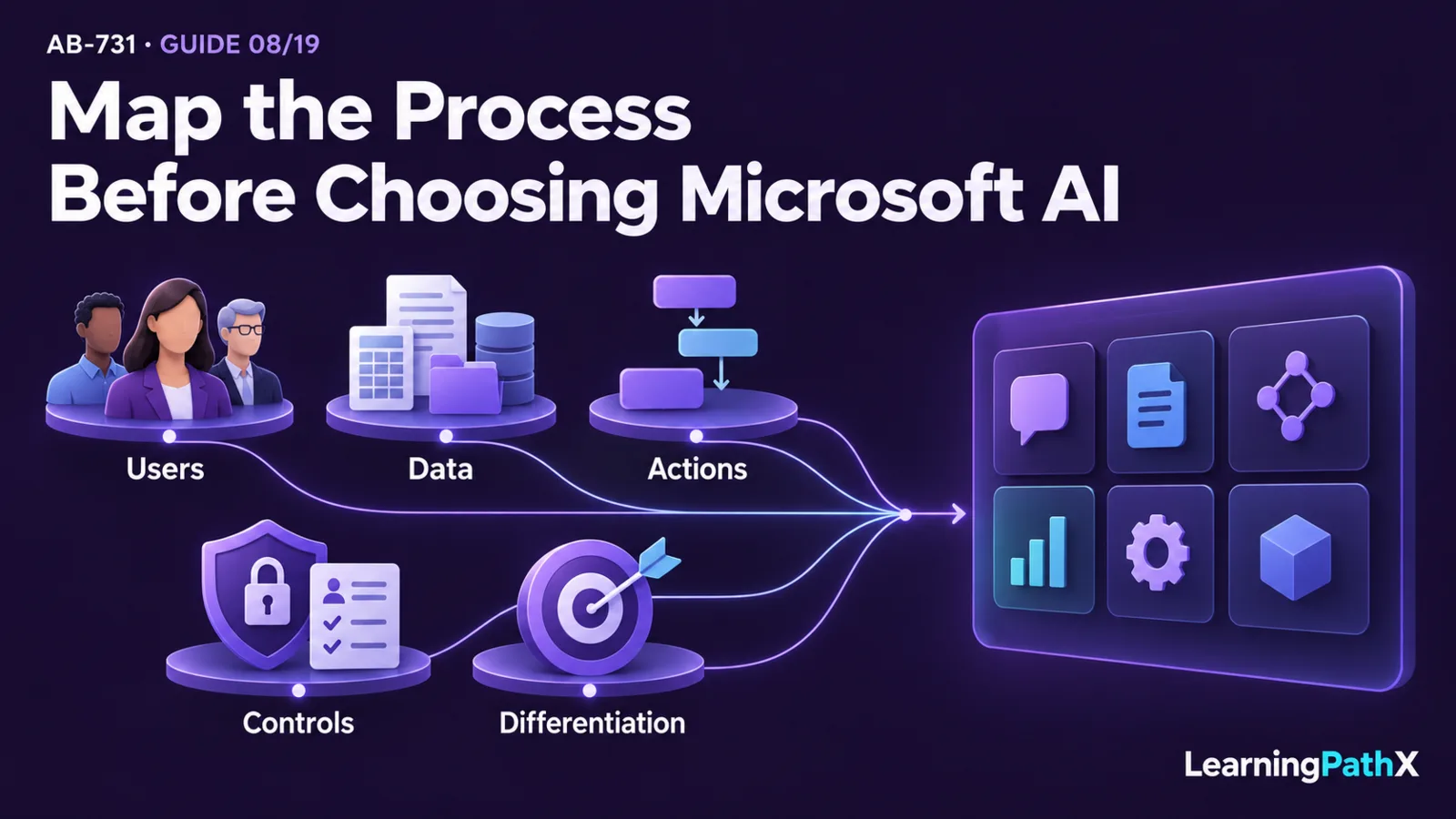
Leaders should map a business process to Microsoft AI apps and services by starting with five questions: who performs the work, which data they need, what actions the solution must take, how much organizational control the process requires, and whether the capability differentiates the business. A common productivity task may fit a Microsoft Copilot chat or app experience with the required context and entitlements; a repeatable agent or workflow may call for Microsoft Copilot Studio; and a differentiated solution that needs custom models, retrieval, or specialized AI capabilities may require Microsoft Foundry and Foundry Tools.
The right answer is often an integrated solution rather than a single product. The goal is to choose the least complex combination that satisfies the business outcome, preserves required controls, and gives the organization a sustainable ownership model. This decision framework keeps the discussion anchored in the process instead of starting with a preferred product.
Naming matters when comparing options. As verified on October 16, 2026, Microsoft's product documentation uses Microsoft Copilot as the current name for the productivity solution formerly called Microsoft 365 Copilot. The AB-731 skills measured as of July 22, 2026 retain Microsoft 365 Copilot wording, and some current licenses and feature names also retain it. Compare the actual chat or app experience, grounding scope, account, and entitlements; the former and current names do not establish two separate current products.
What Business-Process Mapping Means
Business-process mapping describes how work moves from a trigger to an outcome: who participates, what information they use, which decisions they make, which systems they update, and where risk or delay occurs. AI portfolio mapping adds another layer by matching those process requirements to the appropriate Microsoft capability.
Begin with a bounded process, not a broad aspiration such as “use AI in finance.” A useful process statement identifies:
- the initiating event and desired result;
- the people or roles involved;
- the information needed to complete the work;
- the judgments, content, or predictions the process requires;
- the actions taken in business systems;
- the frequency, volume, and acceptable turnaround time;
- the consequences of an incorrect, incomplete, or unauthorized result.
For example, “help account managers prepare for customer meetings” is more actionable than “improve sales with AI.” It exposes the users, their work context, the information they need, the output they expect, and the controls required before information reaches a customer.
Why Process-First Selection Matters
A process-first approach reduces two common risks: buying more capability than the outcome requires and choosing a convenient tool that cannot meet the process's data, action, or governance needs. It also makes evaluation more concrete because leaders can compare options against the same workflow, success measures, and risk constraints.
Microsoft's portfolio spans packaged assistant experiences, work-grounded productivity, low-code agent creation, and a platform for custom AI solutions. These layers can complement one another, but they are not interchangeable. Microsoft's AI assurance overview also frames AI as a shared-responsibility system, so selection must consider organizational governance and operating practices alongside product capabilities.
A Five-Part Microsoft AI Selection Framework
Use the following sequence to narrow the portfolio. Each step should produce a documented requirement that can be tested during a pilot.
1. Identify the users and work surface
First determine where the work already happens and how specialized the experience must be.
- Consider Microsoft Copilot Chat for conversational tasks using public information, referenced files, or uploaded content. Confirm which context the selected experience can use under the employee's work or school account, tenant configuration, and entitlements.
- Consider Microsoft Copilot experiences with broader organizational grounding and app capabilities when people need assistance across permitted Microsoft 365 work content. The architecture combines large language models, Microsoft Graph, and Microsoft 365 apps while respecting existing permissions. Validate the required capability and license together; organizational context varies by experience.
- Consider an agent or custom application when the process needs a dedicated experience, specialized instructions, or a defined operational scope.
This step is about the natural point of work, not merely the department purchasing the solution. A process used occasionally by every employee differs from a high-volume specialist workflow even when both produce similar content.
2. Classify the data and grounding requirement
Next identify the information required for a useful response. Separate public information, Microsoft 365 organizational content, business-system records, curated knowledge, and unstructured content that needs search or other processing.
If the process depends mainly on Microsoft 365 content that users are already permitted to access, an appropriately entitled Microsoft Copilot experience may provide the most direct fit. If the process needs selected knowledge sources or connections beyond that work context, an agent may provide a clearer boundary. If a custom application must retrieve from a purpose-built index or combine several data services, Microsoft Foundry and services such as Azure AI Search may become part of the architecture.
Grounding improves relevance by supplying context, but it does not remove the need for permissions, data quality, evaluation, or human oversight. Leaders should record which source is authoritative, how fresh it must be, and what the system should do when evidence is missing.
3. Define actions and workflow depth
Then distinguish assistance from execution. Summarizing, drafting, or finding information is different from updating a customer record, opening a service request, routing an approval, or coordinating several steps.
Microsoft Copilot Studio is a graphical, low-code product for building agents and workflows. Microsoft's Agent Builder and Copilot Studio decision guidance makes it a relevant candidate when a process needs tailored instructions, knowledge, conversation behavior, or actions without beginning with a fully custom application. Leaders should still define authentication, authorization, exception handling, ownership, and monitoring for every action the agent can initiate.
When the process requires custom application logic, model orchestration, deployment choices, or a broader engineering lifecycle, Microsoft Foundry provides the platform context. The Microsoft Foundry overview describes models, agents, tools, evaluation, deployment, and operations within that platform. Foundry supports declarative agent configuration as well as code-based agents, so the platform choice alone does not determine how much code the team must maintain.
4. Set control, risk, and lifecycle requirements
Control requirements can change the suitable solution even when two options can produce a similar user-visible result. Classify the process by data sensitivity, decision impact, regulatory obligations, action reversibility, audience size, and need for human approval.
At minimum, the selection record should identify:
- the accountable business owner and technical owner;
- permitted users and data sources;
- actions that require confirmation or human approval;
- evaluation criteria for quality, safety, and business value;
- monitoring, incident, and change-management responsibilities;
- the conditions for expanding, pausing, or retiring the solution.
These are portfolio-selection inputs, not tasks to postpone until deployment. A higher-impact process may justify a more controlled custom lifecycle, while a lower-impact productivity scenario may be served by a packaged experience with established organizational controls.
5. Test differentiation and choose the least complex fit
Finally ask whether the process itself creates strategic differentiation. If the outcome is common across organizations, a packaged capability is usually the first option to evaluate. If the workflow is organization-specific but does not require a fully custom product, an agent built with Microsoft Copilot Studio may provide the needed tailoring. If the process depends on proprietary orchestration, specialized models, custom retrieval, or distinct application behavior, Microsoft Foundry and Foundry Tools may be justified.
“Least complex” does not mean “fewest products.” It means the smallest supportable architecture that meets the outcome and control requirements. An integrated design can be appropriate when each component has a clear responsibility—for example, a user-facing assistant, an agent that coordinates approved actions, and a custom service that supplies specialized retrieval or perception.
Portfolio Fit at a Glance
| Process signal | Starting point to evaluate | Why it may fit | Validate before selection |
|---|---|---|---|
| General assistance with public information or supplied content | Microsoft Copilot Chat | Supports conversational productivity without first building a custom solution | Work or school account, available context, entitlement, availability, and required controls |
| Broader organizational grounding or assistance in Microsoft 365 apps | Microsoft Copilot experience with the required work and app capabilities | Combines permitted organizational context with the user's work surface | Exact app capability, license, tenant configuration, permissions, content quality, and process-specific value |
| Repeatable conversational process, tailored knowledge, or approved actions | Microsoft Copilot Studio | Supports low-code creation and management of agents and workflows | Action permissions, connectors, governance, lifecycle ownership, and exceptions |
| Differentiated application, custom model choice, evaluation, deployment, or orchestration | Microsoft Foundry | Supports configurable or code-based AI solutions with platform management | Implementation skills, security architecture, evaluation, operations, and cost |
| Specialized retrieval, language, speech, or vision capability within a solution | Foundry Tools | Adds ready-to-use AI capabilities that can serve a defined solution component | Exact capability, regional and lifecycle status, data handling, and integration design |
| One process spans several of these signals | Integrated solution | Assigns each portfolio layer a specific responsibility | Clear boundaries, end-to-end identity and data flow, failure handling, and total ownership |
The table identifies a starting point, not an automatic procurement decision. Current availability, licensing, and service behavior are living facts and must be rechecked against the relevant Microsoft documentation before implementation.
From Candidate Process to Pilot Decision
A lightweight process assessment can keep the selection evidence-based:
- Write the process outcome and baseline measure, such as cycle time, rework, completion rate, or user effort.
- Map users, data sources, decisions, outputs, and system actions.
- Classify risk and identify where human review is mandatory.
- Eliminate options that cannot meet the data, action, or control requirements.
- Pilot the least complex remaining option with a representative user group and realistic data.
- Compare quality, safety, adoption, operational effort, and measurable value against the baseline.
- Expand only when ownership, monitoring, support, and change controls are defined.
This sequence prevents a successful demonstration from being mistaken for a production-ready business process. A pilot should test the operating model as well as the visible AI output.
Target Audience
This framework is intended for business decision-makers, transformation leaders, functional leaders, and the technical, security, data, legal, and adoption partners who evaluate AI opportunities together. Business owners define the outcome and acceptable risk; technology teams validate architecture and integration; security and governance stakeholders define controls; adoption leaders validate whether people can incorporate the capability into real work.
No single role should make every decision in isolation. Cross-functional review is especially important when a solution accesses sensitive information, takes actions in business systems, or produces outputs used for consequential decisions.
Technical and Business Value
Good portfolio mapping creates an explicit chain from process need to technology responsibility. That chain helps leaders explain why a packaged assistant is sufficient, why a tailored agent is necessary, or why custom platform engineering is justified. It also exposes requirements that affect total effort but are easy to miss in a feature comparison: data preparation, permissions, evaluation, human oversight, monitoring, support, and change management.
The result is not simply a product choice. It is a defendable solution boundary, a pilot hypothesis, and a set of evidence that can guide investment and governance decisions.
Common Mapping Mistakes
Starting with the product name
Beginning with “Where can we deploy Copilot?” biases the analysis toward a tool. Begin with a measurable process outcome, then determine whether a packaged Copilot experience, an agent, a custom solution, or an integration fits.
Treating all organizational data as equally ready
Access does not guarantee usefulness. Stale, duplicated, poorly classified, or weakly governed content can undermine a grounded experience. Include data quality, authority, permissions, and freshness in the selection decision.
Confusing a response with a completed process
A model-generated answer may be only one step. Map approvals, handoffs, system updates, exception paths, and audit needs before deciding that the AI experience covers the workflow.
Over-customizing a common need
Custom engineering adds design, evaluation, security, deployment, monitoring, and support responsibilities. Evaluate packaged and low-code options first when the process is common and does not create meaningful differentiation.
Combining products without clear boundaries
An integrated solution is useful only when each component has a defined job and the end-to-end identity, data, action, and failure paths are understood. More components do not automatically produce more business value.
Conclusion
Map the process before choosing the Microsoft AI product. Describe the users, data, actions, controls, and differentiation; then evaluate Microsoft Copilot chat and app experiences, Microsoft Copilot Studio, Microsoft Foundry, and Foundry Tools against those requirements. Compare available context and entitlements within Copilot experiences, recognizing Microsoft 365 Copilot as the retained exam-era product name. Choose the least complex supportable fit, and combine products only when their responsibilities are explicit.
This approach turns portfolio selection into a testable business decision. It gives leaders a clear pilot boundary, measurable outcomes, and the governance evidence needed to decide whether a solution should advance.
Authoritative Sources
- Artificial Intelligence overview
- Microsoft Copilot service description
- How does Microsoft Copilot work?
- Data, privacy, and security for Microsoft Copilot
- Choose between Agent Builder and Copilot Studio
- What is Microsoft Foundry?
- How to use Foundry Tools in Microsoft Foundry
Related Reading
- Related: AB-731: Certification Guide: AI Transformation Leader Skills and Scope
- Next: AB-731: Microsoft 365 Copilot Architecture, Chat, Apps, and Microsoft Graph
- Deep Dive: AB-731: Build, Buy, or Extend: Choosing Microsoft Copilot and Copilot Studio
- Deep Dive: AB-731: Matching Business Needs to Microsoft Foundry and Foundry Tools