
Introduction
Leaders should compare Microsoft AI commercial options in the context of a defined workforce segment and workload, not as a single price list. First identify who needs Microsoft Copilot Chat, Microsoft Copilot Business, or Microsoft Copilot and what work context they require; then determine whether the chosen plan includes the entitlement or requires an add-on; next map each usage-based service to its documented consumption unit and management path, including Copilot Credits where applicable; finally, compare Foundry Tools pay-as-you-go consumption with an eligible commitment tier only after workload volume becomes predictable.
Commercial fit is conditional on organizational readiness. A lower apparent unit cost is not a sound choice when permissions expose unnecessary data, privacy obligations are unresolved, security controls are missing, adoption is weak, or consumption cannot be monitored. The decision framework is therefore: validate entitlement, map workload meters, establish data and control readiness, pilot with representative users, measure accepted outcomes and total operating effort, and recheck current Microsoft eligibility and pricing before purchase or expansion.
What Microsoft AI Commercial Readiness Includes
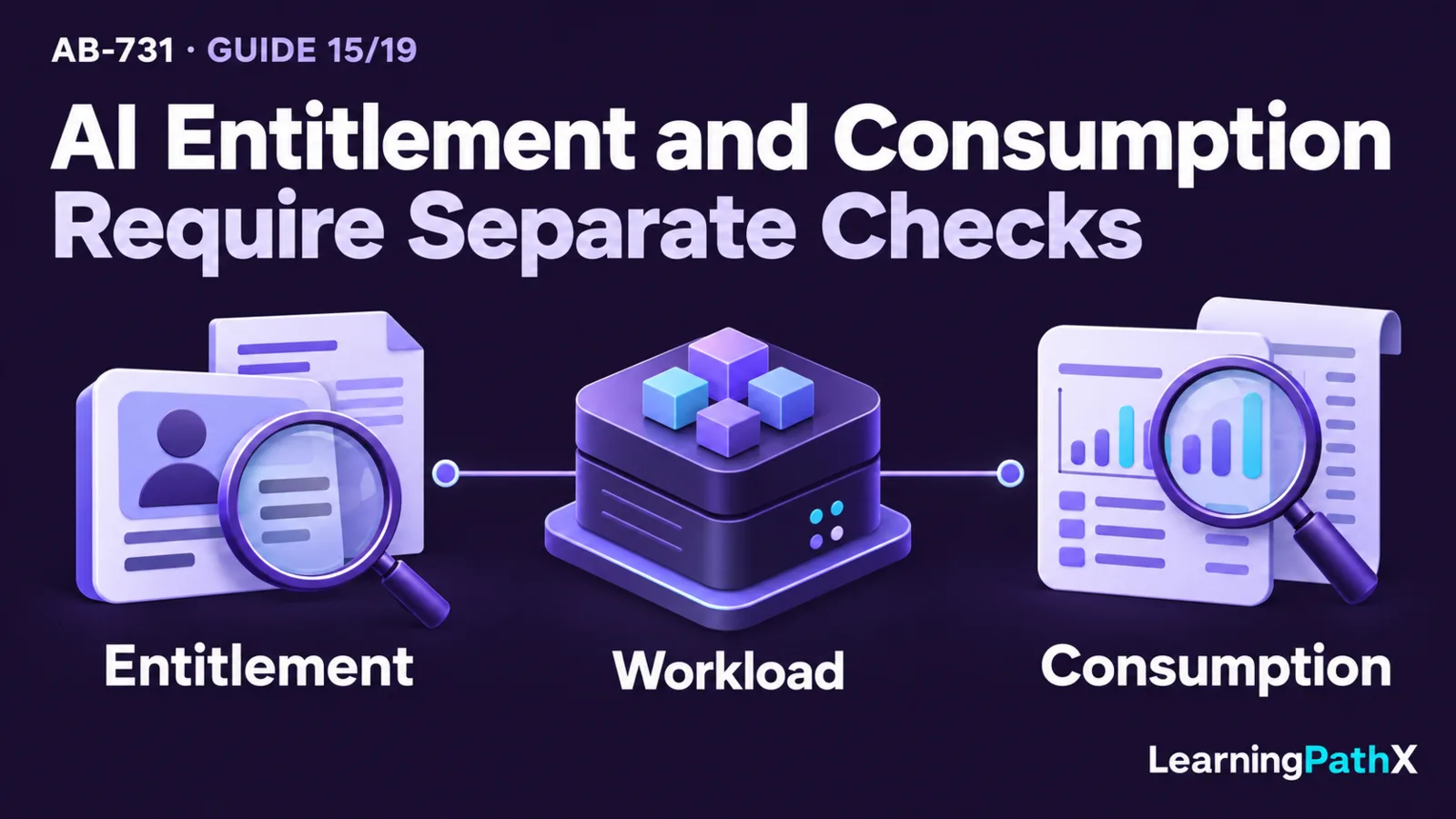
Commercial readiness connects four questions:
- Entitlement: Which users and experiences are included, require an add-on license, or depend on another qualifying subscription?
- Consumption: Which actions are metered, which usage unit applies, and who owns budgets, limits, alerts, and chargeback?
- Organizational readiness: Are data, identity, security, privacy, support, and adoption conditions sufficient for the intended workload?
- Value evidence: Does the workload deliver enough accepted business output to justify license, consumption, enablement, review, and operating effort?
These questions must be answered together. An entitlement can provide access without creating a valuable use case. A secure and valuable workload can still be commercially unsuitable if consumption is unpredictable or the organization cannot attribute it to an owner.
All licensing, eligibility, availability, billing, and pricing statements in this article reflect Microsoft documentation verified on 2026-10-16. They are living product facts. Exact prices are intentionally excluded, and the applicable agreement, tenant, region, currency, tax treatment, and current Microsoft terms must be checked before any purchasing decision.
Compare Copilot Access and License Options
Microsoft Copilot Chat
Microsoft Copilot Chat is an AI chat experience whose access and grounding can differ according to the user's license, work surface, and source of context. Microsoft's Copilot licensing guidance distinguishes web-based and work-based Copilot Chat access and documents current add-on prerequisites. A single add-on-versus-no-add-on split does not describe every surface or agent scenario: supported agents that access shared tenant data can use separately metered access for eligible users without a Copilot add-on. Confirm the specific experience, source scope, and billing setup rather than assuming that every form of organizational context has the same entitlement.
Leaders should not treat the label “Copilot Chat” as proof that every user receives the same data access, app integration, or agent entitlement. For each workforce segment, record:
- the qualifying base subscription and current eligibility;
- which web, work, or supplied-content context the intended experience can use;
- which Microsoft 365 app or chat surface users require;
- whether agents, connectors, or additional services create usage charges;
- which security, privacy, and compliance controls apply;
- who supports the experience and measures value.
Copilot Chat can be an appropriate starting point for bounded conversational work, but the pilot must use the same entitlement and data context expected at scale.
Microsoft Copilot license families
Microsoft Copilot is the current name for the work-focused productivity solution formerly called Microsoft 365 Copilot. The current licensing page distinguishes Microsoft Copilot Business and Microsoft Copilot license families, each with documented qualifying subscriptions. Many eligible plans use an add-on, while Microsoft 365 E7 includes Microsoft Copilot. The July 2026 AB-731 study guide still uses Microsoft 365 Copilot, so leaders should recognize the exam wording without treating it as the current general product name.
The commercial question is not whether every employee might benefit. Segment users by repeatable work patterns, access to useful organizational content, required Microsoft 365 app experiences, readiness to adopt new practices, and measurable outcome. Whether access is included or added to an eligible subscription, assigning it to a user whose data, workflow, training, or manager support is not ready creates cost without establishing value.
Agents, connectors, and extensibility
Agents and extensibility can change the cost model. Depending on the user, product, capability, and deployment path, access may follow an existing entitlement or create usage-based charges. Microsoft's extensibility guidance distinguishes costs for Microsoft Copilot Chat, Microsoft Copilot, agents, connectors, and application programming interfaces (APIs), including Microsoft Work IQ API and Microsoft 365 Copilot APIs.
Document the full interaction path. A seemingly simple agent may use a Copilot experience, a connector, an action, an external API, or another Azure service, with separate ownership and billing implications. Confirm the meter for each component rather than assuming one license covers the entire business process.
Understand Pay-As-You-Go and Copilot Credits
Pay-as-you-go is a billing arrangement in which consumption creates charges instead of being covered solely by a fixed per-user entitlement. It is useful when access must extend beyond a licensed population, usage is variable, or a service is inherently consumption based. It also shifts control requirements toward budgets, alerts, usage attribution, and anomaly response.
Copilot Credits are a common consumption currency for eligible Microsoft services with usage-based billing. As of 2026-10-16, the Microsoft 365 admin center's documented managed-service list includes Cowork, Advanced work in SharePoint, Advanced work in OneDrive, Work IQ API for custom apps and agents, Copilot Managed Runtime, Teams Phone Agent, and Code. The list explicitly marks Cowork, both Advanced work entries, and Code as requiring a Copilot license. Confirm each service's current prerequisites rather than inferring access from the credit currency alone.
The cost-management guidance distinguishes building apps from running apps hosted on Copilot Managed Runtime: app creation follows the creating product's spending policies, while running apps can have separate policies and credit allocations in the Microsoft 365 admin center. Spending policies have Auto-apply new services enabled by default. Review that setting before rollout and disable it for policies where newly supported services should require a separate decision.
Microsoft Copilot Chat, SharePoint agents, and Microsoft Copilot Retrieval API (Preview) use separate Microsoft Copilot pay-as-you-go guidance. Copilot Studio's cited billing page specifically covers agents and agent flows powered by the standard harness. It documents Copilot Credits through pay-as-you-go, prepaid packs, and prepurchase plans, with the applicable environment and billing-policy setup. Do not extend that page's rules to every harness or deployment path. A credit is not a universal price or management path for every Copilot interaction; service eligibility, purchasing option, and management surface must be verified individually.
Before enabling a usage-based workload, require:
- a named business and budget owner;
- an inventory of metered actions and dependent services;
- a realistic volume range, including peak and retry behavior;
- attribution by environment, agent, use case, or business unit where supported;
- budgets, alerts, and response thresholds;
- controls for abandoned pilots, duplicate environments, and unexpected loops;
- a process for reconciling usage with accepted business outcomes.
Pay-as-you-go reduces the need to predict a fixed user population, but it does not eliminate forecasting. It makes consumption behavior part of operations.
Compare Foundry Tools Consumption Models
Foundry Tools is Microsoft's current collective name for ready-to-use AI capabilities formerly known as Azure AI services. Commercial planning happens at the specific service and workload level because meters, eligible commitment options, regions, and lifecycle status can differ.
Pay-as-you-go for variable workloads
Pay-as-you-go is usually the starting model to evaluate when volume is uncertain, a workload is in a controlled pilot, or consumption varies materially. It lets the organization observe actual demand before making a longer commitment. The tradeoff is exposure to usage variability, so monitoring, budgets, alerts, quotas where appropriate, and accountable response are essential.
Commitment tiers for predictable eligible usage
A commitment tier can be considered when an eligible Foundry Tool has sustained, predictable consumption. Microsoft's commitment-tier documentation identifies the eligible features and requires dedicated single-service resources rather than a multi-service resource.
The documented web and connected-container plans use calendar-month commitments, with a prorated first month and charges for usage above the included quota. A purchase is non-refundable, and the current month's commitment cannot be changed; renewal or cancellation choices govern the next period. Disconnected-container plans have separate calendar-year terms, so do not apply the monthly rules to them.
A commitment decision should use measured workload evidence rather than optimistic adoption forecasts. Validate the commitment period, included quantity, overage treatment, renewal or cancellation conditions, region, service eligibility, and treatment of unused capacity in the current terms. Model expected, low, and peak scenarios, and identify which owner can respond if actual use diverges.
The appropriate commercial model can change over time. A pilot may begin with pay-as-you-go, move to a commitment tier after demand stabilizes, or remain variable because the workload is seasonal. This is a planning framework, not procurement advice.
Commercial Option Decision Matrix
| Option | Best starting condition | Main planning unit | Readiness evidence | Primary cost-control risk |
|---|---|---|---|---|
| Microsoft Copilot Chat access | Bounded chat need with a verified eligible user population | User entitlement plus any separately metered capability | User segment, grounding context, acceptable use, support, and current eligibility | Assuming all chat experiences or agent actions are included |
| Microsoft Copilot Business or Microsoft Copilot | Repeatable work in Microsoft 365 apps and organizational context | Eligible plan with the applicable included or add-on license path | Current qualifying plan, useful content, permissions, adoption plan, outcome measure, and support | Assuming every qualifying plan has the same included entitlement |
| Copilot Credits-managed service | Cowork, Advanced work in SharePoint or OneDrive, Work IQ API, Copilot Managed Runtime, Teams Phone Agent, or Code under the current documented scope | Credits consumed by the documented service | Service and user eligibility, credit estimate, spending policy, allocation, Auto-apply new services setting, and response thresholds | Assuming credit availability grants access or that a policy covers only today's services |
| Microsoft Copilot pay-as-you-go service | Variable use of a currently supported service such as Copilot Chat, SharePoint agents, or Microsoft Copilot Retrieval API (Preview) | Service-specific pay-as-you-go meter and billing policy | Current service scope and lifecycle status, business owner, budget, alerts, and value measure | Applying one service's Copilot Credits management assumptions to a separately documented service |
| Copilot Studio standard-harness Copilot Credits options | Eligible standard-harness agent or agent-flow usage requiring separately purchased capacity | Copilot Credits through a pay-as-you-go meter, prepaid pack, or prepurchase plan | Harness and entitlement scope, environment ownership, expected consumption, purchasing option, budget, alerts, and lifecycle controls | Applying one harness's rules universally or choosing capacity without measured demand |
| Foundry Tools pay-as-you-go | Pilot, uncertain demand, or variable specialized-service usage | Service-specific consumption in an Azure subscription | Workload forecast, region, security design, monitoring, budget, and owner | Cost volatility or forgotten resources |
| Eligible Foundry Tools commitment tier | Stable, measured volume for an eligible feature on a dedicated single-service resource | Commitment quantity plus documented overage rules | Usage history, resource and deployment eligibility, scenario forecast, term and cancellation review, and accountable owner | Non-refundable commitment, unused capacity, or unexpected overage |
Use the matrix to create a shortlist. Final selection requires current product documentation and the organization's licensing agreement, architecture, risk assessment, and procurement process.
Plan Data, Security, and Privacy Readiness
Review data authority and permissions
Work-grounded AI can surface information users are already permitted to access, which makes existing permissions a deployment dependency. Review oversharing, stale access, sensitive sites, data classification, retention, and authoritative content before broad rollout. Do not use a Copilot license as a substitute for access governance.
Microsoft's Microsoft Copilot privacy and security guidance documents current boundaries for data access, storage, training use, permissions, and compliance. Validate those documented controls against the organization's own data flows, tenant configuration, legal obligations, and intended users.
Apply identity and least privilege
Map identities for users, applications, agents, connectors, administrators, and service-to-service calls. Use least privilege, separate development and production access, review privileged roles, protect credentials, and require approval for consequential actions. A user entitlement does not automatically authorize every connected data source or business-system action.
Evaluate privacy by use case
Record what personal or confidential data enters prompts, grounding, connected actions, logs, evaluation sets, and support workflows. Define purpose, notice, access, retention, deletion, residency, disclosure, and incident handling as applicable. Product assurances support this assessment but do not replace the organization's responsibility for its chosen use case and configuration.
Prepare monitoring and incident response
Commercial and security monitoring should connect. Unexpected consumption can indicate legitimate demand, poor design, a retry loop, abandoned resources, misuse, or compromise. Define thresholds, investigative owners, containment actions, and restoration criteria before enabling broad access or automated actions.
Build a Defensible Cost and Readiness Plan
Use a staged decision process:
- Define the workforce segment or workload, business outcome, baseline, and accountable owner.
- Map the required experience, grounding, agents, connectors, APIs, Foundry Tools, and dependent Azure services.
- Verify current eligibility, base-license prerequisites, usage meters, regions, lifecycle state, and contractual terms.
- Review data quality, permissions, identity, security, privacy, compliance, and support readiness.
- Estimate a range for users and consumption, including peaks, retries, evaluation, nonproduction use, and growth.
- Pilot with representative users and production-like controls while collecting outcome, quality, adoption, support, risk, and cost evidence.
- Compare accepted outcomes with total operating effort, not merely assigned licenses or raw consumption.
- Select, limit, expand, redesign, or stop the option according to predefined thresholds.
- Recheck Microsoft documentation and applicable terms immediately before purchase and at material renewal or architecture changes.
This process does not replace financial, legal, licensing, security, privacy, or procurement review. It gives those specialists a documented workload and evidence base instead of an abstract request to “buy AI.”
Common Planning Mistakes
- Comparing only per-user or consumption charges while excluding data preparation, enablement, human review, support, monitoring, and governance effort.
- Treating Microsoft Copilot Chat and Microsoft Copilot as equivalent experiences with identical entitlement and grounding.
- Treating Microsoft Copilot Business, Microsoft Copilot, and included-plan access as one undifferentiated license path.
- Assuming an add-on license covers every agent, connector, API, or Azure service in an end-to-end workflow.
- Applying Copilot Credits guidance to every Copilot service without checking its separate billing documentation.
- Choosing a commitment tier from a forecast before observing representative usage.
- Ignoring unused commitment, overage, cancellation, renewal, region, or service-eligibility conditions.
- Scaling before correcting excessive permissions, weak data quality, missing support, or unclear human-review responsibility.
- Monitoring cost separately from security events, quality failures, and business outcomes.
- Copying prices or eligibility rules from an old proposal instead of checking current Microsoft documentation and agreement terms.
Relevance to AB-731 Leadership Decisions
The AB-731 study guide includes Microsoft Copilot licensing, Foundry subscriptions, and the data, security, privacy, and cost considerations that affect implementation. The leadership skill is to connect commercial options to users, workloads, controls, and measurable outcomes rather than memorize transient prices.
For preparation, take one workforce scenario and one custom-service workload. For each, document the entitlement or consumption path, data and identity dependencies, cost owner, usage measure, alert threshold, outcome measure, and recheck date. This remains within the certification's no-code business-leader scope and builds a reviewable decision artifact without reconstructing exam questions.
Conclusion
Compare Copilot licenses, pay-as-you-go, Copilot Credits, and Foundry Tools commitment options by starting with the user or workload and tracing every entitlement, meter, data dependency, control, and owner. Use fixed user licensing for validated workforce needs, usage-based models for observable variable consumption, and commitment tiers only for eligible services with stable measured demand.
The final choice should follow evidence from a controlled pilot and current Microsoft terms. Recheck exact eligibility, included or add-on status, prices, managed-service scope, service regions, meters, and contract conditions before purchase, because these living facts can change after the 2026-10-16 verification date.
Authoritative Sources
- License options for Microsoft Copilot
- Licensing and cost considerations for Copilot extensibility
- Understand usage-based billing and cost management for Copilot Credits
- Microsoft Copilot pay-as-you-go service overview
- Copilot Studio standard harness licensing
- Purchase commitment tier pricing for Foundry Tools
- Data, privacy, and security for Microsoft Copilot
- How does Microsoft Copilot work?
- Adopt and secure AI and data
- Study guide for Exam AB-731
Related Reading
- Related: AB-731: Generative AI Cost Drivers, Tokens, and ROI
- Related: AB-731: Microsoft 365 Copilot Architecture, Chat, Apps, and Microsoft Graph
- Prerequisite: AB-731: Matching Business Needs to Microsoft Foundry and Foundry Tools
- Prerequisite: AB-731: Building an AI Adoption Team, Champions Program, and Change Strategy
- Next: AB-731: Study Roadmap for AI Transformation Leaders