
Introduction
To implement reliable cloud flows and Copilot Studio workflows, define a typed input/output contract, filter irrelevant events at the trigger, validate admitted requests, and put reusable work behind an explicit child-flow boundary. Then configure retries only where repeated execution is safe, route failures and timeouts through scopes and Run after settings, and return an outcome that distinguishes completed work from rejection, failure and uncertain completion.
Build these controls together. A correct expression does not prevent duplicate side effects; a retry policy does not repair missing permissions; and an error notification does not prove that the business operation succeeded. This procedure follows a small Dataverse automation from its input contract to observable acceptance checks. It assumes an isolated development environment with suitable maker permissions, approved connections and applicable service capacity. Examples are proposed designs, not results from an executed tenant test.
Architecture Overview: Separate Admission, Work and Outcome
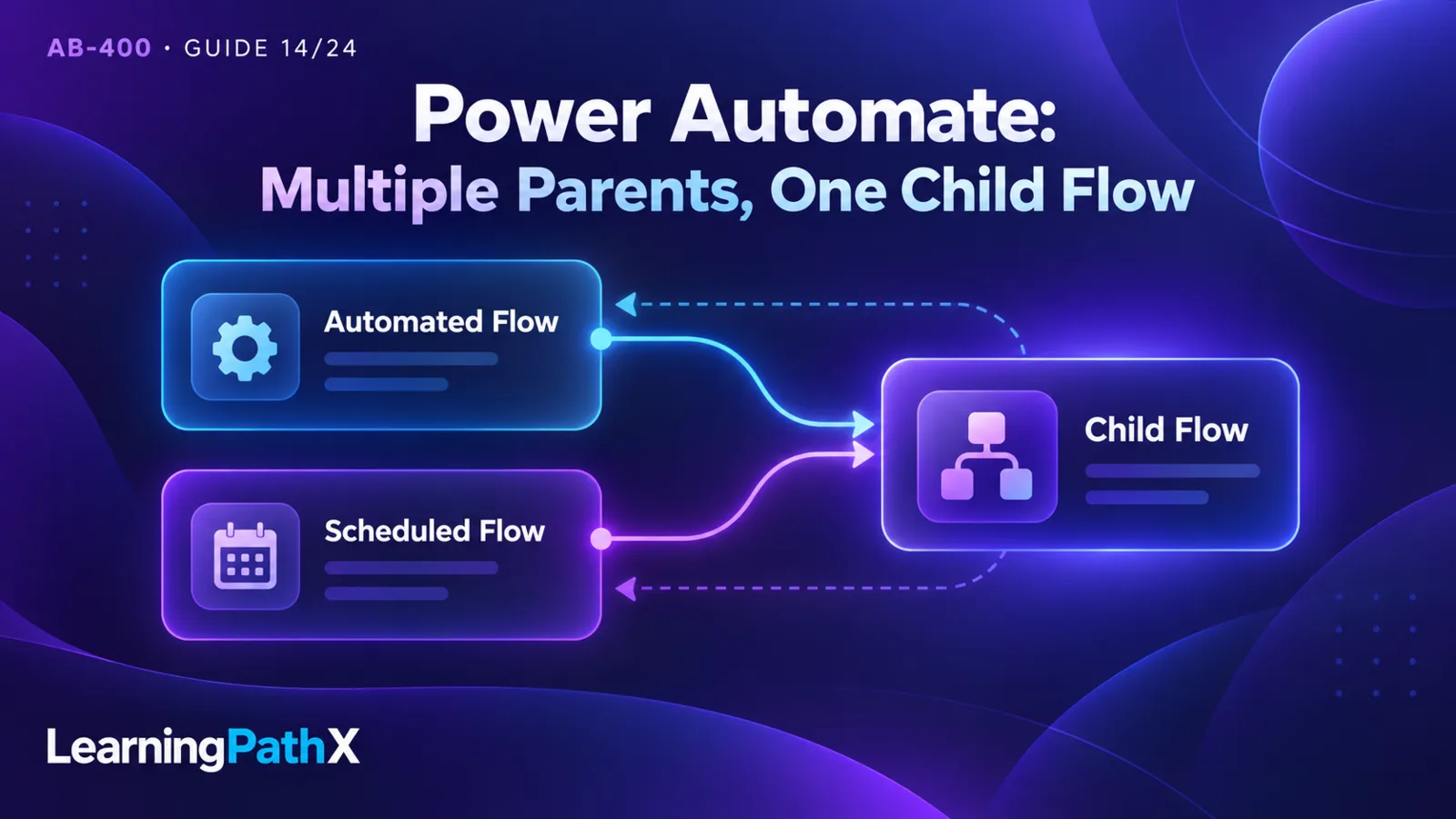
Consider an equipment team that stores maintenance requests in Microsoft Dataverse. When a request is marked ready, automation assigns a routing category and records that routing has completed. A scheduled reconciliation flow may later call the same routing logic for requests that need attention. Both callers should apply the same rules.
Use a parent flow to admit the event and obtain the request identifier. Use a child flow to read the current request, validate it, apply routing rules and persist the result. Return the result to the parent, which records the overall outcome and any necessary escalation. This separation gives the reusable operation one contract instead of duplicating conditions in several parents.
Treat a run as an attempt to process a business request. The flow-run identifier identifies that attempt; a stable request identifier identifies the business work across attempts. Keep both. If a timeout prompts a replay, a new run identifier must not cause the system to regard the same request as new work.
For this example, accept equipment categories Pump and Conveyor. Route either category to UrgentMechanical when priority is 3 and to RoutineMechanical when priority is 1 or 2; reject other categories or priorities. These are invented business rules for the example. The current row state is also an input. Repeated calls can legitimately return different outcomes if the row has changed; deterministic control flow does not freeze external data or guarantee that a connector call will succeed.
Core Components: Define the Data Contract First
Step 1: Specify Values Before Writing Expressions
Define the child-flow inputs and outputs, plus the row values its implementation reads, before adding actions. The following is an illustrative application contract, not a built-in Dataverse schema. Only requestId and requestKey are caller inputs; priority and equipment category are retrieved row values, and the remaining values are outputs:
| Contract value | Type and meaning | Validation or consumer behavior |
|---|---|---|
| requestId | Text containing the Dataverse row identifier | Required; retrieve that row before routing |
| requestKey | Nonempty text identifying this routing request | Preserve across retries and replays |
| priority | Integer in the example's agreed range, 1–3 | Reject a missing or out-of-range value |
| equipmentCategory | Text from an approved category set | Reject an unknown category |
| outcome | Text: Completed, AlreadyCompleted, Rejected, or NeedsInvestigation | Parent branches on this value |
| resultCategory | Text containing the selected routing category | Required for either completed outcome |
| diagnosticCode | Short application-defined text | Safe for callers; keep sensitive details in restricted diagnostics |
Read priority and category from the authoritative row inside the child rather than trusting stale event values. If the two callers can request different operations, add an explicit operation or contract version; do not overload the meaning of requestKey.
Distinguish a JSON number from a number-shaped string, a Boolean from text such as "true", and a single object from an array of objects. Also decide separately what absent, null and empty-string inputs mean. A blank category is invalid in this design; silently substituting a default could send maintenance work to the wrong team.
Step 2: Build and Inspect Expressions in Their Actual Context
Power Automate conditions support functions such as and, or, equals, greater and empty. Compose smaller Boolean comparisons rather than comparing an entire response object with a displayed label. A loop's current item and a trigger's body are different evaluation contexts.
For example, assume a data operation has produced this normalized array after type validation:
[
{ "requestKey": "route-2041", "ready": true, "priority": 3 },
{ "requestKey": "route-2042", "ready": false, "priority": 1 }
]
An illustrative advanced-mode condition inside an iteration over that array is:
@and(equals(item()?['ready'], true), greater(item()?['priority'], 2))
Only the first example item should satisfy the condition. The item() reference belongs to that iteration; do not paste it unchanged into an unrelated trigger condition. In a designer expression editor that supplies the expression wrapper, enter the inner expression in the form that editor accepts.
Use a separate validation branch for invalid priority types before this comparison. Do not make safety depend on an assumed evaluation order in a compound expression. Likewise, test the empty-string case with a deliberate sample rather than expecting a display name or optional-access operator to validate the entire payload. Preserve representative action inputs and outputs from the development run so reviewers can check the actual property names and types.
How Components Work Together: Implement the Execution Path
Step 3: Filter Events Before They Become Business Work
Configure a trigger condition in the trigger's Settings when an event can be rejected from information already present in its payload. Trigger-condition expressions start with @; multiple configured conditions must all hold unless the expression explicitly uses or. A false condition prevents a flow run and leaves no run-history entry. A Condition action inside a running flow instead provides a branch after admission.
In the maintenance example, use the trigger's actual ready-field token to compare its Boolean value with true. Derive the reference from observed trigger output, not from a guessed display-name-to-property-name conversion. Dataverse choice values, for example, should not be assumed to equal their displayed text labels.
Keep the admission predicate narrow: “this event requests routing.” Validate current row state and access rights after admission. Trigger data can become stale between the event and the row read, so the child must still reject or classify work that is no longer eligible.
Review every write the flow makes to its triggering table. Marking routing complete should make the row ineligible for fresh routing, and an unrelated change should not request another routing operation. That avoids a simple self-triggering loop. It does not prevent two already admitted attempts from racing; durable duplicate protection remains necessary when concurrent writers are possible.
Document filtered-out events as an expected operational outcome. During testing, compare the source event's values with the admission predicate before treating an absent run as a flow failure.
Step 4: Create the Reusable Child in the Solution
Create the parent and child directly in the same solution. The documented child-flow pattern uses an instant cloud flow with Manually trigger a flow, explicit inputs, and a response such as Respond to a Power App or flow. The parent uses Run a Child Flow and can consume its outputs. Test the child independently before wiring the parent.
Connections are not passed from parent to child. Microsoft's instructions require embedded connections for child flows using connectors other than built-in actions or Microsoft Dataverse; configure the relevant Run only users connections accordingly. Inspect Dataverse identity separately rather than assuming that the parent caller's identity is inherited.
Implement these logical stages in the child:
- Accept the required identifiers and initialize an explicit outcome value.
- Read the current Dataverse row and validate the operation's required fields.
- If the same routing request is already complete, return its recorded result as AlreadyCompleted.
- Otherwise compute the routing category and write the intended category plus completion information.
- Return Completed only after the required write has succeeded. Return Rejected for a business validation failure before making a business change.
The duplicate check in step 3 helps sequential replays. A read-then-write sequence alone is not a lock: concurrent attempts could both read “not complete.” For this limited example, writing the same routing values again is deliberately safe. If the operation instead creates a purchase, sends a payment or adds a nonrepeatable item, require a server-enforced claim or deduplication contract before enabling automatic replay. A child flow does not make several connector actions one database transaction.
Step 5: Make Success and Failure Paths Explicit
Power Automate Run after settings select predecessor outcomes including success, failure, timeout and skipped. Scopes group actions so related work can use a try/catch arrangement. Microsoft also documents result() for inspecting scope action results and workflow() for identifying the current run. A Terminate action can deliberately finish an unrecoverable run as Failed.
For the parent in this design, place the child call and required completion bookkeeping in a Process scope. Add a HandleFailure scope configured to run after Process fails or times out. Add a separate success branch after Process succeeds; inspect the child's business outcome there before treating the routing as complete. A child returning Rejected has communicated a business result even if its response action ran successfully.
If using a final housekeeping scope, explicitly cover the necessary predecessor states, including a skipped failure handler on the success path. Keep housekeeping free of business writes that assume routing completed. Review the dependency graph in the designer after changing Run after options; merely placing a card below a scope does not express all intended cases.
Record a compact diagnostic event containing the request key, run identifier, failed stage, safe error classification and whether the business write is known to have completed. Keep raw connector responses and personal data out of general notifications. If diagnostic storage itself fails, preserve the original failure context for investigation rather than reporting a clean business completion.
Decide how failure reaches the caller. A known validation rejection can be a normal typed response. An unrecoverable technical failure can stop the parent as Failed after recording diagnostics. A timeout after a potentially committed write deserves NeedsInvestigation in durable business tracking until the target state is checked; do not invent a successful child response when no response arrived.
Step 6: Configure Retries Around the Side Effect
Microsoft documents fixed and exponential action retry policies for transient failures. Exponential intervals spread attempts over time. Configure the supported policy in the relevant action's settings and choose its interval and attempt limit for the operation's latency budget.
The key design question is what another attempt might repeat. A rejected category requires corrected data. A denied Dataverse operation requires corrected authorization. Neither becomes valid merely because a delay has elapsed. Temporary unavailability may justify another attempt, provided replay is safe.
Consider a write that reaches Dataverse but whose acknowledgement is lost. Retrying a deterministic update to the same row and same category is different from retrying an action that creates a fresh work order. For the latter, check target state by stable business identity before authorizing another creation. “The action timed out” means completion is uncertain, not necessarily that nothing happened.
Choose one layer to own business-level replay. If the connector action retries, the parent retries the entire child and an operator later resubmits the parent, the same work may be attempted many times. Document each layer, cap the combined effort and keep the request key stable. After exhaustion, record an actionable failure with enough context for an operator to decide whether correction, reconciliation or replay is appropriate.
Design Considerations: Identity and Copilot Studio Boundaries
Step 7: Configure the Dataverse Service-Principal Connection
The Dataverse connector supports service-principal connections for triggers and actions. Its documented setup uses a Microsoft Entra ID service principal, a client secret, an associated Dataverse application user, and sufficient Dataverse permissions. In the cloud flow designer, choose Add new connection, then Connect with service principal, supplying the application ID, secret and tenant ID.
Application-user administration is environment-specific. An administrator selects the registered application, business unit and security roles when creating the user in the Power Platform admin center. Assign permissions for the intended tables and operations; do not grant broad administration merely to make the first test pass.
Treat the connector connection, the application user's Dataverse role and the flow's ownership as separate review items. A stable nonhuman connection identity reduces dependence on an individual maker, but it does not automatically grant that identity the right to every row or authorize every caller's business request. The child must enforce its allowed operation and input boundary.
Keep the client secret out of sample payloads, diagnostics and solution documentation. Establish an owner for credential replacement and test a replacement connection before relying on it. Test the least-privilege role with both an allowed request and a deliberately forbidden operation in a disposable environment. An authorization failure should remain visible rather than being retried into silence.
Step 8: Preserve the Contract When a Workflow Serves an Agent
Microsoft Copilot Studio agent flows provide rule-based execution using triggers and actions, including control structures, connectors and child flows. An agent flow with When an agent calls the flow can be exposed as an agent tool. This is an execution boundary: the calling agent chooses or requests work, while the flow validates inputs and applies the defined rules.
For the maintenance operation, expose a small contract such as request identifier and requested operation, then return a concise outcome and result. Do not let a conversational explanation replace the stored completion state. If an AI action produces a category suggestion, validate it against the allowed values before the deterministic write. A predictable sequence of actions does not make generated text a deterministic business fact.
Check the selected Copilot Studio workflow surface and its environment configuration before adapting an existing cloud flow. Microsoft's agent-flow overview distinguishes agent flows from the newer workflow format; do not infer identical triggers or conversion behavior from the shared word “workflow.” The same overview documents action-based Copilot Studio capacity usage and a one-way conversion from a solution cloud flow to an agent flow. Review capacity and ownership before conversion instead of treating it as a reversible test switch. Full agent orchestration is covered in AB-400: Integrating Foundry and Copilot Studio Agents.
Verify Observable Outcomes and Avoid Common Mistakes
Use a development copy with synthetic rows, controlled connections and no external notifications to real recipients. The checks below are expected acceptance results to verify, not claims of tests already run:
| Check | Expected evidence |
|---|---|
| Valid ready request | One intended routing result; child returns Completed; parent records the request key and run identifier |
| Event that fails admission | No business write and no flow-run entry; source event explains why the trigger condition was false |
| Missing category or wrong priority type | Validation rejection before routing writes; no unhandled expression failure |
| Same completed request submitted again | Recorded result returned as AlreadyCompleted; no new nonrepeatable side effect |
| Controlled transient dependency failure | Bounded action attempts and either verified completion or the documented failure path |
| Write acknowledgement made uncertain | Target state checked before replay; business record remains investigable until resolved |
| Application user denied a required operation | Diagnostic evidence identifies the authorization stage; no success outcome is recorded |
| Routing's own completion update | No fresh routing request admitted solely because the completion fields changed |
Inspect both the connector actions and the persisted row. A green flow run alone is weak evidence when a response can describe rejection or an error handler can consume a technical failure. Conversely, an absent run after a false trigger condition is expected. Keep these distinct when investigating apparent inconsistencies.
Common implementation mistakes include comparing a Dataverse formatted label with a raw choice value, copying an iteration expression into a trigger, treating a child call as a transaction, and retrying a whole process after one uncertain side effect. Correct the contract or execution boundary responsible for the symptom before increasing retry counts.
After a development exercise, turn off the test trigger, inspect pending runs and remove only its synthetic rows and dedicated diagnostic records. Remove disposable connections or credentials only after confirming no other flows depend on them. Retain sanitized acceptance evidence and the contract for subsequent release review.
Certification Relevance
The AB-400 study guide places workflow expressions, flow control and error handling, trigger filters, retries, child-flow reuse and Dataverse service-principal authentication under Extend Microsoft Power Platform. The useful skill is connecting these controls into one execution contract: identify which requests start work, which identity performs it, how another attempt behaves and what proves completion. This guide retains the series' October 15, 2026 version baseline; the assigned product documentation was rechecked on October 16, 2026.
Conclusion
Reliable automation gives every admitted request a verifiable outcome. Start with typed inputs and selective admission, centralize reusable work, and make repeat execution safe before enabling retries. Explicit error paths and durable business evidence then let both cloud-flow callers and Copilot Studio callers distinguish completion from rejection and uncertainty.
Authoritative Sources
- AB-400 study guide
- Employ robust error handling in cloud flows
- Create child flows
- Agent flows overview
- Manage application users
- Manage connections for the Microsoft Dataverse connector
- Customize triggers with conditions
- Use expressions in conditions