
Introduction
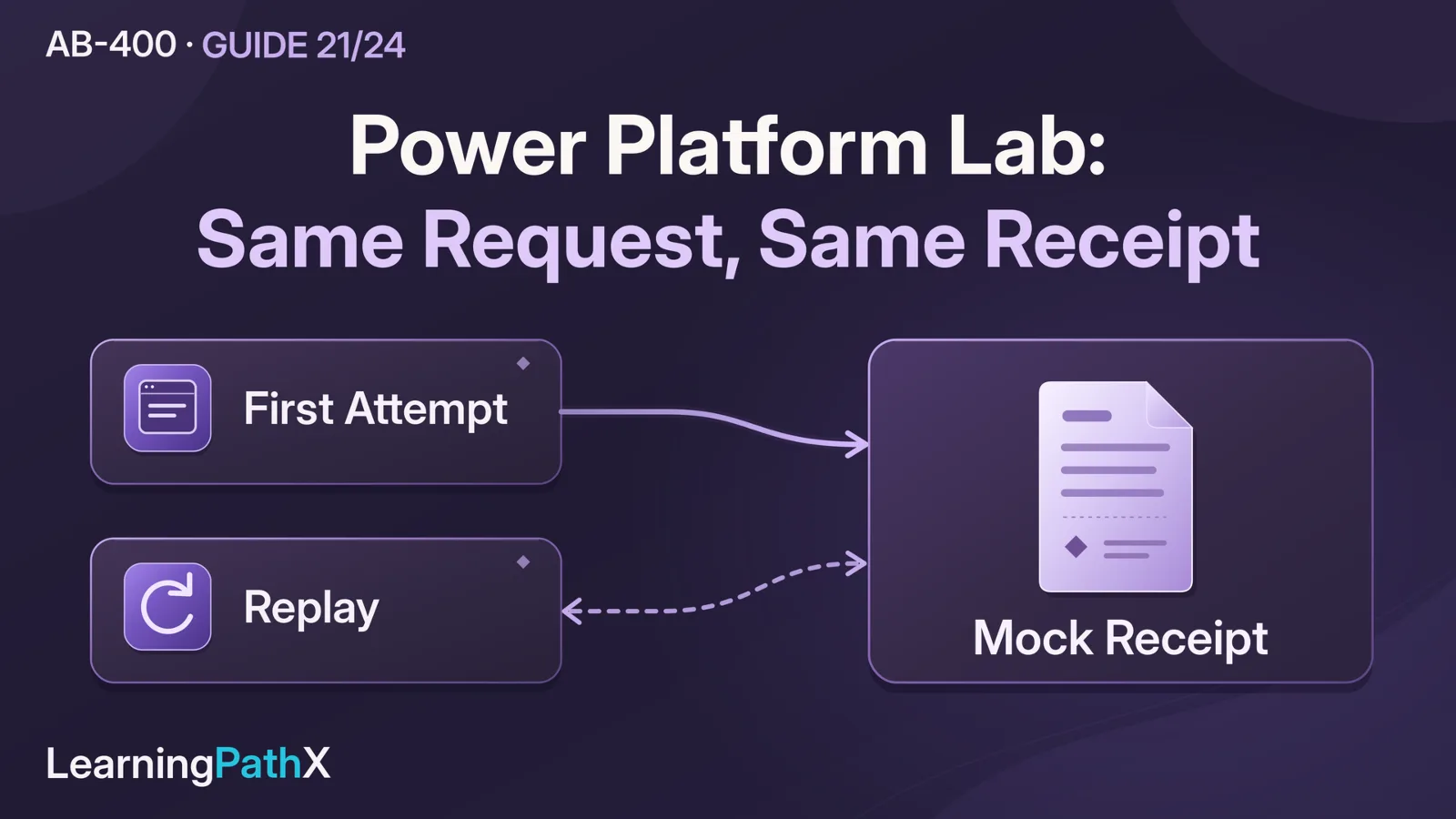
Validate a governed service request integration by creating one request with a stable external identity, dispatching it through solution-aware parent and child flows, and checking a durable mock receipt. Then repeat the same request, deny access at separate boundaries, and inject failures before and after receipt creation. Acceptance requires the expected receipt count and request state together; a green flow run alone does not establish correct business processing.
This original lab uses Microsoft Dataverse, Power Automate, one custom connector and one Azure Functions HTTP endpoint. The endpoint simulates a facilities dispatch system; its only business effect is a receipt row in a separate lab table. All observations below are expected results for you to verify. No tenant deployment, command execution or successful test is claimed. Product documentation was checked on October 16, 2026 against the series' October 15 scope baseline.
Architecture Overview: A Governed Service Request Integration
A lab operator records a request for a replacement monitor. A parent flow reads that row and calls a child flow. The child invokes the custom connector, which calls the Function. The Function authenticates separately to Dataverse and creates or retrieves a mock receipt. The child returns the receipt identifier, and the parent records the outcome on the request.
The second Dataverse table is a substitute for an external system's persistent idempotency ledger. Idempotency means a repeated business request has the same effect as the first accepted request. Keeping that ledger in Dataverse makes its count, identity and payload inspectable without introducing a real dispatch service. It also survives Function restarts. This setup tests the integration protocol; it does not simulate the availability independence of a genuinely external database.
Use only synthetic request data. Keep the exercise to one operator and sequential invocations. Do not add a Dataverse change trigger, agents, queues, plug-ins, a user application or real notifications. Manual execution makes deliberate replay visible and avoids an update-trigger loop while you inspect the state transitions.
Core Components and Prerequisites
Bring an isolated Power Platform environment with Dataverse, permission to create solution components and security roles, and two nonadministrator test users. Confirm tenant licensing and policy allow Dataverse, custom connectors and the proposed connections. Have an Azure subscription and a dedicated disposable Function app with a supported runtime, an HTTP-triggered function and secure configuration for its Dataverse credentials. Azure resources can incur charges. Host provisioning and a full authentication tutorial remain prerequisites rather than extra lab outcomes.
Review AB-400: Designing Security and Dataverse Data Boundaries, AB-400: Managing Solutions, Pipelines and Build Tools, AB-400: Azure Functions for Power Platform Workloads, AB-400: Reliable Cloud Flows and Copilot Studio Workflows, and AB-400: Custom Connectors with OpenAPI, Policies and Code before building the fixture.
Bind each operation to an identity
Create a solution called GovernedRequestLab with publisher prefix lpx. Use the following lab-specific access design. These role names are examples, not built-in roles.
| Principal | Connection or credential | Required lab access |
|---|---|---|
| Lab operator | Named Dataverse user connection used by the parent | User-level Create, Read and Write on its own request rows; no receipt Create, Write or Delete |
| Second test user | Separate signed-in Dataverse session | Same user-level request privileges, but no sharing, team or broader role granting access to the operator's rows |
| Function application user | Dedicated Microsoft Entra ID application credential configured on the Function | Organization-level Create and Read on the organization-owned receipt table; no receipt Write/Delete and no request-table privileges |
| Lab administrator | Setup and cleanup session only | Creates components, inspects receipt counts and removes fixture resources |
Associate the Function's registered application with an application user in this Dataverse environment and assign the receipt role there. Configure the Function's confidential client to acquire a Dataverse access token for this environment, using the documented environment-specific .default scope. The connector's Function key does not authenticate that downstream Dataverse operation. Keep application credentials in protected backend configuration and the Function key in the connector connection; neither belongs in request data, source-controlled OpenAPI files or screenshots.
Dataverse privileges are cumulative. Before the denial test, inspect all roles, team membership and sharing for both users. A restrictive test role cannot cancel access granted by another role. Use neither an administrator nor a broadly privileged maker identity as the reader under test.
Restrict the parent and child flows and the custom connector connection to the operator and necessary administrators. Configure their actions to use the named connections deliberately. An operator-owned connection runs with the operator's privileges; a caller's supplied row identifier does not cause user impersonation. This lab therefore does not offer its privileged parent flow as a request-submission service to other users.
Create the request and receipt schemas
In the solution, create the user-or-team-owned table lpx_servicerequest. Keep its automatically created primary identifier and primary name column; use a synthetic name such as Monitor lab R001. Add these columns. All logical names and text states below are this fixture's contract.
| Logical column | Type and lab value |
|---|---|
| lpx_source | Single line of text, maximum 20; exactly LAB |
| lpx_externalrequestid | Single line of text, maximum 40; R001, R002, and so on |
| lpx_category | Single line of text, maximum 20; MONITOR or DESK |
| lpx_site | Single line of text, maximum 20; exactly FLOOR2 |
| lpx_dispatchstate | Single line of text, maximum 20; initially Pending |
| lpx_receiptid | Single line of text, maximum 36; initially empty |
| lpx_lastattemptid | Single line of text, maximum 36; initially empty |
| lpx_lasterror | Single line of text, maximum 100; initially empty; sanitized classification only |
Create an alternate key on lpx_source plus lpx_externalrequestid. Require both values when preparing every fixture row; do not rely on uniqueness for null values. Wait until the key is Active before testing. Use uppercase ASCII letters and digits for identifiers, avoiding punctuation that interferes with alternate-key addressing.
Create the organization-owned table lpx_mockreceipt, retaining its primary identifier and name column. Add lpx_source and lpx_externalrequestid with the same definitions and an alternate key on that pair. Add lpx_payload as single line of text, maximum 50. Its value is exactly category, the pipe character, then site, such as MONITOR|FLOOR2. Wait for this key to become Active too. The receipt row's generated primary identifier is the returned receipt ID; no separate randomly regenerated receipt number is needed.
Treat source, external request ID, category and site as immutable after dispatch. The operator controls the fixture, and neither flow edits those columns. This is a lab constraint, not a server-side immutability guarantee. The receipt role's lack of Write/Delete prevents the Function from rewriting an accepted payload. Record the actual receipt entity-set name shown by Dataverse for use in its Web API calls; do not infer it by pluralizing a display name.
How Components Work Together: Build the Procedure
1. Implement the mock dispatch contract
Use one HTTP POST endpoint with route name mock-dispatch under the default api prefix, with Function-level authorization. Use a Function-specific key and configure the connector's API-key security parameter as query parameter code, matching the documented Function/OpenAPI example. A key authorizes access to this lab endpoint; it does not convey a user's Dataverse permissions. Keep query strings containing credentials out of evidence exports and access-log extracts.
The request is a JSON object with six required string properties:
{
"source": "LAB",
"requestId": "R001",
"category": "MONITOR",
"site": "FLOOR2",
"attemptId": "6b45a445-219f-44c3-a089-3e7ff9d05770",
"faultMode": "normal"
}
This is an example input, not an executed request. Require source=LAB, a requestId matching uppercase letters/digits with length 1–40, an allowed category, site=FLOOR2, a valid GUID attempt ID and one of normal, before-write, or after-write. Reject other values with HTTP 400 and {"errorCode":"INVALID_INPUT"}. Do not silently trim or change case. Derive lpx_payload only from category and site. The attempt ID and fault mode are operational controls, excluded from business identity and payload equality.
Implement this precise handler algorithm using the supported language/runtime selected for your Function app. The following is language-neutral implementation logic, not a runnable SDK sample:
validate the request; on invalid input return 400 INVALID_INPUT
if faultMode is before-write: return 503 INJECTED_BEFORE_WRITE
read receipt by alternate key (source, requestId)
if found:
if stored payload differs: return 409 IDENTITY_CONFLICT
return 200 with its existing receiptId and replayed=true
if read failed for a reason other than a confirmed missing row:
return 503 LEDGER_UNAVAILABLE
create one receipt with source, requestId, payload and a synthetic name
if create failed:
reread the same key
if an equal receipt now exists: return 200 replayed=true
if a different payload now exists: return 409 IDENTITY_CONFLICT
otherwise return 503 LEDGER_UNAVAILABLE
read back the newly created receipt to obtain its primary identifier
if that read failed: return 503 LEDGER_UNAVAILABLE
if faultMode is after-write: return 503 INJECTED_AFTER_WRITE
return 200 with receiptId and replayed=false
Use the Dataverse Web API with the Function application user's token for those receipt operations. The lookup selects only identifier and payload. An ordinary Create with the two key columns lets the active unique index arbitrate a competing create. Rereading after a failed create also resolves an uncertain create response; never classify every exception as a duplicate. Preserve unexpected failures as failures.
The successful response always has this shape; the values shown are illustrative:
{
"source": "LAB",
"requestId": "R001",
"receiptId": "07211425-4c43-472c-bc28-2487b0ab2850",
"replayed": false
}
Return source and requestId from the matched business identity. Every error body has only a sanitized errorCode. The host rejects missing or invalid Function credentials before business handling; do not require the host's authentication error body to match your JSON error schema. Log attempt ID, business identity, phase and sanitized outcome. Do not log access tokens, keys, credential-bearing query strings or whole raw connector errors.
Use plain create/read here instead of unconstrained Upsert. Upsert can update a matched row; overwriting the stored payload would hide the conflict the lab is intended to expose. The receipt is both the ledger and the complete mocked side effect, so there is no second external action between recording acceptance and performing work. This does not establish exactly-once execution for a real downstream dispatch API.
2. Import one connector operation
Create a small OpenAPI 2.0 definition for the Function. Set its actual deployed host, HTTPS scheme, /api base path, and /mock-dispatch POST operation with stable operationId: DispatchMockRequest. Define the query API-key security scheme named code; do not embed its value. Define the six required request properties above, a typed 200 response with required source, requestId, receiptId strings and replayed boolean, and 400, 409 and 503 error responses containing errorCode. The code security parameter is separate from the JSON body.
In GovernedRequestLab, create a custom connector by importing that definition. Review Security and Definition, create the connector and an operator-owned connection using the dedicated Function key, and test DispatchMockRequest with a spare identity such as PRECHECK. Inspect both HTTP status and body. Delete this preliminary receipt as administrator or exclude its distinct identity from later test counts. Do not add policies or transformation code; this fixture deliberately uses one contract on both sides.
Create a connection reference for the custom connector and one for the operator's Dataverse connection. Add a text environment variable lpx_LabSource with current value LAB, and use it in the parent request. This demonstrates a nonsecret environment binding; the Function still validates the value. Keep the backend host in the connector's configured definition for this single-environment exercise. An environment variable does not automatically rewrite that host or provision the Azure application.
3. Build and verify the child flow
Create Dispatch mock request directly in the solution using Manually trigger a flow. Add six text inputs matching the endpoint contract. Initialize string variables Outcome=Unknown, ReceiptId empty and ErrorCode empty. In a Try dispatch scope, call DispatchMockRequest, mapping the six inputs exactly. Set the connector action's retry policy to None for these controlled failure tests; otherwise automatic retries can hide the first injected failure.
After HTTP 200, validate that returned source/request ID equal the inputs and that receipt ID is nonempty. Only then set Outcome=Accepted and ReceiptId to the returned ID. A malformed or mismatched success must leave Outcome=Unknown and set ErrorCode=INVALID_SUCCESS; never manufacture a receipt ID from the attempt ID.
Add a Catch dispatch scope configured to run after the Try scope fails or times out. Inspect the failed connector action's status in its outputs. Map 400 to Rejected, 409 to Conflict, authentication denial to Blocked, and 503 or an unavailable/ambiguous response to Unknown. Keep a short controlled classification in ErrorCode, such as IDENTITY_CONFLICT or DISPATCH_UNCERTAIN; do not copy raw error bodies. If the connector represents a failure differently, inspect that action's actual outputs and correct the mapping before accepting the fixture.
Add Respond to a Power App or flow after Catch, with Run after allowing Catch succeeded or skipped. Return text outputs Outcome, ReceiptId, and ErrorCode. If Try succeeds, Catch is skipped and the response still runs. If Catch itself fails, let the child fail; the parent must treat missing child output as uncertain. In the child's Run only users settings, choose Use this connection for its custom connector connection. Child flows cannot receive connections from their parent, so a run-only-user connection is not a substitute for the embedded binding required here.
4. Build the parent and state transitions
Create Process lab request directly in the same solution with a manual trigger. Add text inputs RequestRowId and FaultMode, with normal as the normal test value. Limit execution to the operator. Run only one invocation at a time throughout the exercise; this is an operator constraint, not a distributed locking mechanism.
- Use Dataverse Get a row by ID on lpx_servicerequest with RequestRowId and the operator's connection. Fail without dispatch if the row is inaccessible or absent.
- Validate the source against lpx_LabSource, the business fields against the endpoint rules, and the allowed fault modes. Permit request states Pending, Sending, Reconcile or Succeeded. Permit Succeeded because the lab must exercise a genuine replay. Stop other states for operator investigation.
- Generate a fresh GUID attempt ID using a Compose action with guid(). Update only lpx_lastattemptid, lpx_dispatchstate=Sending, and clear lpx_lasterror. If that update fails, stop before calling the child.
- Call Run a Child Flow, selecting Dispatch mock request. Pass source, stored external request ID, category, site, the composed attempt ID and chosen fault mode. Reuse this attempt value inside the run; never replace the stored external request ID with it.
- When child output is Accepted with a nonempty receipt ID, update the request to Succeeded, store that ID and clear the error. Map Rejected or Conflict to Rejected, Blocked to Blocked, and Unknown to Reconcile with no newly invented receipt ID. A prior valid receipt ID may remain as historical evidence; state still reflects the latest attempt.
- Add a parent failure scope after the child/response-processing scope fails or times out. Attempt to set Reconcile and CHILD_OR_UPDATE_UNCERTAIN. If this write also fails, leave the flow failed and retain the observable earlier Sending state. Record that the final Dataverse write failed rather than declaring the request complete.
The last case is intentional: receipt creation and request-status update are separate operations. After access or connectivity is repaired, the operator can rerun a Sending or Reconcile row with the same identity. The durable receipt resolves whether the mock business effect already occurred.
Acceptance: Record Expected and Actual Observations
As operator, create three request rows you own: LAB/R001, LAB/R002 and LAB/R003, all category MONITOR, site FLOOR2, state Pending. Record each actual Dataverse row ID. As administrator, verify zero receipts for those three identities. Count by the exact source/request pair rather than counting the entire table. Keep an evidence sheet containing test, principal/connection, business identity, attempt ID, parent/child outcomes, final request state, receipt ID, receipt count and redacted error class. Fill actual values only after performing each test.
| Test and reproducible operation | Expected observation and pass criterion |
|---|---|
| Allowed: operator reads R001 and runs parent with its row ID and normal | Read succeeds; child Accepted; request Succeeded with a receipt ID; exactly one matching receipt with payload `MONITOR |
| Denied row access: second user tries to open/read the operator's R001 through their own session | Access fails or the row is unavailable to that user; no extra receipt or parent run. A UI hiding a row alone is insufficient if direct access succeeds |
| Denied flow access: second user attempts to access/run the parent | No run permission. If the user can invoke the owner-connection flow, sharing is a failure even if the separate row-read test passed |
| Denied endpoint access: use the connector test with a separate connection containing an invalid Function key and a fresh identity DENIED1 | Host rejects authentication; no receipt for LAB/DENIED1. Preserve the actual status/error class; this is not evidence of per-user Dataverse authorization |
| Replay: rerun R001 through the parent with normal | New attempt ID, same external identity, same receipt ID, one receipt; request remains Succeeded. Child action response indicates replayed true |
| Conflict: connector test sends R001 with category DESK, the same source/ID/site, a fresh attempt ID and normal | HTTP 409 IDENTITY_CONFLICT; original receipt ID and payload remain unchanged; no second receipt. Do not alter the original request row to perform this test |
| Before-write failure: run R002 with before-write | Connector 503; child Unknown; parent Reconcile; zero R002 receipts. Run again with normal: Succeeded with one receipt |
| Commit-then-error: run R003 with after-write | Connector 503; child Unknown; parent Reconcile despite exactly one R003 receipt. Rerun with normal: same stored receipt ID, one receipt, Succeeded |
| Malformed input: connector test sends requestId=bad/id with otherwise valid values | HTTP 400 INVALID_INPUT; no receipt for that identity; no attempt to repair or silently transform its ID |
For the denial tests, use separate identities/connections without changing the working parent's bindings. Restore or delete only the bad test connection afterward. Run the two fault cases with retries disabled as specified; inspect child action history to prove that a 503 was actually observed rather than silently retried.
Optionally, after successful R003 recovery, restart the disposable Function app and replay R003 again. The receipt must remain the same because it is stored in Dataverse, not process memory. A new receipt after restart reveals an incorrect fixture. This optional check does not test every host-recovery scenario.
Finish with three receipts for R001–R003, one per identity, and each request Succeeded after its recovery. Retain failed-attempt evidence too. Successful recovery must not erase the distinction between zero-effect failure and already-committed uncertainty.
Design Considerations and Failure Analysis
| Unexpected result | Inspect first | Correction and retest |
|---|---|---|
| Second user can read R001 | All effective roles, owner teams, sharing and row owner | Remove the unintended grant in this disposable setup; rerun the denied read under that user's actual session |
| Child cannot be selected or reports a connection problem | Same-solution membership, manual child trigger, access and embedded connector binding | Correct the specific binding; test child response before invoking the parent again |
| Connector authenticates but Function cannot access receipts | Function's token audience/environment, application user and assigned receipt role | Repair the downstream identity; changing the connector key cannot grant Dataverse receipt access |
| Duplicate receipts or replay creates new IDs | Both active alternate keys, exact input identity, receipt read/create logic | Stop tests, correct the fixture and reset synthetic records before repeating the matrix |
| After-write case appears as immediate success | Connector retry policy and actual action attempts | Disable test retries, reset R003 and its receipt as administrator, then reproduce the first failure and recovery separately |
| Receipt exists but request remains Sending | Child response and parent's final update permissions/action error | Repair the update path, rerun the same row/identity, and require one unchanged receipt |
The identity pair is a business identifier; the attempt GUID identifies one invocation. Do not generate a new business identity to resolve a timeout. Conversely, use a new business identity for a genuinely new request. The changed-payload test is a deliberate contract violation, so it requires investigation rather than repeated retries.
If you later move this solution, record connection references and environment-variable values explicitly. Solutions and Power Platform pipelines can carry components and configuration, but do not transport these request/receipt data rows or provision the Azure Function automatically. A full pipeline deployment is outside this single-environment exercise. Likewise, enabling retries for a later realistic workload requires another acceptance run that includes response uncertainty; it must not be inferred safe from a successful happy path.
Common Mistakes
Using an administrator for every test can make an insecure integration appear correct. Inspecting only the parent run can make a committed-but-unacknowledged effect appear absent. Using a process-memory list as the receipt store can make ordinary replay pass while restart replay fails. These are different defects and require different evidence.
Do not describe the mock receipt as a real facilities work order or claim that a 200 response proves production delivery. Do not expand this exercise into a production-ready API with untrusted user input, unlimited concurrency or broad application-user rights. Its deliberately restricted operator model and single durable mocked effect define what the results can establish.
Cleanup
Turn off both lab flows and cancel or allow outstanding lab runs to finish before removing dependencies. Export only redacted test evidence and any reviewed solution/source artifacts you intend to retain. As administrator, delete the synthetic request and receipt rows, including PRECHECK and any optional reset fixtures, then remove the lab flows, connection references, connector connections, custom connector, environment variable and both lab tables according to their dependencies. Remove the underlying unmanaged lab components deliberately rather than treating removal of the solution container as the cleanup check.
Revoke the dedicated Function key, remove the lab application user's receipt role and application access, and remove its dedicated credential/registration when no other resource uses it. Delete the isolated Azure resource group only after verifying it contains lab resources alone, including associated storage and monitoring resources. If the environment was created solely for this exercise, remove it through the normal environment-administration process after retaining required evidence. Confirm no enabled lab flows, usable lab secrets or chargeable dedicated Azure resources remain.
Certification Relevance
The AB-400 scope selected as of October 15, 2026 connects solution design, automation and integrations. This lab turns that scope into observable development evidence: a connection's principal, a stable business key, a separate attempt identifier, typed response handling and replay after uncertainty. It is an original implementation exercise, not an exam question or a claim of exam coverage. It makes no assertion about live exam availability on the production date.
Conclusion
Accept the lab when allowed processing creates one receipt, each denied operation creates none, identical replay returns the original receipt, a conflicting payload is rejected, and both injected failures recover with the same business identity. Keep the observations and cleanup record as evidence of those specific behaviors. They establish a bounded integration contract while leaving production deployment, broader authorization and real external side effects for separate design work.
Authoritative Sources
- Ownership-based security in Microsoft Dataverse
- Overview of pipelines in Power Platform
- Use environment variables in Power Platform solutions
- Azure Functions overview
- Employ robust error handling in cloud flows
- Create child flows
- Work with alternate keys
- Use Upsert to create or update a record
- Create a custom connector from an OpenAPI definition
- Manage application users in the Power Platform admin center
- Use OAuth authentication with Microsoft Dataverse
- Use the Microsoft Dataverse Web API
- Manage connections for the Microsoft Dataverse connector
- Create serverless APIs using Azure Functions and API Management
- AB-400 study guide
- Solution layers in Power Platform
Related Reading
- AB-400: Designing Security and Dataverse Data Boundaries
- AB-400: Managing Solutions, Pipelines and Build Tools
- AB-400: Azure Functions for Power Platform Workloads
- AB-400: Reliable Cloud Flows and Copilot Studio Workflows
- AB-400: Custom Connectors with OpenAPI, Policies and Code
- AB-400: Extension Design and Reliability Review Checklist
- AB-400: A Skills Roadmap for Power Platform Developers