
To add responsive client scripting and commands in model-driven apps, first define the interaction, register a JavaScript web resource on the appropriate form events, and obtain the form context from each event's execution context. Add commands at a deliberate command bar location, choose Power Fx or JavaScript for the action, and use supported Client API methods for data access, navigation and feedback. Verify the behavior with ordinary user permissions and failure cases before releasing the customization.
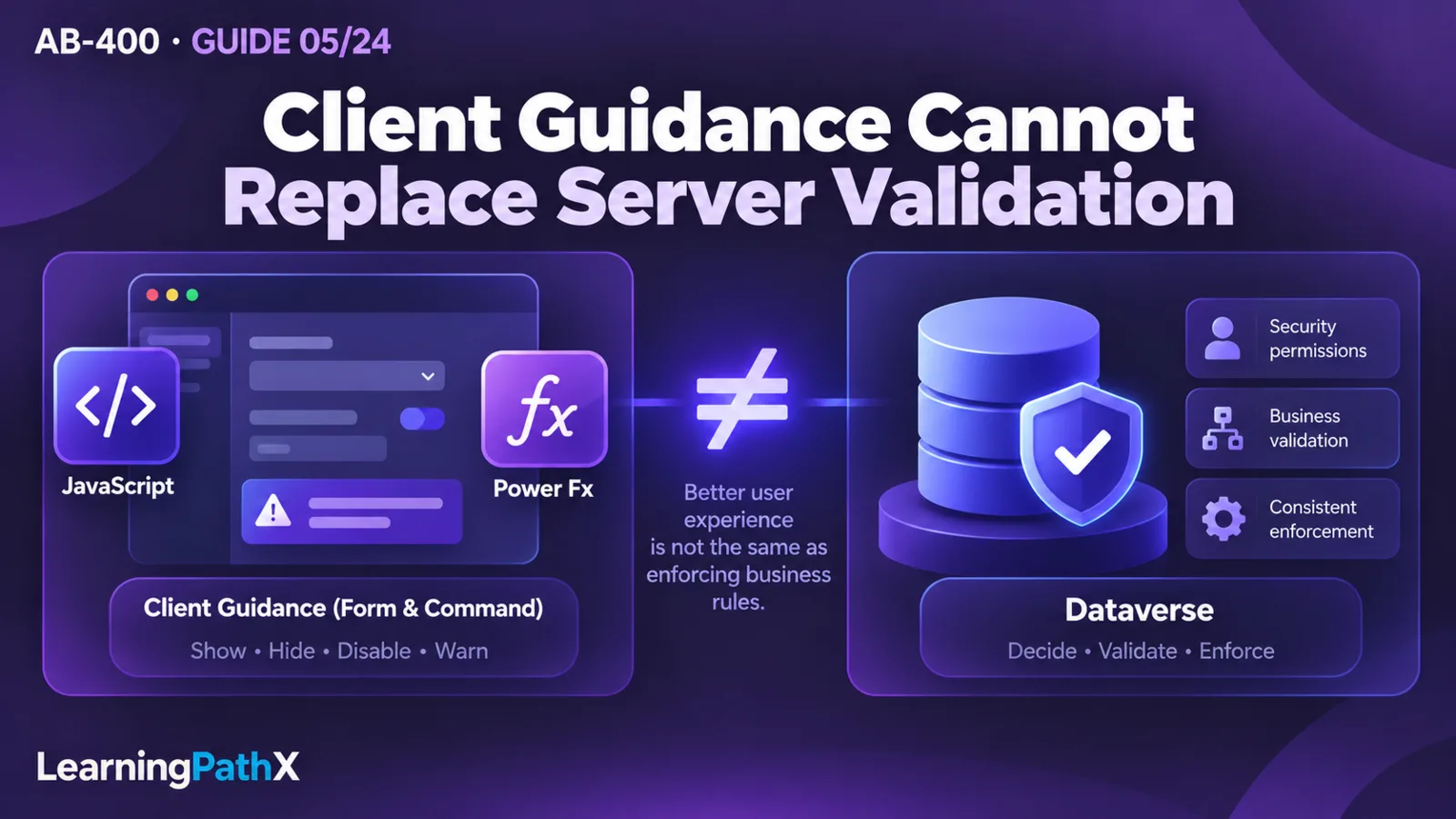
Keep the client responsible for guidance and interaction. Dataverse permissions and server-side business validation must decide whether an operation is allowed, including operations submitted through integrations that never open the form. A hidden command, disabled control or warning is useful user experience, but cannot establish that a business rule has been enforced. The procedure below uses a read-only account review command and a form warning to make that separation visible.
Define the Client Scripting and Commands Contract
The illustrative requirement is simple: show a warning while an account's Credit Hold column is true, and let a user check the account's saved hold value on demand. The warning reflects the current form buffer; the command explicitly reads the saved row. Neither action releases a hold, approves credit or changes data. This distinction matters when users have unsaved edits or another process has updated the account.
Use an isolated development environment, a solution containing a model-driven app with the Account table, permission to customize the selected account form and command bar, and test users with the intended account access. Add the Credit Hold column, logical name creditonhold, to the selected form and confirm its Boolean type in that environment. Use disposable accounts rather than changing production credit settings. The examples describe expected behavior and have not been executed against a tenant.
Before writing code, check whether existing form configuration or a business rule already meets the interaction. A script is justified here to illustrate the supported programming contract, not because every conditional message requires custom code. Keep the JavaScript web resource, form registrations and command definition together in the solution so their dependencies can be reviewed and moved together.
Understand the Host Objects Before Registering Handlers
The execution context describes a form or grid event. A form event handler calls executionContext.getFormContext() to obtain the object for the current event's form context. That object exposes data and user-interface collections. Attributes represent data values; controls represent their presentation. Reading an attribute is different from changing the visibility of a control, and one attribute can be represented by more than one control.
Use logical column names with getAttribute, and check whether the attribute exists on the particular form. An alternate form may omit a column even though the Dataverse table contains it. Do not treat the full table schema as the collection loaded on every form. Prefer the event's context over the deprecated Xrm.Page approach, which ties code to a global primary form assumption.
Commands have a separate input contract. A JavaScript action configured with PrimaryControl on a main form receives the form context directly. It is not the form event execution context, so the command should not call primaryControl.getFormContext(). Grid commands need their own grid/selection parameters; a main form handler cannot be copied to the main grid without adapting that contract.
Register a Small, Repeatable Form Handler
Create a JavaScript web resource with an application namespace. The following original example changes only its own notification and is safe to call repeatedly for the same form state:
var LpxAccountReview = window.LpxAccountReview || {};
LpxAccountReview.showHoldWarning = function (executionContext) {
const form = executionContext.getFormContext();
const hold = form.getAttribute("creditonhold");
const messageId = "lpx-account-credit-hold";
form.ui.clearFormNotification(messageId);
if (!hold) {
return; // This form does not contain the column.
}
if (hold.getValue() === true) {
form.ui.setFormNotification(
"Credit Hold is selected on this form. Review it before proceeding.",
"WARNING",
messageId
);
}
};
- Add the web resource as a library on the selected Account form.
- Register LpxAccountReview.showHoldWarning for form OnLoad and for the Credit Hold column's OnChange event. Use the function name without parentheses.
- Enable Pass execution context as first parameter for both registrations. The function depends on that argument.
- Save and publish the form and web resource, open the intended form in the app, and test a held account, an unheld account and an alternate form.
OnLoad establishes the initial presentation. OnChange updates it as the user edits. The stable notification ID allows the handler to remove its own earlier message when the condition stops applying, without clearing unrelated notifications. A form notification is a message; even an ERROR notification level must not be mistaken for a server constraint.
You can instead register a column handler programmatically with addOnChange, which supplies execution context to the handler. Choose one registration strategy and avoid repeatedly attaching the same handler during reloads. A named function can be paired with removeOnChange when implementing controlled registration. Mixing form-designer and programmatic registrations for the same behavior makes duplicate requests and messages difficult to diagnose.
If another script changes a column with setValue, that assignment does not automatically run OnChange handlers. Call fireOnChange only when the downstream event behavior is intended, and prevent loops between handlers that update each other's columns. The handler above never changes its source column, so it has no such event cascade.
Add a JavaScript Command with a Bounded Web API Read
Create a Check saved credit hold command on the Account main form command bar in the app designer. Select the JavaScript action, the same web resource, function LpxAccountReview.checkSavedHold, and the PrimaryControl parameter. This command is intentionally scoped to the main form rather than accepting an unspecified list of selected accounts.
Add this function to the library:
LpxAccountReview.checkSavedHold = async function (primaryControl) {
if (primaryControl.data.entity.getEntityName() !== "account") {
return;
}
const id = primaryControl.data.entity.getId().replace(/[{}]/g, "");
if (!id) {
await Xrm.Navigation.openAlertDialog({
text: "Save the account before checking its saved hold value."
});
return;
}
let row;
try {
row = await Xrm.WebApi.retrieveRecord(
"account", id, "?$select=creditonhold"
);
} catch (error) {
await Xrm.Navigation.openAlertDialog({
title: "Saved value unavailable",
text: "The account could not be read. Check access and connectivity."
});
return;
}
const value = row.creditonhold;
const state = value === true ? "Yes" : value === false ? "No" : "Unavailable";
await Xrm.Navigation.openAlertDialog({
title: "Saved account credit hold",
text: "Account " + id + ": Credit Hold = " + state +
". This read does not approve a subsequent operation."
});
};
retrieveRecord takes a table logical name, a row GUID and optional OData query options. The explicit $select asks for the one required column rather than retrieving the entire account. The promise resolves with the returned properties or rejects on failure. An unavailable value is not interpreted as a clean credit check. The read is performed through the model-driven app's Web API surface under the user's access; do not embed a client secret or a privileged service credential in the library.
The function captures the row ID before the asynchronous request and never mutates the captured form context after await. Microsoft documents that event context is only guaranteed during the event; navigation and subsequent edits can make retained context unreliable. The message includes the captured account ID so a delayed result is not silently attributed to whichever account the user opens next. A production implementation should also handle dialog failures and suppress obsolete or duplicate interactions according to its host design.
This command does not explicitly save the form. Document and test the command's configured save behavior: Power Fx commanding has a default form-buffer AutoSave behavior, so it is unsafe to generalize one command's save semantics to every command. A saved-value result is a point-in-time observation, even if the command or user saved immediately beforehand. A later state-changing operation must validate current data on the server.
Use Power Fx When Its Command Surface Fits
Modern commanding supports Power Fx for actions and visibility, as well as JavaScript actions. For a simple Review reminder command, a non-mutating Power Fx action can be:
Notify("Review the account's saved credit hold before requesting approval.")
Configure Run formula for the action, enter the expression, give the button descriptive accessibility text, then save and publish. Wait for the command component library publication to complete and refresh the running app before diagnosing a missing formula change. This expression only supplies guidance; it does not read the saved account or replace the JavaScript command.
Choose Power Fx for concise expressions using the supported command data and functions. Choose JavaScript when the interaction requires a Client API method or explicit asynchronous coordination. Do not assume that the full canvas-app formula surface is available in commanding. Visibility and action are also separate: a formula can hide a button based on the host's selected record, but the action still needs to handle unsuitable input and server rejection.
Test the exact location and selection contract. A main form, main grid and subgrid present different context. A command acting on one record must not silently use an arbitrary row from a multiple selection. Power Fx commands also have command component library sharing requirements in addition to appropriate Dataverse roles; testing only with the maker account can conceal deployment failures.
Choose Navigation and Feedback Deliberately
Use supported navigation methods rather than constructing app routing addresses or manipulating the page's document structure. Xrm.Navigation.openForm opens an entity form or quick create form. navigateTo supports typed page inputs and can open a supported record page inline or in a dialog in Unified Interface. For an existing account dialog, the page input identifies pageType: "entityrecord", entityName: "account" and the captured entityId; navigation options use target: 2. Deliberately omitting an entity ID opens a create form, so a missing ID should never pass unnoticed when the intent is to inspect an existing record.
Use the feedback mechanism that matches the interaction:
| Need | Appropriate mechanism | Contract to preserve |
|---|---|---|
| Persistent guidance on the open form | setFormNotification | Use a stable ID and clear the message when its condition ends. |
| An informational result requiring acknowledgement | openAlertDialog | Await or handle its promise; acknowledgement is not business approval. |
| A deliberate user choice | openConfirmDialog | Check the returned confirmed Boolean; Cancel and closing the dialog must perform no action. |
| Inspect or create a row in a supported host page | openForm or navigateTo | Specify table, row/create intent and destination deliberately. |
For dialog navigation, navigateTo resolves when the dialog closes; that alone does not mean an existing row was changed or a business process succeeded. Refresh data only when the workflow actually requires it, and account for unsaved edits before replacing form values. Confirmation is similarly a user-intent signal, not a substitute for authorization.
Verify Failure Cases and the Server Boundary
Test the following observations in the development app. They are acceptance criteria, not reported execution results:
| Test | Expected observation or investigation |
|---|---|
| Load an account with Credit Hold selected, then clear it | The form warning appears initially and clears when the field event runs. |
| Open a form without Credit Hold | The handler returns without a null-reference error. Review whether that form should participate in the feature. |
| Check a new unsaved account | No retrieve is attempted; the user is asked to save first. |
| Check a readable saved account | The result identifies the captured account and its saved Boolean value. |
| Remove read access, delete the row, or interrupt connectivity | The read fails with an unavailable message, not a favorable hold decision. |
| Edit locally or navigate while the read is pending | No old response writes a value into the new form. Check the product's chosen handling of delayed dialogs. |
| Open the app as a normal user after publication | The command, library access and intended table privileges work without maker-only assumptions. |
If the function never runs, inspect the published library, exact namespace/function name and selected form first. If it runs without context, inspect event parameter configuration. If a command fails at getFormContext, check whether form-event code was incorrectly reused for PrimaryControl. If a request fails, distinguish network failure from missing table/column names, deleted rows and denied access before changing code. Avoid logging sensitive account data while investigating.
For any later approval or order-creation feature, add a separate test through an authorized integration path that bypasses these scripts. The server must still reject a prohibited operation. A disabled control and an invisible command only alter the app experience; they do not restrict other clients. The implementation of that server rule belongs in AB-400: Dataverse Plug-ins and the Event Execution Pipeline.
After experimentation, remove temporary command definitions and form event registrations before removing their web resource dependency, and delete disposable accounts according to the environment's cleanup policy. Preserve shared libraries still used elsewhere.
Certification Relevance and Conclusion
This procedure develops the client scripting skills within Extend the user experience: obtaining the right context, registering handlers, using the object model and Web API, designing commands, and choosing navigation and feedback methods. Its scope follows the AB-400 skills measured effective October 16, 2026, verified October 15, 2026; the examples describe online model-driven app behavior.
The useful design result is a small client contract: events update guidance, commands perform explicit user-initiated work, asynchronous results identify their original target, and Dataverse remains responsible for authoritative acceptance. Verify each contract with the actual form, command location and user role before extending the feature to change data.
Authoritative Sources
- Apply business logic using client scripting
- Client API form context
- Use the Microsoft Dataverse Web API
- Command designer overview