
Introduction
Choose Power Platform extension architectures by separating three decisions: what must be enforced when data changes, what can finish later, and how the user should interact. First check whether existing platform functionality or a business rule satisfies the requirement. Use client scripting for form interaction, synchronous Dataverse logic for mandatory operation-time checks, automation for work that can complete separately, and agents for tasks that benefit from interpreting language or generating a response. Choose the user interface independently of the authoritative business operation.
The practical decision framework is to identify the consistency boundary, acceptable waiting time, degree of determinism and required host before selecting a component. A custom page, a code component and a conversational widget may all invoke the same business capability without owning its rules. The discussion below uses Microsoft Power Platform online-service documentation verified October 15, 2026 and an original service-request example; it is architecture guidance rather than a deployment tutorial.
Architecture Overview: Start with the Required Outcome
A requirement such as “help an employee submit a service request” hides several different responsibilities. The employee needs feedback while completing the form. The saved request must meet eligibility rules. A downstream team may need a notification. An assistant may help interpret the employee's description. Treating all four as one script or one agent makes their failure behavior difficult to explain.
Write each responsibility as an observable outcome. For example, “reject an ineligible request before it becomes accepted” is a consistency requirement; “send a notification after acceptance” is a separate completion requirement. This wording exposes whether an operation can tolerate a delay and whether failure should prevent the original change.
Apply these questions in order:
- Can configuration or existing app behavior deliver the outcome with an acceptable maintenance burden?
- Must the outcome hold for every supported entry point, including integrations that never open the form?
- Must the caller receive the final answer immediately, or can it receive an accepted/pending state?
- Does the task have a defined rule-based result, or does it involve interpretation and generated content?
- Is the interaction part of an existing app, a complete custom application, or a conversation in another host?
These are design recommendations, not a rule that low-code always wins or that code is inherently more reliable. Select the smallest extension whose execution and support model satisfy the whole requirement.
Core Components and Their Responsibilities
Configuration, Business Rules and Client Scripting
For model-driven forms, Microsoft recommends considering business rules before JavaScript client scripting. Use a rule when its supported conditions and actions express the form behavior clearly. When it cannot express the requirement, the Client API object model supports JavaScript responding to form load, column changes and save events.
For example, showing a helpful explanation when a request category changes is an interaction concern. A script can coordinate that behavior with the form. However, a different app or integration need not execute that form handler. Therefore, do not treat successful client validation as proof that a mandatory data rule was enforced for all callers. Evaluate each business rule's actual execution scope as well; “business rule” alone does not establish a universal enforcement boundary.
Dataverse Plug-ins and Named Operations
Dataverse's event framework runs extensions in response to server messages. A plug-in step's stage and execution mode determine its relationship to the operation. PreOperation executes within the database transaction; an asynchronous PostOperation step executes outside that transaction after the row operation completes. This distinction is central to placement: logic that participates in the original operation has a different failure contract from later work.
A custom API provides a named Dataverse operation with defined request and response parameters. It can encapsulate a capability for callers rather than requiring each caller to reproduce several low-level data operations. Choose event-driven plug-in logic when the rule belongs to the relevant data operation; choose an explicit named capability when the caller needs to request a business action deliberately. Neither choice removes the need to define valid inputs, permitted state transitions and errors.
Avoid making a synchronous data operation wait on optional remote work. A remote service's slowness then becomes the user's waiting time, and partial external success needs explicit recovery design. Transactional Dataverse work does not imply that a separately operated external system participates in the same transaction.
Cloud Automation and External Compute
Use Power Automate cloud flows when the requirement is a visible orchestration across actions and services, especially where the original save can complete first. Design failure paths with the flow: Run after can distinguish success, failure, timeout and skipped actions, while retry policies help handle transient faults. A retry is a reliability mechanism, not evidence that repeating an external side effect is safe.
Azure Functions is an option for event-driven or scheduled code and custom processing hosted in Azure. Consider it when execution, dependencies or a reusable backend are better owned outside the app and Dataverse event pipeline. This adds an operational boundary: someone must own its deployment, resource consumption, configuration and failure recovery. Moving work there changes responsibility; it does not automatically make a workload reliable or unbounded.
Deterministic Automation and Generative Agents
Keep rule-based outcomes deterministic when an exact policy governs the result. In the example, eligibility is a defined business decision. Understanding an employee's free-text description or drafting an explanation can benefit from a generative model. Separate a proposed classification from the accepted value and a generated explanation from the authoritative decision.
Copilot Studio agent flows provide deterministic orchestration and can also contain AI actions. Consequently, a fixed flow path does not make a model-generated step's content deterministic. Define validation and human review where an interpretation could cause a consequential action.
For choosing between Microsoft Copilot Studio and Microsoft Foundry, assess the agent's required composition, integration contracts, development ownership and operational controls against current product capabilities. As an architectural recommendation, favor the authoring and runtime model the team can test and support; a requirement for a custom code-managed agent is different from a requirement to add conversational assistance to an existing business workflow. Do not select solely by the presence of an AI label. Connecting a Foundry agent to Copilot Studio is documented as preview and is not a production default; verify its prerequisites and support boundary separately.
Choose the User Experience Host
Choose a surface by the scope of interaction and the host in which users already work. The following options solve different problems.
| User need | Surface to evaluate | Architectural consequence |
|---|---|---|
| Existing form with a small interaction change | Business rules or client scripting | Retain the form; avoid building an application to change one behavior. |
| Reusable, specialized field or dataset interaction | Power Apps component framework code component | The component runs within a supported app host and should have a clear input/output contract. |
| A tailored page inside a model-driven app | Generative page | Review the generated implementation and its data operations as application code. |
| A complete custom business web application | Power Apps code app | Own the application interface and client logic while using the managed Power Platform environment. |
| An existing HTML/JavaScript resource in a model-driven solution | Web resource | Evaluate whether its hosting and maintenance constraints still fit the required interaction. |
| Language-based discovery or assistance | Interactive agent | Keep proposed intent distinct from validated actions and persisted state. |
| Interactive result inside Microsoft 365 Copilot chat | Model Context Protocol app widget | Provide a remote MCP server and a UI contract compatible with that host. |
Power Apps component framework (PCF) supports reusable code components for model-driven and canvas apps, including field and dataset experiences. It is appropriate when the missing unit is a component within an application, rather than an independently hosted business application. Reusing a component also means agreeing on its properties, data assumptions, accessibility and response to host lifecycle changes.
Power Apps code apps allow code-first web development with control over UI and client logic and access to Power Platform data sources. They require environment enablement and appropriate development tooling. Choose them when application-level composition is the goal, then budget for frontend maintenance, testability and operational ownership.
Generative pages generate editable React code for model-driven apps. Generating the page is an authoring activity; it does not imply that every runtime business decision should use a model. Developers remain responsible for validating generated code. Connector, custom API and Application Insights telemetry support for generative pages are documented as preview; check feature availability and the selected authoring experience before relying on them.
Model Context Protocol (MCP) apps in Microsoft 365 Copilot render interactive widgets supplied by a remote MCP server for declarative agents. They are not PCF components or model-driven pages. The host supports a particular set of widget capabilities, so design fallbacks for unavailable APIs. Confirm the actual host, authentication and tool/UI contracts rather than assuming a widget works identically in every MCP client.
How Components Work Together: A Service-Request Example
Consider this proposed architecture for employees requesting specialized equipment. The example is a design exercise; it does not claim that a tenant, connector or agent has been configured or tested.
The employee opens an existing model-driven app. Start with its ordinary form. A business rule or a small client script helps the employee complete fields. If the selection task needs a reusable visual selector, add a PCF component; if it needs a substantially different page layout, evaluate a generative page. A separate code app becomes justified only if the whole interaction needs application-level customization.
An assistant may suggest a category from the employee's explanation. The user reviews the proposed category. The submission path then invokes the authoritative capability, which checks the current request state and eligibility deterministically. A data-operation plug-in protects a mandatory invariant for relevant writes, while a named custom API can present a deliberate submission operation. The exact combination depends on which other write paths remain supported; merely adding an API does not prove those paths cannot bypass a rule.
After acceptance, a flow notifies the service team. If notification fails, the accepted request remains a real request with a failed notification to recover. The interface must not describe an accepted request as rejected just because an optional downstream action timed out. Conversely, “notification queued” must not be shown as “team notified.”
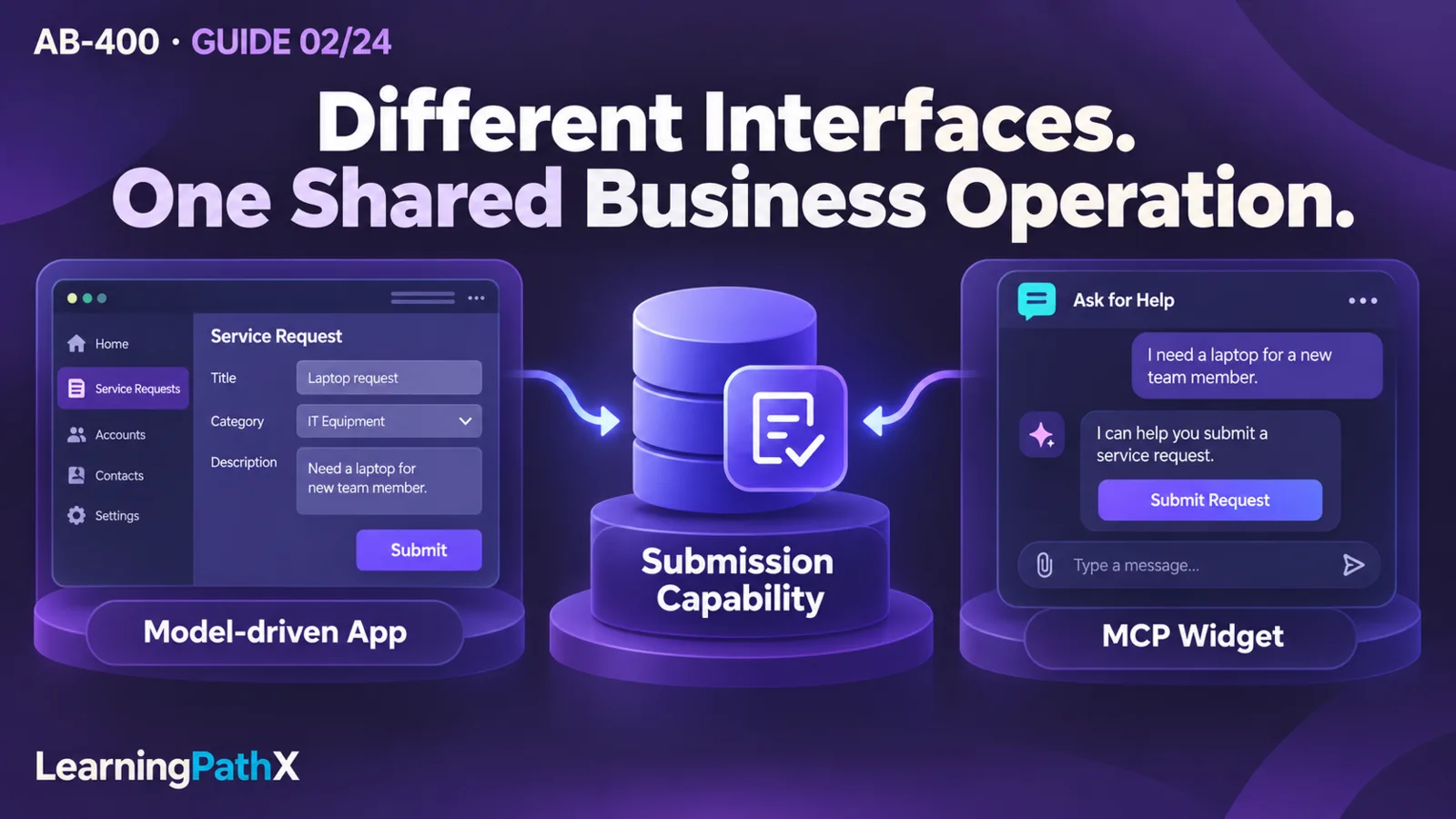
If employees later work through Microsoft 365 Copilot, an MCP widget could show a request summary and invoke the same governed capability. A second surface should not introduce a second eligibility implementation. This separation permits a different interaction while retaining one meaning for submission.
Define Contracts Before Connecting Components
For this example, an internal architecture record should specify the following proposed contracts. These are illustrative design fields, not predefined Microsoft API parameters.
| Boundary | Contract to decide | Failure meaning |
|---|---|---|
| Surface to submission capability | Request identity, intended action, expected current state and correlation identifier | A validation or state conflict is visible to the caller; no acceptance is implied. |
| Capability to persisted state | Which checks and writes define acceptance | The result states whether the business operation completed, rather than merely whether a message was received. |
| Accepted request to notification worker | Stable operation identity, minimum necessary payload and duplicate-handling rule | A failed or repeated notification must not create another request. |
| Agent to business capability | Structured proposed inputs and an explicit authorization/confirmation boundary | Generated text cannot substitute for an accepted business result. |
Also specify who owns timeouts, retries, compatible schema changes and diagnosis at each boundary. If a caller times out after submission, the outcome may be unknown to that caller. Prefer a design in which it can look up the existing operation result before repeating a consequential action. Correlation identifiers support tracing; they prevent duplicates only when the receiving implementation explicitly uses them for that purpose.
Design Considerations and Acceptance Evidence
Test the proposed architecture at the boundaries, not just through the happy-path screen. As design acceptance criteria, an invalid request submitted through an integration must be rejected consistently with the app; a failed notification must be recoverable without resubmitting the request; and an agent's invalid category proposal must not become an accepted value silently. These are expected criteria for later implementation, not executed results.
Measure where the user waits. Every synchronous dependency contributes to perceived completion time. If the business permits later completion, define a pending state and a way to see the final outcome. If it requires immediate certainty, simplify the critical path and document what failure means before adding dependencies.
Before implementing, verify environment feature enablement, applicable licenses, permissions and preview restrictions in the intended environment. Use a disposable development scenario for changes that create data, send notifications or consume paid services. Security-role and table-design decisions deserve their own treatment in AB-400: Designing Security and Dataverse Data Boundaries; this architecture only identifies where those controls must be applied.
Common Mistakes
- Choosing a UI framework before deciding which operation owns business correctness. Start with the invariant and its callers, then choose the surface.
- Implementing the same policy separately in a form, a flow and an agent. Identify one authoritative decision and let the callers present its result.
- Treating asynchronous acceptance as successful completion. Model pending, completed and failed outcomes explicitly.
- Putting a remote notification on the critical save path without a business requirement for it. Decide whether its failure should really block acceptance.
- Assuming AI-generated code or an AI-assisted flow removes verification work. Review generated code, validate model outputs and test consequential actions.
- Moving a widget between hosts without checking capabilities. A supported MCP server connection does not establish a compatible interactive UI.
Certification Relevance
For the AB-400 scope effective October 16, 2026, this decision process supports Build Microsoft Power Platform solutions. The useful skill is explaining why the chosen execution boundary, user experience and integration contract meet a requirement. Implementation specifics belong to the component guides, including AB-400: Dataverse Plug-ins and the Event Execution Pipeline.
Conclusion
A maintainable extension architecture assigns mandatory state rules, deferred work and user interaction to components with explicit responsibilities. Begin with existing capabilities, choose custom logic by consistency and completion requirements, and use generative assistance where interpretation adds value. Keep the business contract stable as surfaces change, and make partial failure visible rather than hiding it behind a successful screen.
Authoritative Sources
- Generate a page using natural language
- MCP apps in Microsoft 365 Copilot
- Power Apps component framework overview
- Power Apps code apps overview
- Event framework in Microsoft Dataverse
- Apply business logic using client scripting
- Create and use custom APIs
- Employ robust error handling in cloud flows
- Azure Functions overview
- Agent flows overview
- Connect to a Microsoft Foundry agent (preview)
- AB-400 study guide