
Introduction
Building reusable PCF code components starts with a host contract: choose the app surface, define the data and capabilities in the manifest, implement the component lifecycle, package the component in a solution, and configure a consuming app. Validate both directions of data flow and failure behavior in that app before treating the component as reusable. A working local visualization is only the first checkpoint.
Power Apps component framework (PCF) hosts code components inside an existing app. This guide follows a proposed model-driven app component that edits a requested quantity. It explains the implementation and release decisions rather than building a standalone application. The examples and acceptance results are illustrative; they have not been executed against a tenant.
Architecture Overview: Separate the Host, Component and Data
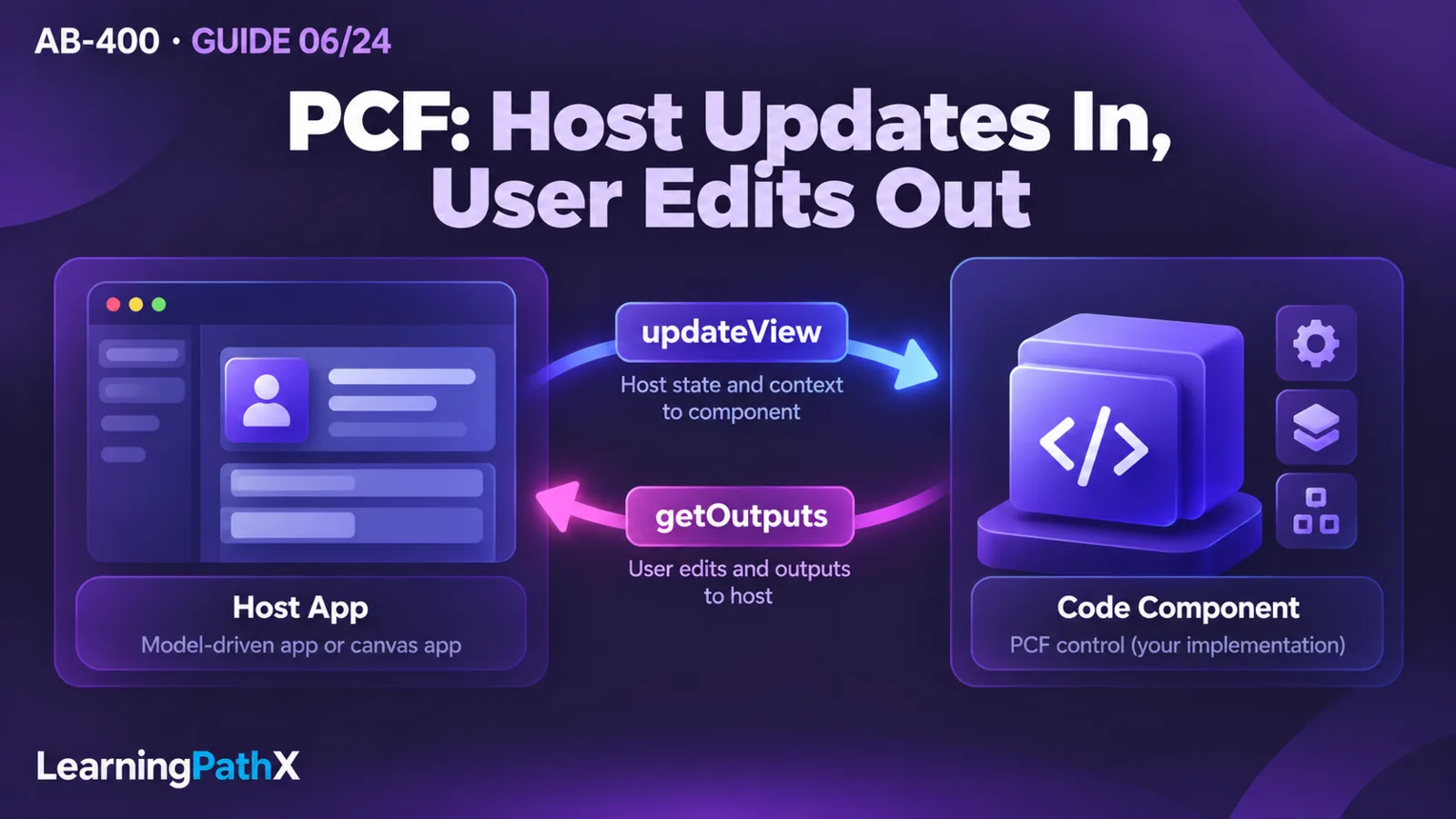
Think of the component as an adapter between the host's property values and a specialized user interaction. The app supplies configured values and context. The component renders its own interface and reports user changes through the framework. Microsoft Dataverse remains the persistence and authorization boundary; the visual control does not become a trusted enforcement layer.
The example uses a whole-number column, requestedUnits, with an illustrative accepted range of 0 through 100. The same component could be bound to different compatible columns on two test forms. Neither a table logical name nor a particular form layout belongs in its rendering code. If the business requires this range to hold for imports, integrations and other clients, implement the corresponding server-side rule separately.
There are three artifacts to keep aligned: the manifest describes the public contract, the TypeScript implementation honors it, and declared resources provide presentation and localized text. A change to any one can affect consumers. Renaming a property, for example, changes the configuration contract even if the control still looks identical.
1. Define the Reusable PCF Component Contract
Before scaffolding, record what the component accepts, produces and assumes. For this example, use the following design contract.
| Contract element | Example decision | Consequence for validation |
|---|---|---|
| Host and shape | Model-driven app, field component | Validate on an actual form with a compatible column |
| Bound property | requestedUnits, Whole.None | The host supplies the value; valid user changes return under the same name |
| Input property | caption, SingleLine.Text | A maker can configure the label without changing code |
| Empty input | Show an empty state; do not invent zero | Initialization must not notify an output change |
| Commit rule | Accept only whole numbers from 0 through 100 | Invalid interaction produces feedback without emitting a replacement value |
| Save ownership | Host app owns saving the bound value | A notification must not display a false “saved” confirmation |
These are example design choices, not PCF-wide restrictions. In particular, a required manifest property requires configuration; it should not be treated as proof that runtime data is always populated.
A field component suits one scalar value. A dataset component represents a configured collection and has additional concerns such as loading, selection and paging. Do not turn a field editor into a hidden grid by fetching an entire table inside its render path. Choose the appropriate template and data contract before writing the interaction.
2. Scaffold the Component and Declare Its Manifest
Use an isolated development environment, synthetic rows, permission to customize the target app, and a compatible Dataverse column. Install the documented developer prerequisites: Node.js long-term support, an editor such as Visual Studio Code, and Microsoft Power Platform CLI. A solution build also needs the documented .NET SDK or MSBuild tooling. Confirm the app's licensing and any environment-specific feature enablement before deployment.
In a new, empty component directory, the following scaffold command creates a field project and installs its dependencies:
pac pcf init --namespace Contoso.Controls --name QuantityEditor --template field --run-npm-install
Here pac is Microsoft Power Platform CLI. It is distinct from the Power Apps CLI used for standalone code apps. Keep the generated project structure and edit ControlManifest.Input.xml and the generated index.ts scaffold.
Inside the generated control element, replace the scaffold's example property with the intended properties. This is a fragment, not an entire manifest:
<property name="requestedUnits"
display-name-key="RequestedUnits"
description-key="RequestedUnitsDescription"
of-type="Whole.None"
usage="bound"
required="true" />
<property name="caption"
display-name-key="Caption"
of-type="SingleLine.Text"
usage="input"
required="false" />
Retain the control identity and code resource from the scaffold. Add CSS and localization resources through the manifest when needed, and ensure every declared path exists. The bound property is a value the component can change; the input property configures behavior without offering that value back as an edit. Check each schema element's host availability rather than assuming that an XML element valid for one app type works in another.
Regenerate the manifest types after changing the contract, then build:
npm run refreshTypes
npm run build
Use the generated IInputs and IOutputs interfaces in the implementation. Their names and types connect context.parameters.requestedUnits to an output named requestedUnits. Do not edit generated declarations to hide a manifest mismatch; correct the manifest or implementation and regenerate them.
3. Implement the Lifecycle as Two Data Flows
Implement ComponentFramework.StandardControl<IInputs, IOutputs> using the scaffold. Treat initialization, host updates, user edits and disposal as separate responsibilities.
| Method or callback | Responsibility in the quantity editor | Side effect to avoid |
|---|---|---|
| init | Create the component's elements, save the notification callback and attach stable event handlers | Assuming all data is ready or saving a default value |
| updateView | Read current context and reconcile the displayed value, label and disabled state | Publishing an output merely because the host rendered |
| notifyOutputChanged | Signal that a valid user edit is available | Treating the signal as a Dataverse save result |
| getOutputs | Return the current output object using manifest property names | Fetching data or creating new user changes |
| destroy | Detach handlers and release component-owned resources | Leaving callbacks able to update removed elements |
Receive host state through updateView
In init, create the input and label once and append them to the supplied container. Keep references to the exact handler functions so cleanup can remove them later. If the layout needs host allocation information, request container resize tracking once during initialization.
In updateView, use the latest context rather than assuming the context captured during initialization is current. Calls can result from a property change, container size, offline status or metadata changes. A resize must not attach another listener or submit another write. Dataset values also belong in updateView, not initialization.
Handle null values without converting them to a business value. Null can occur while data is not ready; zero is a legitimate quantity in this example. Render a safe empty or waiting state and avoid output notification until the user commits a valid value. Respect the host's disabled state and use clear labels and keyboard-operable controls.
Choose an explicit editing policy. One reasonable policy is to keep uncommitted text while the input has focus, commit on a deliberate change action, and reconcile the displayed committed value when the host returns it. If host data changes during editing, define whether to discard the draft or ask the user to retry. Blindly assigning the host value on every layout update can erase a user's partially entered text.
Send user edits through the output contract
On a commit action, parse the text, validate it, and update the local output value before calling the saved callback. The following original fragment shows only that handoff; editable, outputUnits and notifyOutputChanged are instance members maintained by the surrounding implementation:
private commitUnits(value: number): void {
if (!this.editable || !Number.isInteger(value) || value < 0 || value > 100) {
return;
}
this.outputUnits = value;
this.notifyOutputChanged();
}
public getOutputs(): IOutputs {
return this.outputUnits === undefined
? {}
: { requestedUnits: this.outputUnits };
}
Keep invalid-input feedback in the event-handling code around this fragment. Reject blank text before numeric conversion so it is not accidentally interpreted as zero. Update editable from current host state, suppress notifications for unchanged commits, and test how the host accepts or rejects the proposed value. The fragment does not implement clearing a value; add and validate an explicit clearing contract if consumers need one.
Do not call a separate Web API update for the same bound column to make the form appear saved. That creates competing write paths between the component and host. Use the bound output for the edit and let the app perform its normal save operation.
Dispose of everything the instance owns
In destroy, remove registered event listeners using their saved references, stop timers, disconnect observers and dispose of any rendering-library root you created. For asynchronous work, mark the instance as disposed and ignore completions that no longer belong to it. A component may disappear while a request is pending; promise completion is not evidence that its container still exists.
4. Add Device, Utility and Web API Features Deliberately
The base quantity editor needs no remote read or device capability. Add one only when it supports a defined interaction. Host support is part of the contract: the documented Utility surface is for model-driven apps, and the PCF Web API is not a general canvas-app data access surface. Check individual methods as well as the top-level interface.
Device: declare usage and offer a fallback
Device methods expose capabilities such as image capture and location. For a model-driven inspection component with optional photography, the manifest can declare the specific capability:
<feature-usage>
<uses-feature name="Device.captureImage" required="false" />
</feature-usage>
The documented captureImage method targets mobile clients for model-driven and canvas apps; do not infer desktop-browser camera support from the broader Device interface. Check the method's availability before calling context.device.captureImage, and handle rejection, cancellation and device permission denial. Show the fallback when the method is unavailable. Marking a capability required is a compatibility decision: an unsupported host can fail to load the component. It does not guarantee that a user will grant camera access or complete capture.
Request capture from an explicit user action and avoid collecting images or location as a side effect of rendering. Decide whether captured information stays local or is submitted, and make that choice visible to the user. This is a privacy recommendation for the example, not a claim that the manifest grants storage permission.
Utility: obtain context without creating authority
The Utility interface, exposed through context.utils, provides methods including table metadata retrieval, privilege checks and lookup dialogs. In a model-driven component that depends on it, add <uses-feature name="Utility" required="true" /> inside feature-usage; optional use instead needs an availability check and fallback. An asset selector could load the relevant table metadata before deciding how to render a lookup. Cache stable metadata within an appropriate scope rather than requesting it on every redraw.
If using hasEntityPrivilege, await getEntityMetadata first when metadata may not be cached; the documented privilege check can otherwise return false. Even then, a table-level privilege indication does not establish access to every row or guarantee that a later write succeeds. Use it to improve interaction, while handling actual operation failures and leaving Dataverse enforcement intact.
Web API: bound reads and guard asynchronous results
For a model-driven component that displays supplemental account information, declare WebAPI in the manifest feature usage and make the dependency required only if the component cannot operate without it. A bounded read could use this verified API shape:
const row = await context.webAPI.retrieveRecord(
"account", accountId, "?$select=name"
);
Here accountId must be a validated identifier from an explicit component input, not a value scraped from the surrounding page. Capture that identifier when starting the request. Before rendering the response, compare it with the current input and the current request generation; discard stale results after navigation, a newer request or disposal.
Select only required columns, show loading and failure states, and avoid repeated reads on resize. Treat an access-denied or network error as unavailable information, not as an empty account name. Use the framework context APIs; reaching into undocumented host objects or unrelated page elements makes reuse fragile and can cross unsupported boundaries.
5. Package, Import and Configure a Consumer
First build the component for production using the documented script:
npm run build -- --buildMode production
Create a separate solution-project directory. From that directory, initialize the solution and reference the component project. The paths below illustrate a local sibling layout; choose publisher values appropriate to the development environment.
pac solution init --publisher-name ContosoControls --publisher-prefix ctc
pac solution add-reference --path ..\QuantityEditor
dotnet build --configuration Release
The solution build packages referenced components for import. Verify its package type and output before promotion; release configuration normally produces a managed solution, and project settings can override that behavior. An npm production bundle and a managed solution are different artifacts. Both should come from the same reviewed source revision.
Import the candidate solution into the isolated target environment, then configure the consuming form to use the component on a compatible whole-number column. Bind requestedUnits to that column, set the caption, select the intended supported client surfaces, save and publish the customization. Open the app as the intended user. Importing a component makes it available; it does not automatically replace controls in every form.
For a development-only inner loop, Microsoft documents pac pcf push as a shortcut that bypasses normal component versioning requirements. Confirm the selected authentication profile and destination before any push. Use the solution artifact and the shared release process for repeatable movement between environments, rather than treating a successful development push as release evidence.
Record the component identity/version, source revision, package identity and consumer bindings. Test the package in another isolated environment and bind the component to a second compatible column. If it works only on its original form, investigate hidden assumptions about labels, record identity, column names, layout or host capabilities. Broader dependency and pipeline management belongs in AB-400: Managing Solutions, Pipelines and Build Tools.
6. Validate the Contract in the Consuming App
Start locally with the scaffold's npm start watch command to find manifest, TypeScript and rendering errors. Then test inside the target app: the local harness cannot establish real row permissions, host saving, camera behavior or solution consumption. The following are proposed acceptance tests, not recorded execution results.
| Test | Expected observation | Failure suggests |
|---|---|---|
| Open a populated row and resize the form repeatedly | Value remains stable; no output notification or duplicate listener appears | Rendering has unwanted side effects |
| Open an empty value | Empty state appears; no automatic zero is written | Null was coerced to a default |
| Commit 0, 1 and 100, then save and reopen | Each valid value returns through the output contract and persists through the app save | Property naming, binding or save assumptions are wrong |
| Enter blank, fractional, negative and greater-than-100 text | Feedback appears; no invalid value is emitted | Parsing or commit validation is incomplete |
| Change the bound value through the host and trigger another render | Display reconciles according to the documented editing policy | Local state overrides host state indefinitely |
| Use a disabled control and test the app with restricted permissions | Interaction respects disabled state; failed saves or reads remain visible | UI state was mistaken for authorization |
| Start read A, change input to B, then complete A | A cannot replace B's display | Asynchronous responses lack correlation checks |
| Navigate away during a pending request, then return | No removed element is updated; a new instance behaves normally | Cleanup or disposal guards are incomplete |
| Deny camera access or use a host without optional capture | A clear fallback preserves the remaining interaction | Optional capability was treated as universally available |
Include keyboard navigation, focus visibility, screen-reader labels, long translated captions and narrow layouts. For reuse, compare behavior on both configured columns and repeat the import/consume check using the actual release package. Keep sensitive row values and captured media out of diagnostic logs.
After testing, remove the component from test forms and publish those changes before attempting to remove its solution. Check dependencies and preserve any needed test evidence first. Delete only the synthetic rows and media created for the exercise; do not remove a shared solution or production data as a cleanup shortcut.
Design Considerations and Common Mistakes
A component should own its rendered elements and short-lived interaction state. The host owns configured data and the save flow. Persisted business truth belongs behind the data boundary. Keeping those responsibilities distinct makes the component easier to test across different forms and easier to diagnose when a save fails.
The most costly lifecycle mistake is coupling every updateView call to notification or network activity. A harmless layout change then becomes an output loop or request storm. Reconcile only what changed, keep writes tied to deliberate user actions, and make asynchronous work independent of rendering frequency.
The most costly packaging mistake is changing the contract without testing existing consumers. A renamed property or newly required capability can invalidate configured forms. Treat those changes as compatibility work: inspect current bindings, version the component appropriately, and validate an upgrade using the intended solution path. Keep styling scoped to the component so reuse does not alter other controls.
Adding external browser calls also changes the component's dependency, privacy and potentially licensing considerations. Review current licensing rules for the actual app and connections; a component is not automatically license-neutral because its code is small. Do not put secrets in client resources or assume that importing a solution creates credentials for an external service.
Certification Relevance
In the selected AB-400 skills scope effective October 16, 2026, verified against the frozen October 15 baseline, this work belongs to Extend the user experience. The practical learning outcome is the ability to explain how manifest properties, lifecycle methods, host capabilities and solution consumption form one contract. The study guide establishes that scope; product documentation establishes the implementation behavior. This guide does not assert a live exam-launch status or reproduce assessment content.
Conclusion
A reusable PCF component is complete when its manifest, implementation, package and consuming app agree. Define the contract first, separate host updates from user outputs, declare capabilities deliberately, and validate the packaged component under real host and failure conditions. Those checks reveal whether the control can be reused safely beyond its original development form.
Authoritative Sources
- Power Apps component framework overview
- StandardControl reference
- Power Apps component framework manifest schema reference
- AB-400 study guide