
Introduction
Build a Power Apps code app by initializing it for one development environment, adding its governed data sources with the Power Apps CLI, and inspecting the generated TypeScript contracts before wiring user actions. Then implement bounded Dataverse operations, add named actions or functions, attach a supported Power Automate flow, and connect a published Microsoft Copilot Studio agent. Verify each boundary independently before combining the screen's actions.
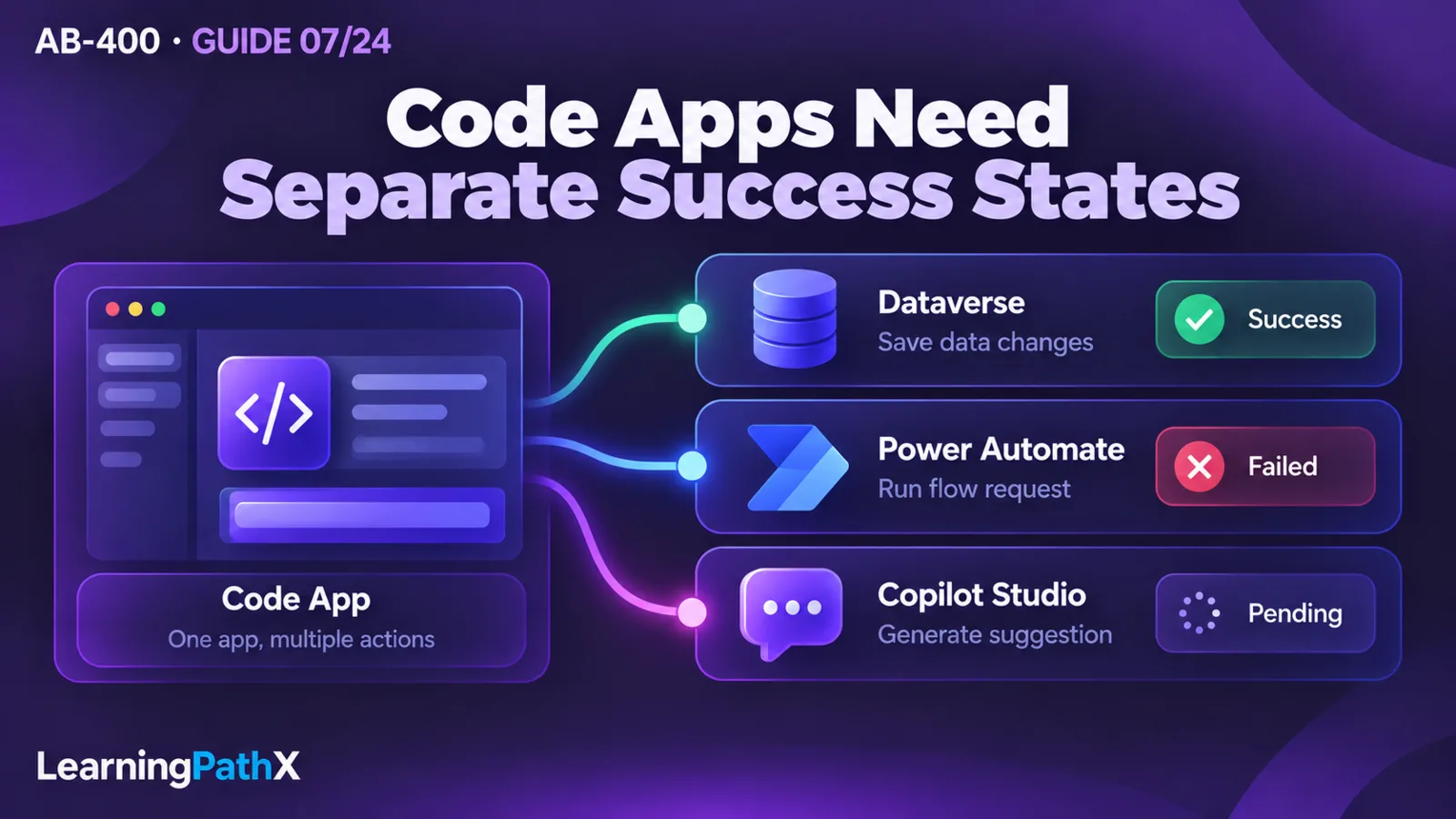
Building code apps with Dataverse and automation requires more than a working button. A connection identifies a configured integration; generated types describe its interface; the application must still decide what counts as saved, submitted or merely suggested. This procedure develops those decisions through an illustrative account workbench. Commands and acceptance observations are instructional examples, not results from an executed tenant exercise.
Architecture Overview: Define the Account Workbench Contract
The proposed workbench lets a coordinator inspect synthetic accounts, edit a phone number, request a follow-up through an existing flow, and ask an agent to draft a short outreach suggestion. It deliberately separates four outcomes:
| User action | Proposed application contract | Evidence before showing success |
|---|---|---|
| Save phone | Change only the selected account's phone field | A successful service result followed by the intended saved value |
| Request follow-up | Pass the saved account identifier to a controlled workflow | The flow invocation result and the business response defined by its owner |
| Draft outreach | Send approved non-sensitive context for a suggestion | A completed agent response, displayed for human inspection |
| Delete a test account | Remove only a disposable row selected for cleanup | Explicit confirmation and verification that the identified test row is gone |
These are proposed business contracts, not generated platform features. In particular, a saved phone number does not prove that a follow-up request succeeded. Keep both outcomes visible if the second operation fails. Do not erase the saved state or claim the whole interaction rolled back.
Use a development environment with Dataverse and code apps enabled, Node.js Long Term Support (LTS), Git, the Power Apps CLI and the Power Apps client library. Confirm current end-user licensing or billing eligibility with the administrator before arranging tests. The platform supports Microsoft Entra authentication and managed governance policies; a custom interface must operate within those policies.
Prepare disposable account rows, least-privilege test identities, an approved solution-aware flow and a published agent. Give the maker access to the connections required for construction. Record which test identity is expected to read, edit or invoke each service. Avoid real customer data, live notifications or externally chargeable actions in the exercise.
Core Components: Keep Three Contracts Separate
Treat the connection, generated interface and screen behavior as separate review items. First, identify which environment and connection the app uses. Second, inspect generated models and method signatures rather than guessing service names. Third, define how the screen handles pending work, missing data and errors. A TypeScript build can verify a method call's shape; it cannot demonstrate that the intended user is authorized or that a workflow produced the intended business outcome.
Put application-specific orchestration in handwritten modules that call the generated services. Avoid embedding business decisions in generated files that must be refreshed. For the workbench, retain a saved account identifier separately from the editable phone field and the agent's proposed text. This prevents an agent response from silently becoming a persisted account update.
Step 1: Initialize and Run the Code App
Obtain the official Vite starter using the code-app quickstart in Authoritative Sources, place the project in a development directory named account-workbench, and open a terminal there. Install and initialize it:
npm install --global @microsoft/power-apps-cli
npm install --global @microsoft/power-apps
npm install
pa app init
pa app run
Select the intended environment during initialization and authenticate when prompted. Open the Local Play address in the browser profile used for that Power Platform tenant; local-network browser permission may also be needed. These examples use Power Apps CLI pa. The broader Microsoft Power Platform CLI pac is a distinct tool; historical pac code examples are outside this procedure.
Before adding integrations, record the selected environment and confirm that the blank app can open. Otherwise a later data failure could be confused with an incomplete initialization. Deployment, sharing, Content Security Policy and runtime diagnostics are covered by AB-400: Deploying and Troubleshooting Power Apps Code Apps.
Step 2: Add Dataverse Data and Metadata Operations
Add the Account table by its logical name:
pa app add data-source --connector dataverse --table account
Inspect the generated AccountsService and Accounts model, and import the service from its generated module. The documented methods support create, single-record get, getAll, update and delete. The following excerpt assumes that import and validated UI values for selectedId and editedPhone:
const page = await AccountsService.getAll({
select: ['accountid', 'name', 'telephone1'],
orderBy: ['name asc'],
top: 25
});
await AccountsService.update(selectedId, { telephone1: editedPhone });
const saved = await AccountsService.get(selectedId);
Select only needed columns. Create payloads must exclude system-managed/read-only fields; update payloads should contain only changes. Delete requires the row identifier. Supported query/paging options do not imply FetchXML or alternate-key support: the current code-app Dataverse guide lists both as unsupported.
For this example, preserve the user's edit while saving and report failure without clearing it. Inspect result/error handling in the generated interface. Never treat a missing response as an empty successful list. Require a freshly selected row before a destructive test operation.
Retrieve Metadata Without Inventing Schema Editing
The generated table service also exposes getMetadata. Request only the table properties, columns and relationships the screen needs:
const metadata = await AccountsService.getMetadata({
metadata: ['DisplayName'],
schema: { columns: ['name', 'telephone1'] }
});
Metadata can supply localized labels through column display names, with a deliberate fallback when a label is absent. This reads definitions; it does not create or change tables. The documented wrapper exposes base attribute metadata, so do not assume it returns choice options defined on derived attribute types.
The workbench's acceptance rule should tolerate missing localized labels without disabling a valid save. Conversely, metadata availability must not be interpreted as permission to update a row. Those observations answer different questions.
Step 3: Add a Named Dataverse Function or Action
Use discovery to inspect available operation names, parameters, binding and return types. A low-impact first function is WhoAmI:
pa app find-dataverse-api --search "WhoAmI"
pa app add dataverse-api --api-name WhoAmI
The operation schema, configuration and generated service are produced from Dataverse metadata. Import WhoAmIService from its generated module, then use the documented call:
const identity = await WhoAmIService.WhoAmI();
Use its identity response to check environment/user expectations during development, not as a replacement for authorization. For a business action, discover that exact action and inspect the generated signature before invoking it. A bound action such as AddToQueue takes the binding row's identifier first; it is not interchangeable with an unbound function. This feature requires client library version 1.1.1 or later.
When an operation definition changes, add the same API name again to refresh its generated contract. Review resulting differences before reconnecting callers. For the workbench, a changed required parameter should block integration until the screen can supply its actual meaning; a cast that suppresses the compiler error is not an acceptable repair.
Step 4: Attach a Solution-Aware Flow
Code apps support solution-aware instant cloud flows with the Power Apps trigger. A scheduled or automated flow is not a substitute. Use client library version 1.1.1 or later, and ensure the maker can access the flow and its underlying connections:
pa app list-flows
pa app add flow --flow-id <flow-id>
Replace <flow-id> with the discovered identifier. Adding it downloads the OpenAPI definition, generates models/services, and records the flow and connection references in power.config.json. Open the generated service: its static Run method's inputs and typed response depend on the actual flow definition. Check success, data and error; success identifies successful triggering and does not itself establish business completion. End users also need sufficient Dataverse permissions, such as App Opener or an equivalent role.
For the proposed follow-up, agree with the flow owner on a saved account ID as input and an explicit accepted/rejected response. Do not invent a universal RequestFollowUpService.Run signature. Wire the generated equivalent only after that flow exists and its response is understood. Disable repeated clicks while the call is pending; if duplicate submissions matter, require a server-side duplicate policy as part of the business design.
After a definition change, repeat pa app add flow with the same ID and update callers. Verify that a rejected request remains rejected in the UI even if the account save succeeded. This is application composition; the internal retry, branching and child-flow implementation remain outside this guide.
Step 5: Connect a Published Copilot Studio Agent
Locate the Microsoft Copilot Studio connection and add its data source:
pa connection list
pa app add data-source --connector "shared_microsoftcopilotstudio" --connection-id <connectionId>
Replace <connectionId> with the appropriate connection's ID. If none exists, create an approved Copilot Studio connection first. The generated CopilotStudioService exposes ExecuteCopilotAsyncV2, the documented Execute Agent and wait operation. Despite its name, this operation returns responses synchronously. Supply its required message, agentName and notificationUrl fields according to the generated signature. Open Connect code apps to Copilot Studio in Authoritative Sources, go to Invoke a Copilot Studio agent > Request parameters, and copy the documented notificationUrl placeholder exactly into the generated call. Synchronous mode does not use it as an application callback endpoint.
Publish the agent and obtain its case-sensitive name from Channels > Web app connection details. Handle response fields including completed, lastResponse, responses and conversationId. Inspect the generated interface and actual response rather than assuming every implementation uses identical property casing.
For outreach suggestions, send only approved context and display the response as a draft. If structured content is expected, validate its parsed shape and allowed values before using it. A completed answer is evidence of an agent response, not approval to change an account or trigger a follow-up. Keep saving and requesting follow-up behind separate explicit user actions. Test empty, incomplete and malformed responses against that rule.
Step 6: Parameterize Supported Data-Source Configuration
Code-app data sources can persist environment-variable references for tabular dataset/table arguments and resolve values from the destination environment. Form each reference from the prefix token @envvar, a colon, and the variable's schema name, without spaces. This requires an existing Power Apps connection and variables already created in a solution. The official example is a SharePoint data source; the command shape below uses labeled arguments that must be replaced with complete references:
pa app add data-source --connector shared_sharepointonline --connection-id <connection-id> --dataset <dataset-environment-variable-reference> --table <table-environment-variable-reference>
Use actual approved schema names and verify that the references remain in power.config.json. If the workbench later reads an approved outreach-template list, this mechanism can separate that list's destination configuration from application code.
Keep that configuration contract precise. The connection ID, tabular variable reference and runtime application setting have different purposes. This data-source feature does not establish arbitrary runtime telemetry-setting injection. Do not assume that adding a similarly named variable makes a handwritten JavaScript setting available. Confirm the supported configuration surface for each consumer.
Design Considerations: Validate Each Boundary Before Combining Actions
Run proposed acceptance checks first with synthetic data and then under the intended test identities. Record observations without credentials or sensitive payloads. These are expected checks, not reported successes:
- Open the workbench as an allowed reader. Confirm the selected environment and expected synthetic records; a query failure must show an unavailable state instead of “no accounts.”
- Save a changed phone number as an allowed editor. Read it back and compare the intended row and field. Attempt the same edit with the restricted identity and require rejection without an optimistic success indicator.
- Cancel a delete confirmation and require no deletion. Then delete only a disposable row through the explicit cleanup path and verify the identifier targeted.
- Change a localized label or test a missing-label condition. Require a usable fallback while preserving the distinction between metadata and business permissions.
- Submit follow-up after saving. Exercise a flow rejection and an unavailable connection separately; the saved phone remains visible, while the request outcome remains unsuccessful or unresolved as appropriate.
- Request a suggestion, then simulate malformed or incomplete agent data at the application's response-handling boundary. Require safe display/failure behavior and no automatic account update or flow call.
- Inspect a changed generated contract before accepting it. Repeat the affected caller checks rather than trusting an unchanged screen appearance.
Build the app with npm run build after handwritten changes and generated-contract updates. A successful local build is one construction check; it does not establish tenant permissions, flow completion or published-app behavior. Keep the evidence categories separate.
Common Mistakes and Construction Recovery
The most costly construction mistake is assigning one “success” flag to the entire interaction. Instead, retain independent save, workflow and suggestion states. If a flow response is uncertain, re-establish its business outcome before inviting another submission; a blind repeat can create another business request.
Another mistake is rewriting generated code to match the UI's preferred payload. Fix the actual contract or the handwritten adapter, regenerate, and inspect the changes. When adding a flow fails, verify solution membership and access to underlying connections before changing its inputs. When an agent response is absent, verify publication, exact agent name, expected message shape and use of ExecuteCopilotAsyncV2 before assuming the interface needs a different prompt.
After development, remove only disposable rows and test-only grants, and disconnect unneeded test integrations after checking their consumers. A flow can be removed from this app with pa app remove flow --flow-id <flow-id>; that removes the app configuration and regenerates services. Do not equate removing a reference with deleting the shared flow or revoking every connection that another app might use.
Certification Relevance
The AB-400 study-guide baseline verified October 15, 2026 places code-app construction in Extend the user experience. This guide connects its data, metadata, operation, flow, agent and environment-variable skills into one implementation outcome. It retains that dated scope and makes no claim about live exam availability. Release and operational management remain a separate reader task.
Conclusion
A useful code app has explicit evidence for every user-visible outcome. Initialize the environment, generate each service contract, keep handwritten orchestration separate, and prove saved data, workflow acceptance and agent suggestions independently. That produces a construction result that can move to deployment review with its assumptions and unresolved tenant checks visible.
Authoritative Sources
- AB-400 study guide
- Power Apps code apps overview
- Create a code app using the Power Apps CLI
- Connect your code app to Dataverse
- Add a Dataverse action or function to a code app
- Get metadata for Dataverse tables
- Add Power Automate flows to a code app
- Connect code apps to Copilot Studio
- Use environment variables in code app data sources