
Introduction
A Snowflake connection crosses several independent controls: endpoint discovery, network reachability, Transport Layer Security (TLS), authentication, session policy, role selection, and object authorization. Drivers and connectors implement the client side, while Snowflake policies and integrations control who can connect and how. Troubleshooting is faster when these layers remain separate.
Connectivity Architecture
Snowflake supports multiple access paths:
- Snowsight for browser-based administration and querying.
- Snowflake CLI and supported command-line clients.
- Open Database Connectivity (ODBC) and Java Database Connectivity (JDBC) drivers.
- Native language connectors and supported third-party integrations.
- Snowflake APIs for programmatic resource and data operations.
Choose a supported client for the workload and keep it within its documented version policy. A connection string is not a security boundary by itself; the account, authentication mechanism, network policy, active role, and warehouse all affect the resulting session.
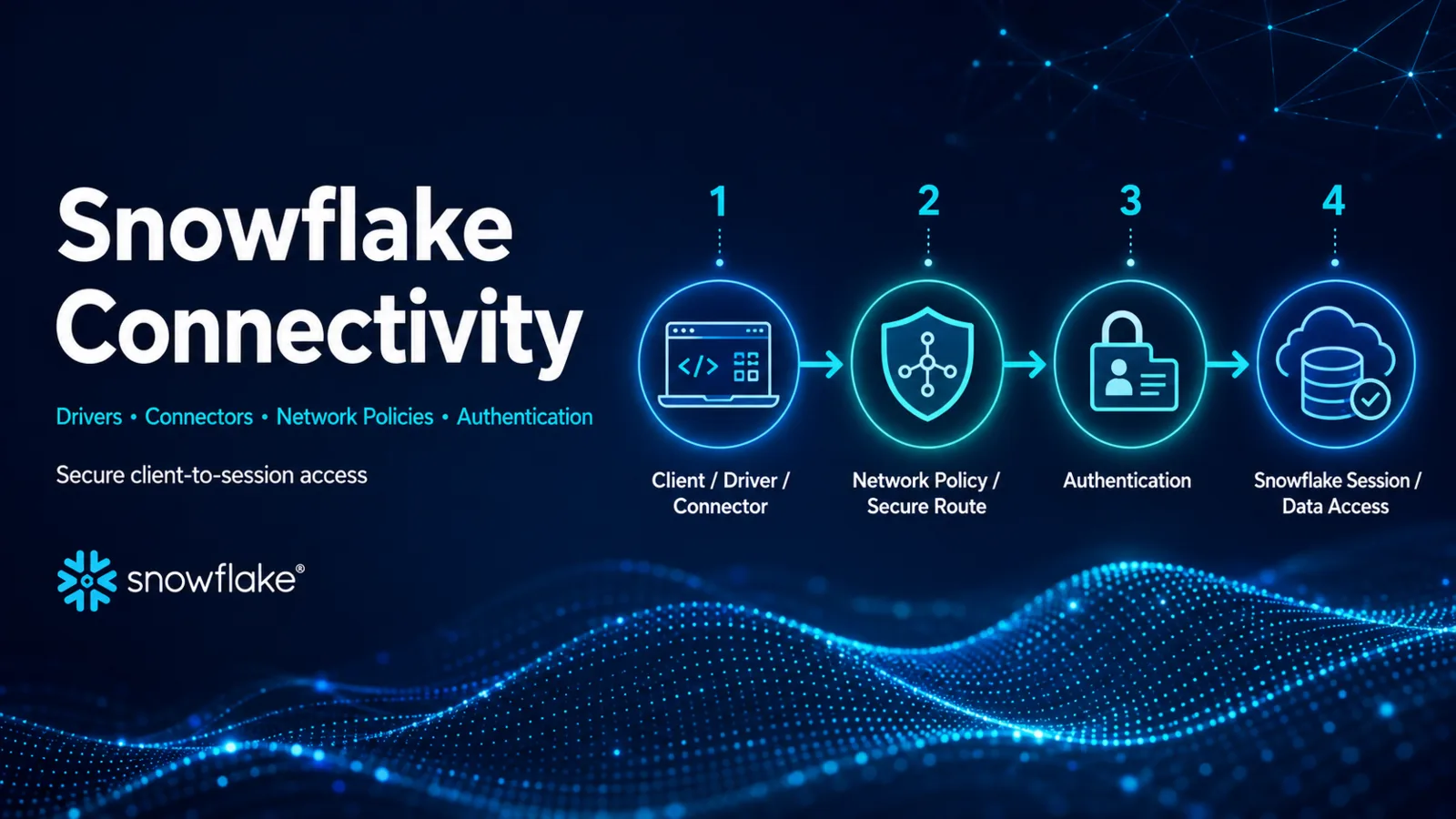
The Client-to-session Path
- The client resolves the Snowflake account endpoint.
- Network routing and policy allow the origin to reach the service.
- TLS establishes a protected transport and validates certificates.
- The configured authentication method proves identity.
- Authentication policy and integration settings evaluate the method and client.
- Snowflake creates a session with role, warehouse, database, schema, and parameters.
- Role-based access control authorizes subsequent actions.
An HTTP or driver error should be assigned to the earliest failed stage. Granting SELECT cannot repair DNS or TLS. Allowing an IP address cannot grant table privileges.
Authentication Methods and Policies
Snowflake authentication policies can control allowed methods, multi-factor authentication requirements, identity providers, client types, and aspects of programmatic access tokens. Documented methods include passwords, Security Assertion Markup Language (SAML), OpenID Connect (OIDC), OAuth, key-pair authentication, and programmatic access tokens, subject to current support and configuration.
Interactive administrators should use multi-factor authentication according to current Snowflake guidance. Automation should use an approved non-interactive mechanism, dedicated identity, rotation process, and least-privilege role. Never embed reusable administrator credentials in source code or a connection example.
Network Rules and Network Policies
Network rules are schema-level objects that group network identifiers. A network policy references allowed or blocked rules to control inbound traffic to the Snowflake service and, under documented conditions, internal stages.
Network policy scope matters. Policies can be associated at supported account, user, or integration scopes, and precedence affects the result. Snowflake notes that specific OAuth token requests and integrations have special policy behavior. Validate the exact authentication flow rather than assuming one user-level rule controls every endpoint.
Private connectivity changes routing and endpoint requirements but does not remove authentication or authorization. It also has cloud, region, Domain Name System (DNS), certificate, and account-configuration prerequisites.
Driver and Connector Selection
Evaluate:
- Supported language, framework, and runtime versions.
- Authentication mechanisms and secret-management integration.
- Session pooling, transaction, retry, and parameter behavior.
- Data type support and bulk transfer capabilities.
- Proxy, private connectivity, and certificate requirements.
- Upgrade cadence and minimum versions permitted by authentication policy.
Do not assume all drivers expose the same options or retry semantics. Verify the current documentation for the selected client.
A Layered Diagnostic Workflow
Before authentication
Confirm the account identifier and endpoint, DNS result, route, proxy, firewall, TLS trust, and network-policy origin. Capture the driver error and request identifier when available.
During authentication
Check the selected method, identity-provider or OAuth integration, key or token validity, clock synchronization, multi-factor requirement, and authentication policy. Avoid resetting credentials until the error points to identity proof.
After session creation
Inspect the active role, warehouse, database, schema, and privileges. A successful sign-in followed by SQL access control error is an authorization problem, not a failed connection.
Common Mistakes
- Treating authentication and authorization as synonyms.
- Adding broad IP ranges before confirming the actual source and policy scope.
- Using account locators or identifiers without the required organization and region context.
- Pinning an unsupported client version.
- Assuming private connectivity bypasses TLS or identity controls.
- Rotating a key without updating every dependent client safely.
- Granting a powerful role to hide a warehouse or object privilege gap.
Certification Relevance
COF-C03 explicitly includes establishing Snowflake connectivity. Readiness means tracing the connection path, choosing an appropriate client, and mapping a failure to network, authentication, session, or authorization evidence.
Authoritative Sources
- Snowflake key concepts and architecture
- Authentication policies
- Controlling network traffic with network policies
- Network rules
Conclusion
Snowflake connectivity is a chain of distinct dependencies. Select a supported client, protect credentials, constrain ingress, and diagnose the earliest failing layer. That approach fixes the controlling problem without weakening unrelated security boundaries.