
Introduction
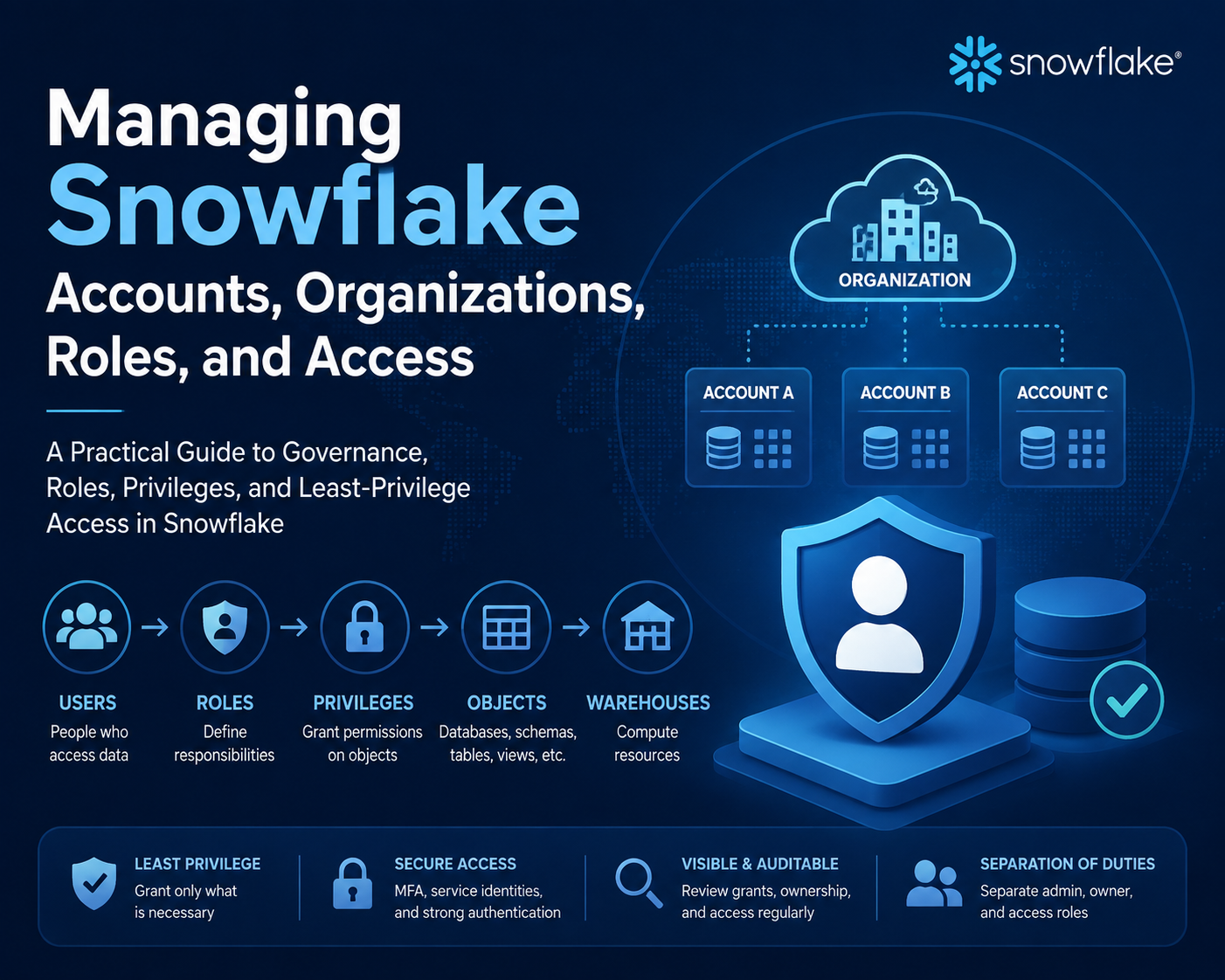
Snowflake administration spans organization-level account management and account-level control of users, roles, privileges, and objects. Effective governance depends on placing each responsibility at the correct scope. A user who can authenticate to an account does not automatically have permission to use a warehouse or query a table, and a powerful system role should not replace a deliberate role hierarchy.
Organization and Account Boundaries
A Snowflake organization links accounts owned by a business entity. It supports centralized account administration, usage visibility, replication and failover workflows, and cross-account collaboration. Snowflake documents organization accounts as special accounts used for organization-level administration and premium organization usage views, while regular accounts run business workloads.
The organization boundary is therefore broader than a database or warehouse. An account contains its own users, account roles, warehouses, databases, integrations, and policies. Cross-account designs must account for region, cloud platform, data movement, governance, and edition requirements.
The Access Control Model
Securable objects and privileges
Snowflake controls actions through privileges on securable objects. Examples include USAGE on a warehouse or database, SELECT on a table or view, and OWNERSHIP for the role that controls an object. Required privileges are cumulative across the path: querying a table generally requires access to the warehouse and container objects as well as the table privilege.
Account roles and database roles
Account roles can be granted to users and can participate in an account-level role hierarchy. Database roles package privileges on objects within a database and are granted to account roles. This separation can make database access portable and easier for object owners to manage without granting broad account administration.
System-defined and custom roles
System-defined roles provide documented administrative responsibilities. ACCOUNTADMIN is highly privileged and should be tightly controlled. Snowflake recommends creating custom roles aligned to business functions and granting them through a hierarchy rather than creating routine objects with ACCOUNTADMIN.
The active role matters because a session evaluates privileges available through that role and its inherited hierarchy. Setting a default role on a user does not replace granting that role to the user.
A Least-Privilege Design Pattern
Consider an analytics team that needs to query curated data:
- A database role receives USAGE on the required schema and SELECT on approved views.
- A functional account role receives that database role.
- The functional role receives USAGE on the analytics warehouse.
- Users receive the functional role.
- An administrative role owns the objects and manages grants but is not used for routine queries.
This pattern separates consumption from ownership. It also makes troubleshooting more precise: inspect the active role, role grants, object grants, and warehouse privilege instead of granting a broad administrator role to make the error disappear.
Governance Considerations
- Require multi-factor authentication for privileged interactive administrators according to current Snowflake guidance.
- Use dedicated service identities and approved non-password authentication for automation where supported.
- Separate role administration, object administration, and daily data access.
- Review future grants carefully because they apply to objects created within the defined scope, not retroactively to unrelated containers.
- Audit ownership transfers because OWNERSHIP is singular and affects who can manage grants.
- Keep organization-level data residency and regulatory requirements distinct from account-level object permissions.
Common Access Failures
Authentication succeeds but the query fails
This is usually an authorization or context problem, not proof that authentication is broken. Check the active role, current database and schema, warehouse selection, and the grant chain to the object.
A default role appears ineffective
Confirm that the role was explicitly granted to the user. A default setting selects a role at sign-in; it does not itself create the grant relationship.
An administrator can query but users cannot
Objects may have been created or owned under a role that is not connected to functional roles. Inspect ownership and explicit grants rather than expanding all users' privileges.
Certification Relevance
COF-C03 includes management of Snowflake accounts and virtual warehouses. Readiness requires more than recognizing role names: candidates should be able to trace a user-to-role-to-privilege-to-object path and distinguish organization administration from account and database governance.
Authoritative Sources
- Introduction to organizations
- Working with organizations and accounts
- Access control best practices
- Access control privileges
Conclusion
Snowflake governance is strongest when organization, account, database, role, and object boundaries are explicit. Build functional role hierarchies, grant only the required privileges, protect administrator roles, and diagnose access through the actual grant chain rather than bypassing it.